Description
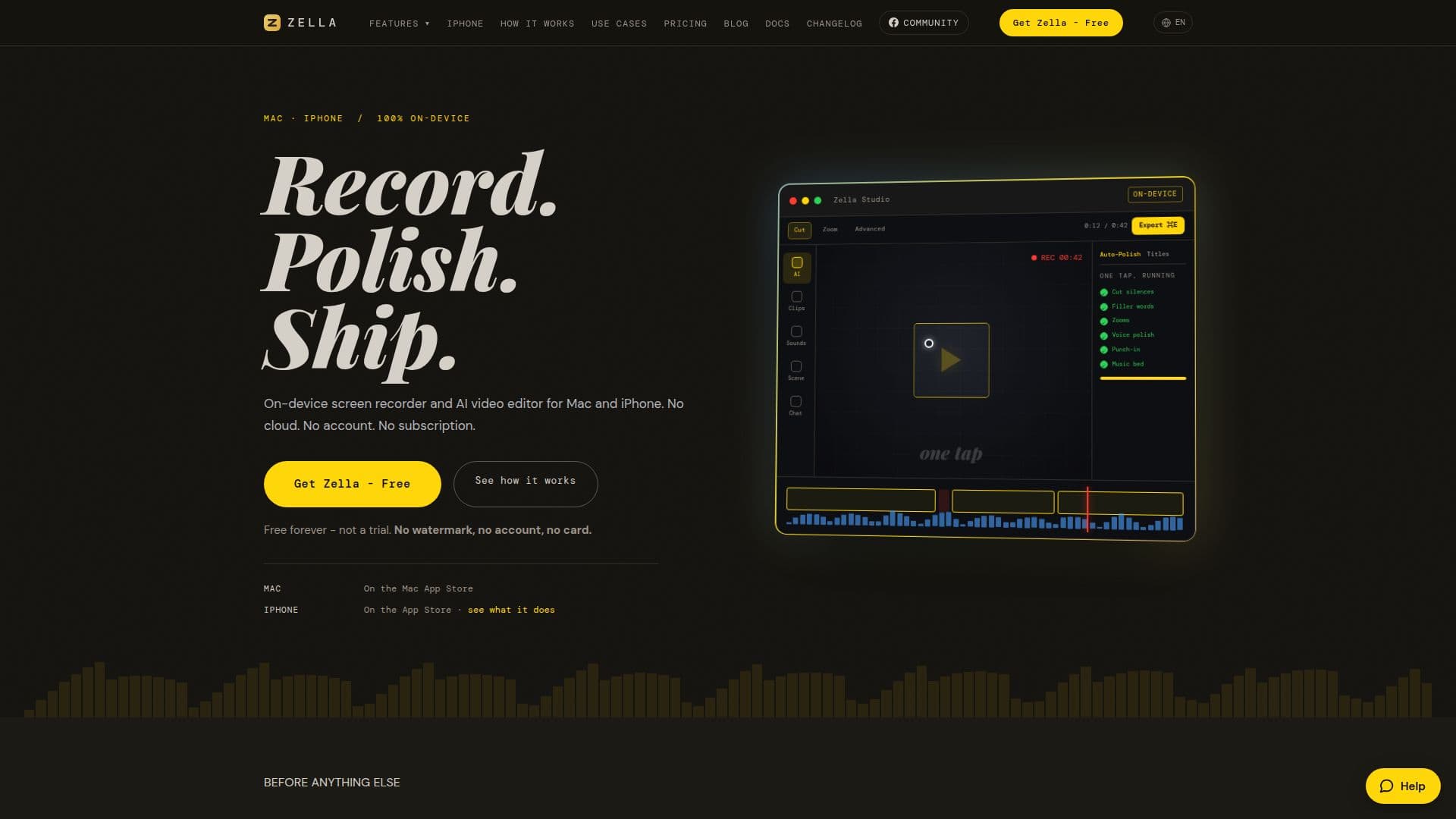
Zella is a versatile screen recorder and AI video editor designed for Mac and iPhone users. It provides a comprehensive editing suite with AI capabilities, allowing users to record, edit, and export videos directly from their devices. The free version includes unlimited recording and watermark-free exports up to 2 minutes at 1080p resolution. Users can upgrade to Zella Pro for a one-time payment of $89, which removes export length restrictions and adds features like 4K and 8K exports, transparent-background export, and a multi-aspect export queue.
Read More
Zella operates entirely on-device, ensuring that user data remains private and secure. The AI features, such as Auto-Polish and the AI Assistant, streamline the editing process by automating tasks like removing silences, filler words, and background noise. The AI Assistant can perform 104 actions on Mac and 74 on iPhone, including reframing, grading, and adding callouts.
The platform supports various export formats, including MP4, MOV, GIF, and M4A, and offers presets for popular platforms like TikTok, Instagram, and YouTube. Zella's free tier is genuinely usable, providing a complete editor with no watermark and no account requirement. The Pro version adds advanced features for professional use, making it suitable for content creators, educators, and freelancers.
Zella's unique selling point is its commitment to user privacy and its one-time purchase model, which contrasts with subscription-based competitors. The app's design ensures that all processing occurs locally, with optional network interactions for specific features like the AI Assistant and stock footage B-Roll. This approach not only enhances privacy but also allows the app to function offline.
- CategoryAI Video Editors
- Pricing ModelFreemium
- DeploymentOn-device
- PlatformsMac, iPhone
Zella's Core Features
Unlimited recording length
Watermark-free exports
On-device AI editing
Auto-Polish feature
AI Assistant with 104 actions on Mac
Multi-aspect export queue
Transparent-background export
Pro version for $89 one-time fee
How to use Zella?
Record: Capture video using the app
Tap Auto-Polish: Apply AI enhancements
Export: Choose format and resolution
Use Pro features: Unlock advanced tools with purchase
Zella's Use Cases
- Content Creation
- Educational Videos
- Product Demos
- Freelance Editing
- Team Updates