
ToolPotion
AI Advisor
Submit a Tool (Free)

Camtasia

AI AppsAI Video EditorsFreemium · Windows, macOS

Camtasia is TechSmith's desktop screen recorder and video editor for creating tutorials, training videos, and software demos, now with AI-powered features. It is built for educators, trainers, and creators.

Visit Website
Share
Camtasia screenshot
Camtasia screenshot

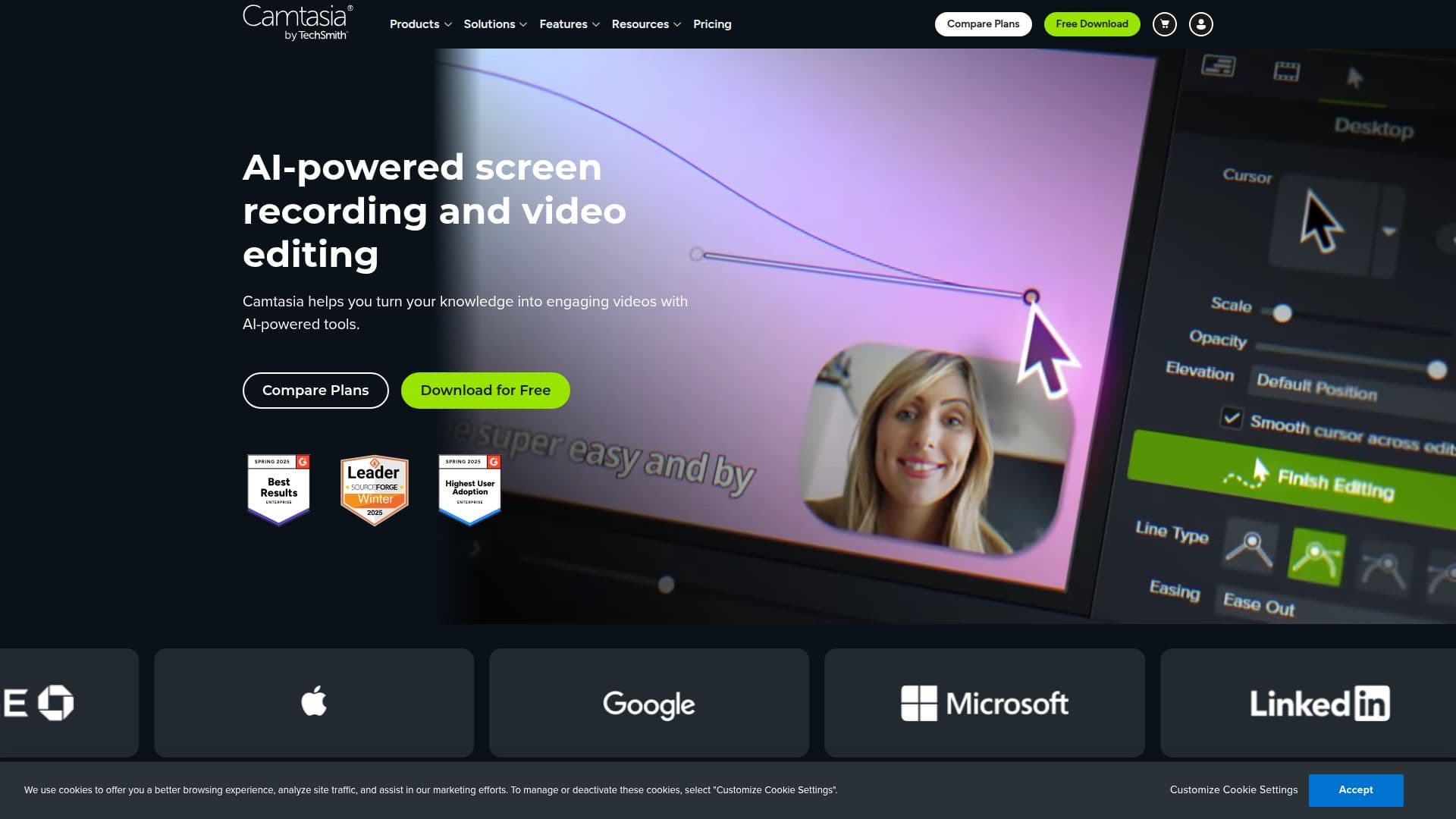
Camtasia is a desktop screen recorder and video editor from TechSmith for creating professional tutorials, training videos, and software demos. Available on Windows and macOS with nearly identical features, it combines multi-source recording with an easy drag-and-drop editor and a growing set of AI-powered tools.

Read More

For recording, Camtasia captures screen, camera, microphone, and system audio on separate tracks, up to 4K at 60 frames per second, along with cursor metadata so mouse paths, clicks, and keystrokes can be edited afterward. The editor offers text-based editing, filters, 150+ transitions, animations, on-screen annotations, dynamic backgrounds, royalty-free assets, closed captioning, and green-screen (chroma key) removal.

AI features include lifelike AI voiceover narration, AI-generated avatars, script generation with Audiate, audio and transcription translation across 7 languages and 9 dialects, one-click background noise removal, AI background removal, filler-word removal, and text-based transcription editing. Screentelligence uses on-device machine learning for context-aware layout and cursor suggestions.

The full Camtasia Editor is free to download with all editing features, adding a watermark to exports until upgrading to a paid Essentials, Create, or Pro plan or a Business License. Each license covers two devices, with volume, education, and student discounts available.

  • CategoryAI Video Editors
  • Pricing ModelFreemium
  • DeploymentDesktop app
  • PlatformsWindows, macOS

  • Screen, camera, mic, and system audio recording on separate tracks

  • Recording up to 4K at 60 fps with cursor metadata

  • Drag-and-drop and text-based video editing

  • 150+ transitions, filters, animations, and annotations

  • AI voiceover narration and AI avatars

  • Audio and transcription translation in 7 languages

  • Background noise removal and AI background removal

  • Closed captioning and green-screen chroma key

  1. Install Camtasia: Download the free editor for Windows or macOS.

  2. Record: Capture your screen, webcam, and audio, up to 4K at 60 fps.

  3. Edit: Use drag-and-drop or text-based editing to trim and arrange your video.

  4. Enhance: Add transitions, annotations, AI voiceover, or remove noise and backgrounds.

  5. Export and share: Add captions and export, upgrading to remove the watermark.

  • Software tutorials and demos
  • Training videos
  • Educational content
  • Faceless video narration
  • Product showcases

Camtasia Reviews

Loading...

Popular AI Tools Like Camtasia

Camtasia online is TechSmith's free web-based screen recorder that captures screen, webcam, and audio with no watermarks or downloads. It suits people making tutorials, training…

Video Generation & EditingEducation & E-learning
View Tool

TechSmith's free web-based screen recorder that captures screen, webcam, and audio with no watermarks or downloads. It suits people making tutorials, training…Camtasia online is TechSmith's free web-based screen recorder that captures screen, webcam, and audio with no watermarks or downloads. It suits people making tutorials, training…

Video Generation & EditingEducation & E-learning
See the Top 250 AI Apps

Motionik

AI Apps

Motionik is a screen recorder and editor for Windows and macOS that combines recording, automatic cursor-tracking zoom, and editing in one tool to create polished product demos,…

AI Video Editors
View Tool

AI Apps

Screen recorder and editor for Windows and macOS that combines recording, automatic cursor-tracking zoom, and editing in one tool to create polished product demos,…Motionik is a screen recorder and editor for Windows and macOS that combines recording, automatic cursor-tracking zoom, and editing in one tool to create polished product demos,…

AI Video Editors
See the Top 250 AI Apps

FocuSee is an AI-powered screen recorder for Windows and Mac that automates video editing. It features automatic zoom, cursor tracking, AI audio enhancement, and a teleprompter,…

AI Video Editors

Ranked #47 for Creating animations

View Tool

AI-powered screen recorder for Windows and Mac that automates video editing. It features automatic zoom, cursor tracking, AI audio enhancement, and a teleprompter,…FocuSee is an AI-powered screen recorder for Windows and Mac that automates video editing. It features automatic zoom, cursor tracking, AI audio enhancement, and a teleprompter,…

AI Video Editors
Ranked #47 for Creating animations

Tella

AI Apps

Tella is an all-in-one screen recorder with AI video editing for Mac, Windows, and the web, letting users record screen, camera, and audio and share or export in up to 4K. It…

AI Video EditorsEducation & E-learning

Ranked #24 for Removing background noise

View Tool

AI Apps

All-in-one screen recorder with AI video editing for Mac, Windows, and the web, letting users record screen, camera, and audio and share or export in up to 4K. It…Tella is an all-in-one screen recorder with AI video editing for Mac, Windows, and the web, letting users record screen, camera, and audio and share or export in up to 4K. It…

AI Video EditorsEducation & E-learning
Ranked #24 for Removing background noise

Tight Studio is a free macOS screen recorder and video editor for making polished product demos and tutorials. It combines recording with auto zoom, smooth cursors, AI voiceover,…

AI Short Video Makers

Ranked #80 in AI Short Video Makers

View Tool

Free macOS screen recorder and video editor for making polished product demos and tutorials. It combines recording with auto zoom, smooth cursors, AI voiceover,…Tight Studio is a free macOS screen recorder and video editor for making polished product demos and tutorials. It combines recording with auto zoom, smooth cursors, AI voiceover,…

AI Short Video Makers
Ranked #80 in AI Short Video Makers

knooth

AI Apps

knooth is a macOS screen recording app with built-in editing, timeline animations, and on-device AI captions and filler-word removal. It keeps all recordings and AI processing…

AI Video Editors
View Tool

AI Apps

MacOS screen recording app with built-in editing, timeline animations, and on-device AI captions and filler-word removal. It keeps all recordings and AI processing…knooth is a macOS screen recording app with built-in editing, timeline animations, and on-device AI captions and filler-word removal. It keeps all recordings and AI processing…

AI Video Editors
See the Top 250 AI Apps

Screentell

AI Apps

Screentell is a browser-based screen recorder and video editor that allows users to create studio-quality product demos, tutorials, and training videos without any installation.…

AI Video Editors

Ranked #128 in AI Video Editors

View Tool

AI Apps

Browser-based screen recorder and video editor that allows users to create studio-quality product demos, tutorials, and training videos without any installation.…Screentell is a browser-based screen recorder and video editor that allows users to create studio-quality product demos, tutorials, and training videos without any installation.…

AI Video Editors
Ranked #128 in AI Video Editors

Clipchamp

AI Apps

Create videos with royalty-free music and stock footage, use video templates, and export in up to 4K video resolution. Get started in-browser or download the Windows app for easy…

AI Video Editors

Ranked #16 for Removing background noise

View Tool

AI Apps

Create videos with royalty-free music and stock footage, use video templates, and export in up to 4K video resolution. Get started in-browser or download the Windows app for easy…

AI Video Editors
Ranked #16 for Removing background noise
1 of 8