
ToolPotion
AI Advisor
Submit a Tool (Free)

Screentell

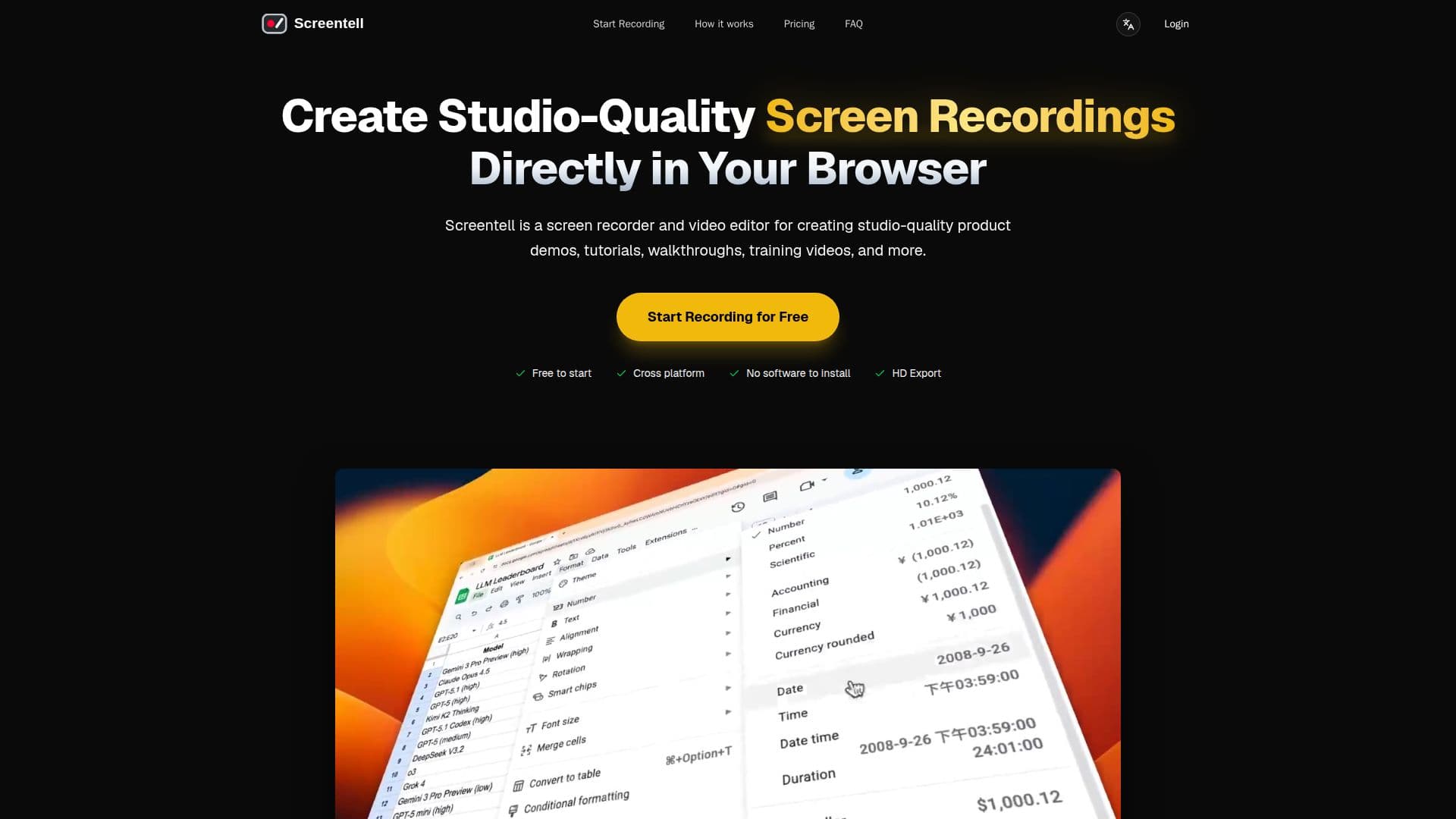
Screentell is a browser-based screen recorder and video editor that allows users to create studio-quality product demos, tutorials, and training videos without any installation. It features cinematic 3D effects and privacy-first local processing.

Visit Website
Share
Screentell screenshot

Screentell is a professional web-based screen recording and editing studio designed to help users create stunning video content directly from their browser. Whether you're making product demos, tutorials, or social media content, Screentell provides the tools necessary to effectively tell your story.

Read More

The platform operates entirely in the browser, eliminating the need for heavy software installations. It supports modern desktop browsers including Google Chrome, Microsoft Edge, Brave, and Arc, ensuring accessibility across various operating systems. Users can record their screen and camera simultaneously, capturing high-fidelity system sound along with microphone audio.

Screentell's editing capabilities are robust, allowing users to crop recordings, cut clips, and control playback speed. The platform also offers unique features like cinematic 3D transforms, which add depth to recordings, and customizable stickers and annotations to enhance visual communication. With a focus on user privacy, all processing occurs locally, meaning recordings never leave the user's device.

Screentell offers a free tier that includes unlimited recordings, HD export quality, and basic editing tools, albeit with watermarked videos and a three-minute export limit. For users seeking more advanced features, a Pro plan is available, which removes watermarks and allows for unlimited video length on exports. Additionally, a lifetime plan is offered for those who prefer a one-time payment option.

The platform is designed for creators of all levels, from beginners to professionals, empowering them to produce high-quality video content without the need for expensive software or steep learning curves. With Screentell, users can transform standard screen captures into high-impact, professional presentations entirely within their browser.

  • CategoryAI Video Editors
  • Pricing ModelFreemium
  • DeploymentCloud
  • PlatformsWeb

  • Browser-based screen recording

  • Cinematic 3D transforms

  • Dual capture (screen and camera)

  • Local processing (no uploads)

  • Multi-track editing

  • Customizable stickers and annotations

  • Clip cutting and speed control

  • Export options (MP4, WebM, GIF)

  • Privacy-focused design

  • Cross-platform compatibility

  1. Record: Select any window or screen to record, capturing both screen and camera.

  2. Edit: Use tools like zoom, 3D transforms, and stickers to enhance your video.

  3. Export: Render your video in standard formats and get a crisp HD file instantly.

  4. Import: Upload existing video files for editing within Screentell.

  • Product Demos
  • Tutorials
  • Training Videos
  • Social Media Content
  • Webinars

Screentell Reviews

Loading...

Popular AI Tools Like Screentell

Tella

AI Apps

Tella is an all-in-one screen recorder with AI video editing for Mac, Windows, and the web, letting users record screen, camera, and audio and share or export in up to 4K. It…

AI Video EditorsEducation & E-learning

Ranked #24 for Removing background noise

View Tool

AI Apps

All-in-one screen recorder with AI video editing for Mac, Windows, and the web, letting users record screen, camera, and audio and share or export in up to 4K. It…Tella is an all-in-one screen recorder with AI video editing for Mac, Windows, and the web, letting users record screen, camera, and audio and share or export in up to 4K. It…

AI Video EditorsEducation & E-learning
Ranked #24 for Removing background noise

Camtasia

AI Apps

Camtasia is TechSmith's desktop screen recorder and video editor for creating tutorials, training videos, and software demos, now with AI-powered features. It is built for…

AI Video EditorsEducation & E-learning
View Tool

AI Apps

TechSmith's desktop screen recorder and video editor for creating tutorials, training videos, and software demos, now with AI-powered features. It is built for…Camtasia is TechSmith's desktop screen recorder and video editor for creating tutorials, training videos, and software demos, now with AI-powered features. It is built for…

AI Video EditorsEducation & E-learning
See the Top 250 AI Apps

Motionik

AI Apps

Motionik is a screen recorder and editor for Windows and macOS that combines recording, automatic cursor-tracking zoom, and editing in one tool to create polished product demos,…

AI Video Editors
View Tool

AI Apps

Screen recorder and editor for Windows and macOS that combines recording, automatic cursor-tracking zoom, and editing in one tool to create polished product demos,…Motionik is a screen recorder and editor for Windows and macOS that combines recording, automatic cursor-tracking zoom, and editing in one tool to create polished product demos,…

AI Video Editors
See the Top 250 AI Apps

Boom

AI Apps

A Mac app for presenters and creators that combines live presentation, screen recording, and camera enhancement with dynamic layouts, cinematic zoom, and branded overlays, with no…

AI Video Editors
View Tool

AI Apps

A Mac app for presenters and creators that combines live presentation, screen recording, and camera enhancement with dynamic layouts, cinematic zoom, and branded overlays, with no…

AI Video Editors
See the Top 250 AI Apps

knooth

AI Apps

knooth is a macOS screen recording app with built-in editing, timeline animations, and on-device AI captions and filler-word removal. It keeps all recordings and AI processing…

AI Video Editors
View Tool

AI Apps

MacOS screen recording app with built-in editing, timeline animations, and on-device AI captions and filler-word removal. It keeps all recordings and AI processing…knooth is a macOS screen recording app with built-in editing, timeline animations, and on-device AI captions and filler-word removal. It keeps all recordings and AI processing…

AI Video Editors
See the Top 250 AI Apps

FocuSee is an AI-powered screen recorder for Windows and Mac that automates video editing. It features automatic zoom, cursor tracking, AI audio enhancement, and a teleprompter,…

AI Video Editors

Ranked #47 for Creating animations

View Tool

AI-powered screen recorder for Windows and Mac that automates video editing. It features automatic zoom, cursor tracking, AI audio enhancement, and a teleprompter,…FocuSee is an AI-powered screen recorder for Windows and Mac that automates video editing. It features automatic zoom, cursor tracking, AI audio enhancement, and a teleprompter,…

AI Video Editors
Ranked #47 for Creating animations

Camtasia online is TechSmith's free web-based screen recorder that captures screen, webcam, and audio with no watermarks or downloads. It suits people making tutorials, training…

Video Generation & EditingEducation & E-learning
View Tool

TechSmith's free web-based screen recorder that captures screen, webcam, and audio with no watermarks or downloads. It suits people making tutorials, training…Camtasia online is TechSmith's free web-based screen recorder that captures screen, webcam, and audio with no watermarks or downloads. It suits people making tutorials, training…

Video Generation & EditingEducation & E-learning
See the Top 250 AI Apps

Tight Studio is a free macOS screen recorder and video editor for making polished product demos and tutorials. It combines recording with auto zoom, smooth cursors, AI voiceover,…

AI Short Video Makers

Ranked #80 in AI Short Video Makers

View Tool

Free macOS screen recorder and video editor for making polished product demos and tutorials. It combines recording with auto zoom, smooth cursors, AI voiceover,…Tight Studio is a free macOS screen recorder and video editor for making polished product demos and tutorials. It combines recording with auto zoom, smooth cursors, AI voiceover,…

AI Short Video Makers
Ranked #80 in AI Short Video Makers
1 of 8