Description
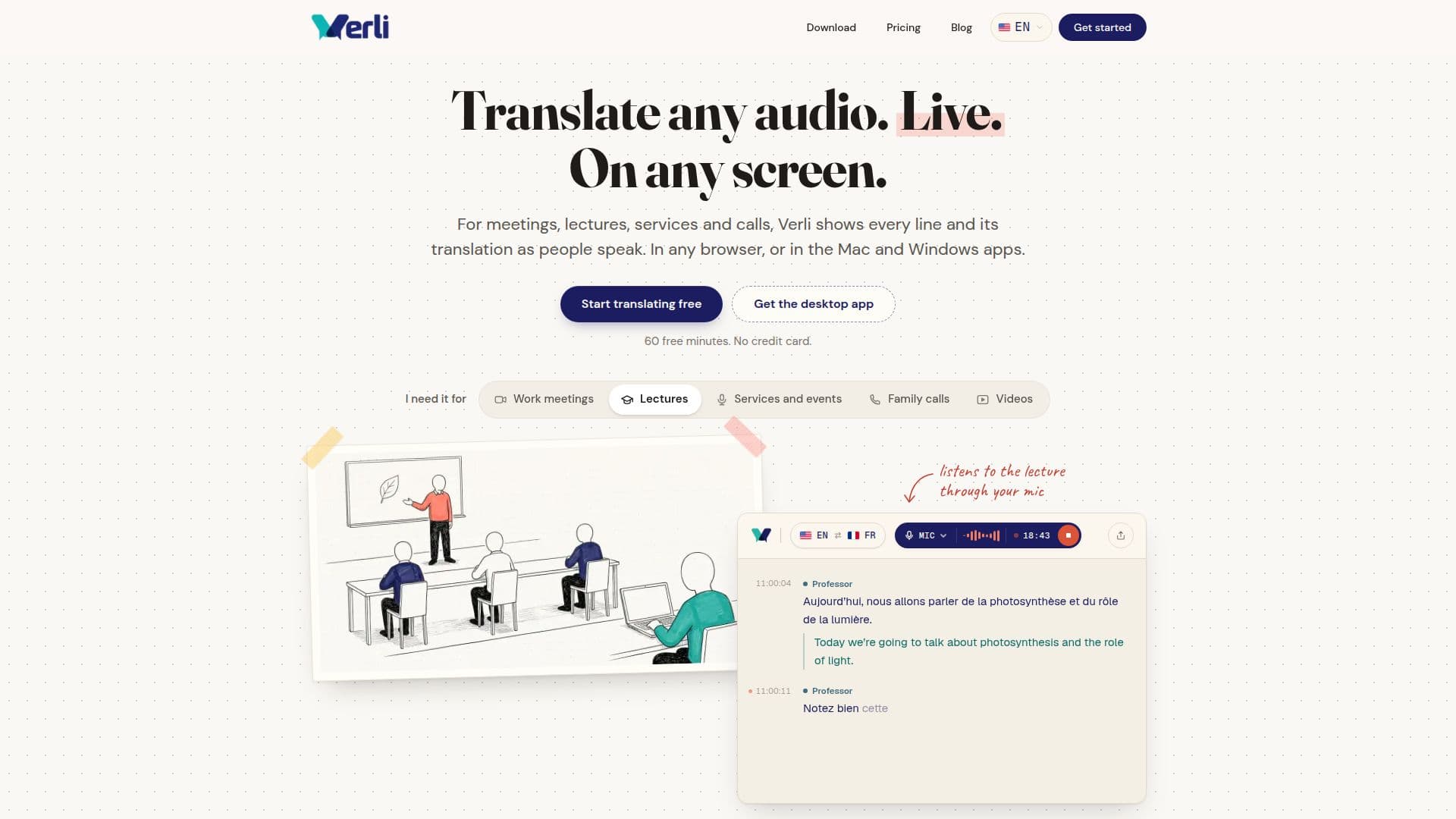
Verli is a versatile live translation tool designed to break down language barriers in real-time conversations, meetings, lectures, and videos. It offers live transcription and two-way translation for both shared system audio and microphone input, making it suitable for a wide range of applications from online classes to international business calls.
Read More
The platform operates by listening to audio from a chosen source—whether it's a browser tab, all computer audio (via desktop apps), or a microphone. It automatically detects which of the two selected languages is being spoken and provides translations in both directions without requiring manual switching. As people speak, each line appears with its translation a moment later, allowing users to follow along in real-time. The conversation can be copied or saved for later review, and paid plans offer AI-generated summaries.
Verli is accessible through multiple platforms, including a web browser (requiring no installation), dedicated desktop applications for Mac and Windows, and a Chrome extension for browser tab translation. The desktop apps offer enhanced functionality, such as capturing all system audio and a compact floating window that keeps translations visible above other applications. An Android app is also available for face-to-face conversations, with an iPhone app planned for future release.
The tool supports over 60 languages, allowing users to pair any two for translation. It is particularly useful for students studying abroad, enabling them to follow lectures in a local language, and for professionals participating in international meetings on platforms like Zoom, Google Meet, and Microsoft Teams. Verli emphasizes privacy, stating that it records no audio and conversations are never used to train AI models.
Pricing includes a free tier offering 60 minutes of real-time translation upon sign-up. Paid plans, starting at $7.99 per month, provide more hours and additional features like reading translations aloud in voices that match speakers, AI-generated meeting summaries, and increased capacity for sharing live viewer links. Group plans are also available for events and organizations requiring translation for larger audiences.
- CategoryAI Translators
- Pricing ModelFreemium
- DeploymentCloud, Desktop app
- PlatformsWeb, Mac, Windows, Chrome Extension, Android
Verli's Core Features
Live two-way translation for meetings, calls, and videos
Real-time transcription with line-by-line translation display
Automatic speaker-language detection without manual switching
Supports over 60 languages for any language pair
Available as a desktop app (Mac, Windows), Chrome extension, and web app
Works with Zoom, Google Meet, Microsoft Teams, YouTube, and any browser tab
Compact floating window to keep translations visible above other apps (desktop)
Ability to copy full conversation transcripts or save them
AI-generated meeting summaries (Standard and Premium plans)
Voice translation: reads translations aloud in matching speaker voices (Standard and Premium plans)
Share live translation links with others (up to 3 on Free/Standard, 10 on Premium)
Knowledge base presets for course terms and preferred translations
Privacy-focused: no audio recording, conversations not used for AI training
Android app for face-to-face conversations
60 free minutes upon sign-up, no credit card required
How to use Verli?
Choose Audio Source: Select a browser tab, all computer audio (desktop apps), or your microphone as the input.
Pick Languages: Select the two languages for translation; Verli automatically detects who is speaking which language.
Read Along: Follow the live transcript and translation as people speak, displayed line by line.
Review and Save: Copy the full conversation or save it when done; generate AI summaries on paid plans.
Share Live Link: Optionally share a link for others to follow the live translation on their own devices.
Optimize for Accuracy: Add course-specific terms and names to a knowledge base preset to improve translation accuracy.
Verli's Use Cases
- Live Meeting Translation
- Lecture Translation for Students
- Video Content Translation
- International Calls
- Face-to-Face Conversations
- Technical Meeting Preparation
- Job Interview Support
- Cross-Cultural Communication