Description
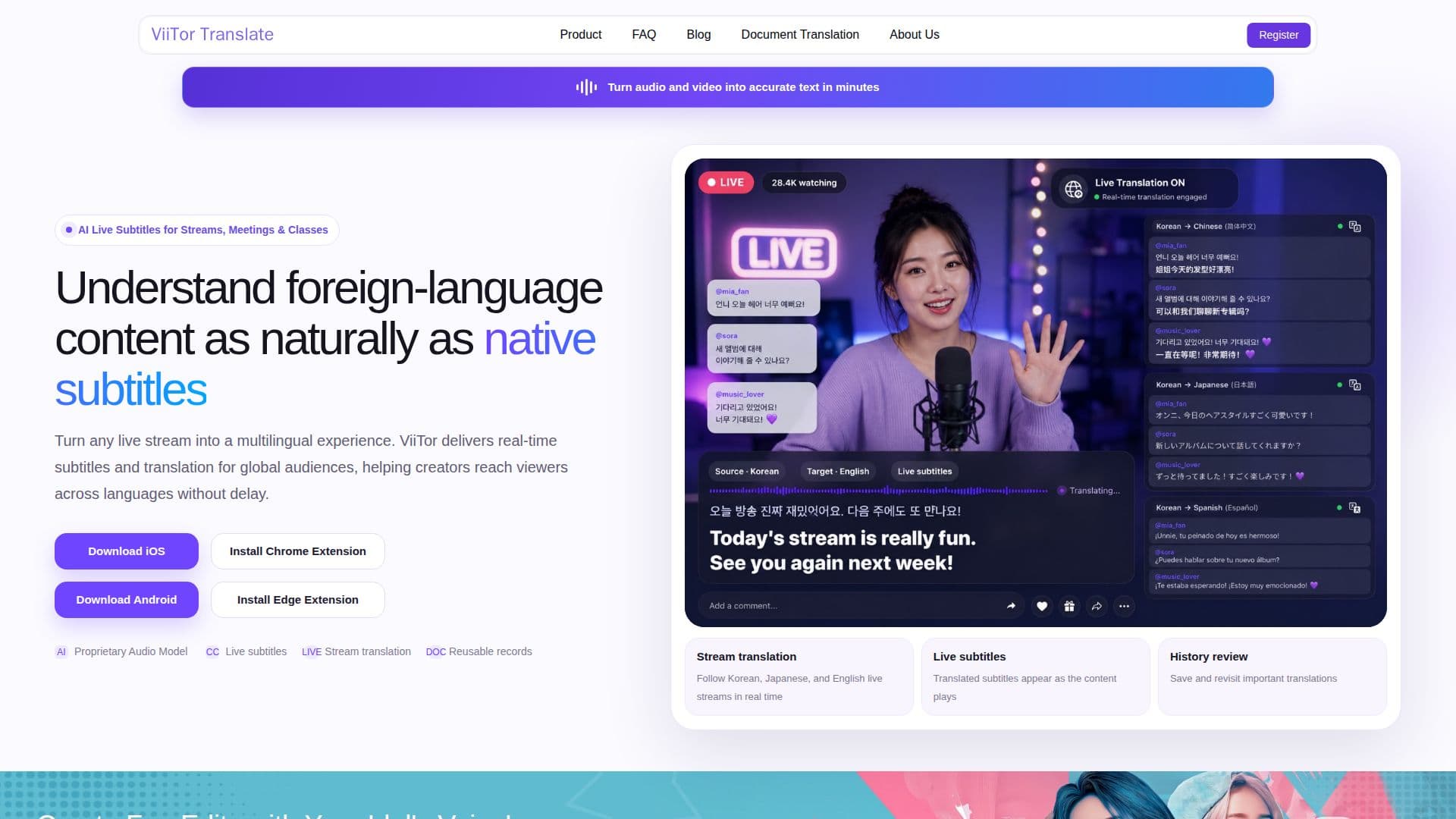
ViiTor Translate helps people follow foreign-language audio and video in real time, generating live subtitles for streams, meetings, and classes instead of waiting for manual captions.
Read More
The product runs on its own speech-recognition model: it transcribes audio from a livestream, video call, or lecture as it happens, then applies contextual translation that adapts to the setting, a livestream, a meeting, or a class, rather than translating word for word. Translated subtitles are overlaid live as the content plays. Sessions, transcripts, and translated documents are saved to a history a user can revisit, and the tool can generate AI summaries that pull out key points, conclusions, and action items from a translated meeting or lecture.
Key capabilities include live subtitles for streams, meetings, and classes; continuous speech recognition; scenario-aware translation tuned to specific situations such as Korean, Japanese, and English livestreams, Zoom and Meet calls, and online lectures; AI meeting summaries; a separate document-translation option; and saved translation history. The homepage also promotes a voice-clone feature that dubs a video into a public figure's voice to create short fan-edit clips, alongside the core translation product.
ViiTor Translate is available as an iOS app (14.0 and above), an Android app (8.0 and above), a Chrome extension, and an Edge extension. The company is based in Singapore and lists sister products, including a Chrome-extension translator and a separate speaking-practice app, as distinct offerings rather than features of this product.
No public pricing plans were found on the live site; access appears to run through account sign-up within the apps and extensions rather than a published pricing page.
- CategoryAI Translators
- DeploymentCloud
- PlatformsWeb, iOS, Android
ViiTor Translate's Core Features
Real-time speech recognition that transcribes streams, meetings, and calls as they happen
Contextual, scenario-aware translation tuned to livestreams, meetings, or classes
Live translated subtitles overlaid on video during playback
AI-generated meeting summaries with key points and action items
Saved translation history and transcripts you can revisit
Document translation for text files
One-click voice-clone dubbing to translate a video into another voice for short fan edits
Apps for iOS and Android plus Chrome and Edge browser extensions
How to use ViiTor Translate?
Install the app: download ViiTor Translate for iOS or Android, or add the Chrome or Edge extension
Pick your source: open a livestream, join a meeting, or load a lecture video you want translated
Turn on live subtitles: ViiTor transcribes the audio and shows translated subtitles as the content plays
Review the summary: after a meeting or class, check the AI-generated summary for key points and action items
Revisit past sessions: open your history to reread or re-translate earlier subtitles and transcripts
ViiTor Translate's Use Cases
- Livestream translation
- Meeting translation
- Lecture and course translation
- Fan-edit dubbing