ToolPotion
AI Advisor
Submit a Tool (Free)

ToolCabana

ToolCabana offers a comprehensive suite of over 488 free online tools for various tasks, including PDF and image conversion, text editing, code formatting, and calculations. Users can access these browser-based utilities without needing to create an account, streamlining everyday digital tasks and enhancing productivity for a wide range of needs.

Visit Website
Share
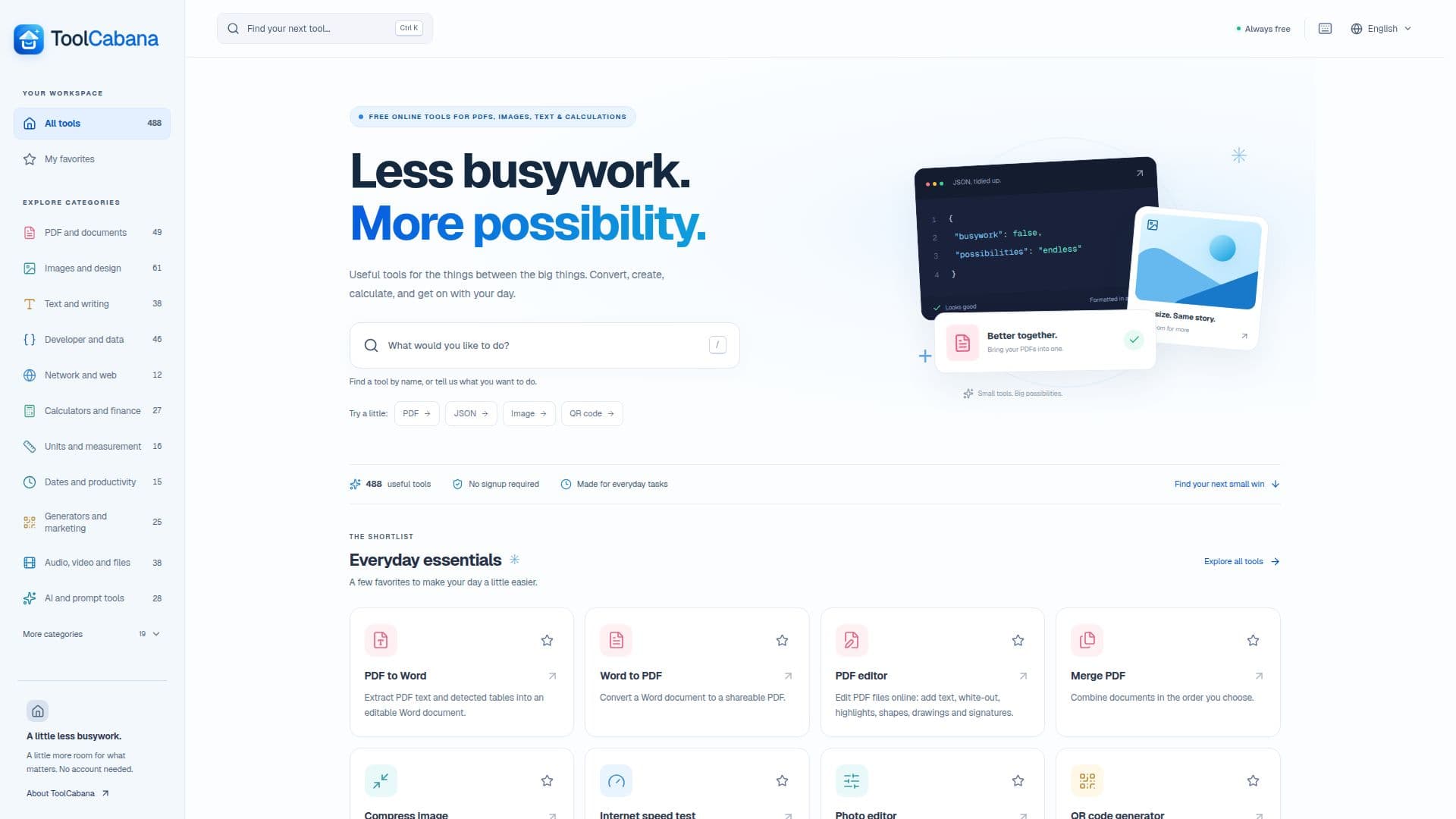
ToolCabana screenshot

ToolCabana provides a vast collection of 488 free online tools designed to simplify everyday digital tasks. This platform allows users to perform a wide array of operations directly in their browser, eliminating the need for software installations or account creation. The tools cover essential categories such as PDF management, image editing, text manipulation, data processing, and various calculations.

Read More

For PDF management, ToolCabana offers functionalities like converting PDFs to Word, Excel, PowerPoint, JPG, or PNG formats, and vice versa. Users can also edit PDFs by adding text, highlights, shapes, drawings, and signatures. Advanced PDF tools include merging, splitting, compressing, rotating, reordering, deleting, and extracting pages. Features like adding page numbers, watermarking, signing visually, filling forms, flattening, extracting text and images, and even OCR for scanned PDFs are available, making it a robust solution for document handling.

Image and design tools are extensive, enabling users to resize, crop, and convert images between formats like JPG, PNG, WebP, HEIC, and AVIF. The platform includes tools for compressing images, removing backgrounds using the BEN2 segmentation model (which runs locally in the browser), upscaling, blurring faces, removing EXIF metadata, and watermarking. Creative tools like meme generators, image collage makers, color pickers, palette generators, and screenshot mockup makers are also provided. More advanced AI-driven image tools include AI background blur, batch background removal, object eraser, and AI image captioning and alt text drafting.

Beyond PDFs and images, ToolCabana offers utilities for text and data, such as code formatters, and a variety of calculation tools. The platform emphasizes user convenience, with most text, calculation, and document operations happening directly in the browser to ensure privacy and speed. For operations requiring remote processing, the platform clearly states this before submission. Tools that require unavailable services or additional configuration are hidden from the directory, ensuring a smooth user experience.

ToolCabana is ideal for individuals and professionals seeking quick, efficient, and free solutions for common digital tasks without the overhead of subscriptions or software. Its broad utility makes it suitable for students, office workers, designers, developers, and anyone needing to manage digital content effectively.

  • CategoryOther AI Tools
  • Pricing ModelFree
  • DeploymentBrowser-based
  • PlatformsWeb

  • 488 free online tools available

  • No account required for use

  • Browser-based operations for privacy

  • PDF conversion (Word, Excel, PowerPoint, JPG, PNG)

  • PDF editing (text, highlights, shapes, signatures)

  • Image conversion (JPG, PNG, WebP, HEIC, AVIF)

  • Image compression and resizing

  • Background removal for images (local processing)

  • EXIF metadata removal from photos

  • AI image captioning and alt text drafting

  • Date and time calculation tools

  • Task management and planning tools

  • Code formatting utilities

  • QR code generation

  • Internet speed testing

  1. Browse Tools: Navigate to the ToolCabana homepage and explore the categories or search for a specific tool.

  2. Select Tool: Click on the desired tool from the extensive list of 488 options.

  3. Upload/Input Data: Follow the on-screen instructions to upload your files (PDFs, images) or input your text/data.

  4. Adjust Settings: Configure any available settings or options specific to the tool, such as quality for image compression or page ranges for PDF splitting.

  5. Process: Initiate the tool's function to perform the desired operation.

  6. Download Result: Once the process is complete, download your output file or copy the generated text/data.

  • Document Conversion
  • Image Optimization
  • Photo Editing
  • Text Manipulation
  • Time Management
  • Task Prioritization
  • Metadata Management
  • Creative Design
  • Accessibility Enhancement

ToolCabana Reviews

Loading...

Popular AI Tools Like ToolCabana

pdf.net

AI Apps

pdf.net is an all-in-one online PDF editor that lets you sign, edit, annotate, merge, split, compress, convert, and protect documents, with AI features to chat with, summarize,…

AI Document & PDF Tools
View Tool

AI Apps

All-in-one online PDF editor that lets you sign, edit, annotate, merge, split, compress, convert, and protect documents, with AI features to chat with, summarize,…pdf.net is an all-in-one online PDF editor that lets you sign, edit, annotate, merge, split, compress, convert, and protect documents, with AI features to chat with, summarize,…

AI Document & PDF Tools
See the Top 250 AI Apps

PDF Converter is an online tool to convert files to and from PDF and edit PDFs, with 20+ tools for converting, merging, splitting, compressing, watermarking, and OCR, usable on…

AI Document & PDF Tools
View Tool

Online tool to convert files to and from PDF and edit PDFs, with 20+ tools for converting, merging, splitting, compressing, watermarking, and OCR, usable on…PDF Converter is an online tool to convert files to and from PDF and edit PDFs, with 20+ tools for converting, merging, splitting, compressing, watermarking, and OCR, usable on…

AI Document & PDF Tools
See the Top 250 AI Apps

LightPDF

AI Apps

LightPDF is an AI-powered, cloud-based PDF toolkit to view, edit, convert, sign, annotate, merge, and manage PDF files. It serves students, educators, office professionals, and…

AI Document & PDF Tools

Ranked #24 for Extracting text from images

View Tool

AI Apps

AI-powered, cloud-based PDF toolkit to view, edit, convert, sign, annotate, merge, and manage PDF files. It serves students, educators, office professionals, and…LightPDF is an AI-powered, cloud-based PDF toolkit to view, edit, convert, sign, annotate, merge, and manage PDF files. It serves students, educators, office professionals, and…

AI Document & PDF Tools
Ranked #24 for Extracting text from images

HiPDF

AI Apps

HiPDF is an all-in-one online PDF solution offering tools to edit, convert, compress, and manage PDF files. It leverages AI to enhance PDF functionalities, including translation…

AI Document & PDF Tools

Ranked #60 in AI Document & PDF Tools

View Tool

AI Apps

All-in-one online PDF solution offering tools to edit, convert, compress, and manage PDF files. It leverages AI to enhance PDF functionalities, including translation…HiPDF is an all-in-one online PDF solution offering tools to edit, convert, compress, and manage PDF files. It leverages AI to enhance PDF functionalities, including translation…

AI Document & PDF Tools
Ranked #60 in AI Document & PDF Tools

Wondershare PDFelement is an intuitive PDF editor that allows users to create, convert, edit, protect, and sign PDF documents across desktop, mobile, and web platforms. It…

AI Document & PDF Tools

Ranked #19 for Chatting with PDF documents

View Tool

Intuitive PDF editor that allows users to create, convert, edit, protect, and sign PDF documents across desktop, mobile, and web platforms. It…Wondershare PDFelement is an intuitive PDF editor that allows users to create, convert, edit, protect, and sign PDF documents across desktop, mobile, and web platforms. It…

AI Document & PDF Tools
Ranked #19 for Chatting with PDF documents

TinyWow

AI Apps

TinyWow is a free online toolkit with 250+ PDF, image, video, file-conversion, and AI writing tools that run in the browser with no sign-up required. It suits students, creators,…

Other AI Tools
View Tool

AI Apps

Free online toolkit with 250+ PDF, image, video, file-conversion, and AI writing tools that run in the browser with no sign-up required. It suits students, creators,…TinyWow is a free online toolkit with 250+ PDF, image, video, file-conversion, and AI writing tools that run in the browser with no sign-up required. It suits students, creators,…

Other AI Tools
See the Top 250 AI Apps

pdftoword.ai is a free online toolkit of 24 PDF tools for converting, editing, compressing, and securing documents in the browser, with no software install or account required.

AI Document & PDF Tools
View Tool

Free online toolkit of 24 PDF tools for converting, editing, compressing, and securing documents in the browser, with no software install or account required.pdftoword.ai is a free online toolkit of 24 PDF tools for converting, editing, compressing, and securing documents in the browser, with no software install or account required.

AI Document & PDF Tools
See the Top 250 AI Apps

PDNob PDF Editor is an AI-powered tool for editing, converting, and annotating PDFs. It offers OCR technology for accurate text extraction and conversion to Word or Excel formats,…

AI Document & PDF Tools

Ranked #85 in AI Document & PDF Tools

View Tool

AI-powered tool for editing, converting, and annotating PDFs. It offers OCR technology for accurate text extraction and conversion to Word or Excel formats,…PDNob PDF Editor is an AI-powered tool for editing, converting, and annotating PDFs. It offers OCR technology for accurate text extraction and conversion to Word or Excel formats,…

AI Document & PDF Tools
Ranked #85 in AI Document & PDF Tools
1 of 8