ToolPotion

TimeBolt Video Editor

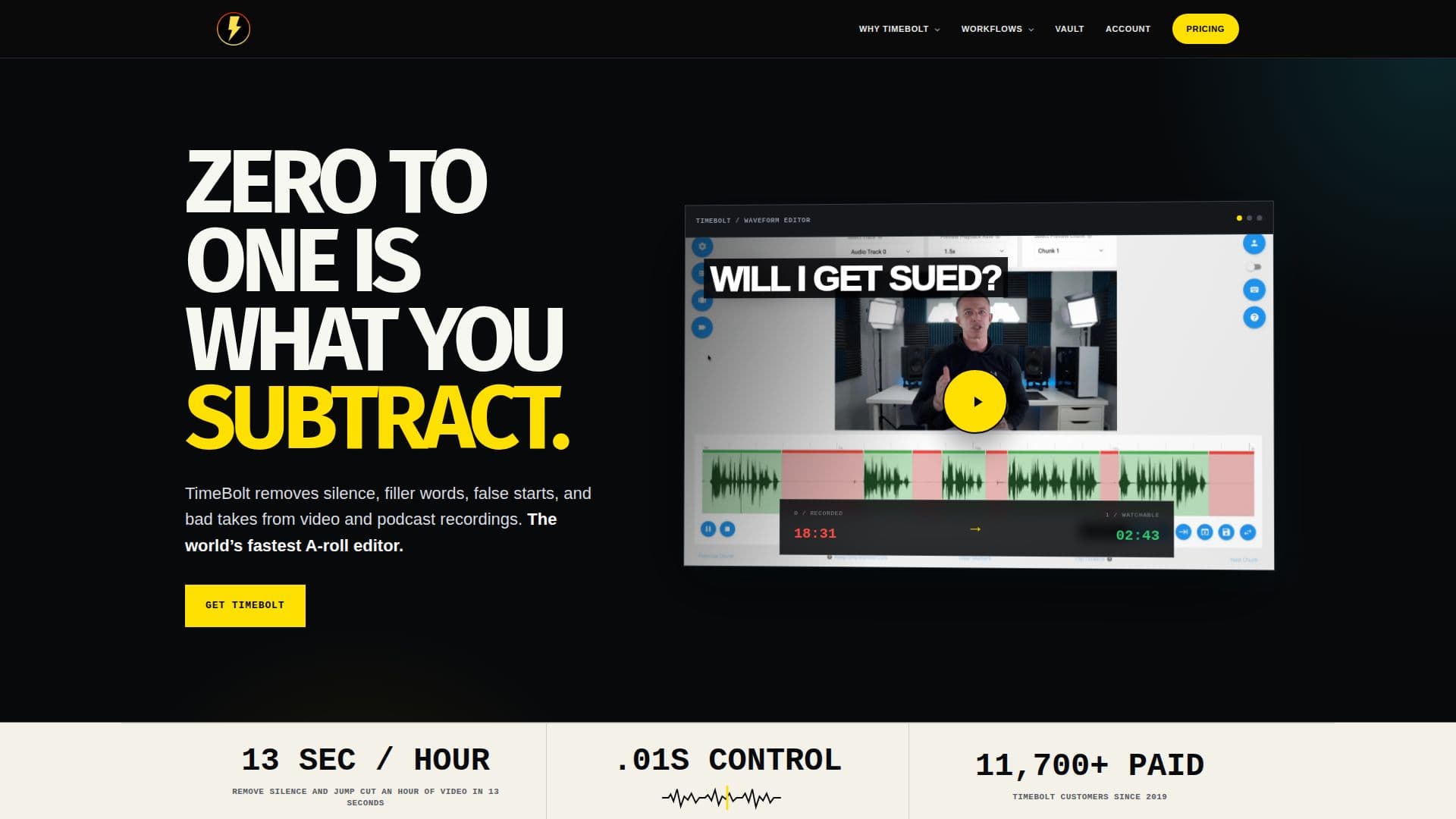
TimeBolt is a video editing tool that removes silence, filler words, and bad takes, enabling rapid jump cuts with precise waveform control. It supports multi-track editing and exports to major NLEs.

Visit Website
Share
TimeBolt Video Editor screenshot

Description

TimeBolt is a powerful video editing tool designed to streamline the editing process by automatically removing silence, filler words, and bad takes. This tool is particularly beneficial for marketers, podcasters, and educators who need to produce polished content quickly. TimeBolt offers features such as 4K screen and webcam recording without watermarks, multi-track editing, and the ability to export to popular NLEs like Adobe Premiere Pro, Final Cut Pro, and DaVinci Resolve.

The software provides a range of editing capabilities, including UMCheck for filler word detection, Punch for zoom and spotlight effects, and the ability to export captions in SRT format. Users can also take advantage of batch processing and export their projects as MP4, XML, or FCPXML files. TimeBolt's pricing is straightforward, with options for monthly, yearly, or lifetime subscriptions.

TimeBolt is designed to run on your infrastructure, ensuring that your video files remain secure and private. It is compatible with both Windows and macOS, making it accessible to a wide range of users. The tool is particularly loved by content creators for its ability to deliver perfect jump cuts and enhance the overall quality of video content.

With its user-friendly interface and robust feature set, TimeBolt is an excellent choice for anyone looking to improve their video editing workflow. Whether you're creating educational content, marketing videos, or podcasts, TimeBolt provides the tools you need to produce high-quality videos efficiently.

TimeBolt Video Editor's Core Features

  • Remove silence and filler words

  • 4K screen and webcam recording

  • Multi-track editing

  • Export to Adobe Premiere Pro, Final Cut Pro, and DaVinci Resolve

  • UMCheck for filler word detection

  • Batch processing

  • Export captions in SRT format

  • Punch for zoom and spotlight effects

  • Stitch multi-clip join

  • Banger video messaging

How to use TimeBolt Video Editor?

  1. Configure: Set up your editing preferences

  2. Use: Import your video files

  3. Edit: Remove silence and filler words

  4. Export: Save your project in desired format

TimeBolt Video Editor's Use Cases

  • Podcast Editing
  • Marketing Videos
  • Educational Content
  • YouTube Videos
  • Corporate Training

FAQ from TimeBolt Video Editor

TimeBolt Video Editor Reviews

Loading...

Popular AI Tools Like TimeBolt Video Editor

Recut is an automatic video editor that removes silence from videos, saving time and effort. It works on Mac and Windows, offering a smoother editing experience with customizable…

AI Video EditorsMedia & Entertainment

EditingTools.io offers a comprehensive suite of tools for optimizing film editing and post-production workflows. It provides both free and premium tools, catering to a wide range…

AI Video EditorsMedia & Entertainment

CleanCut.ai offers an AI-powered video editing tool designed to streamline workflows for professional editors. It integrates with Adobe Premiere Pro, providing intelligent selects…

AI Video EditorsMedia & Entertainment

A macOS video editor built to be operated by AI agents like Claude, Codex, and Cursor over MCP, letting you automate repeatable edits, generate media on the timeline, and export…

AI Video EditorsMedia & Entertainment

AutoCut is an AI video editing plugin for Premiere Pro and DaVinci Resolve that automates repetitive tasks. It instantly removes silences, adds captions, applies auto-zooms, and…

AI Video EditorsMarketing & Creative Agencies

Adobe Premiere is professional video editing software that allows users to edit, trim, and enhance videos with precision. It features AI workflows for faster project completion…

AI Video Editors

AI Apps

Selects is an AI assistant editor that handles the tedious first pass of video editing: syncing footage, removing silences, organizing clips, and assembling a rough cut. It hands…

AI Video EditorsMedia & Entertainment

FireCut is a lightning-fast AI video editor designed to boost editing productivity. It seamlessly integrates AI into your workflow, automating repetitive tasks like footage…

AI Video EditorsMedia & Entertainment