Description
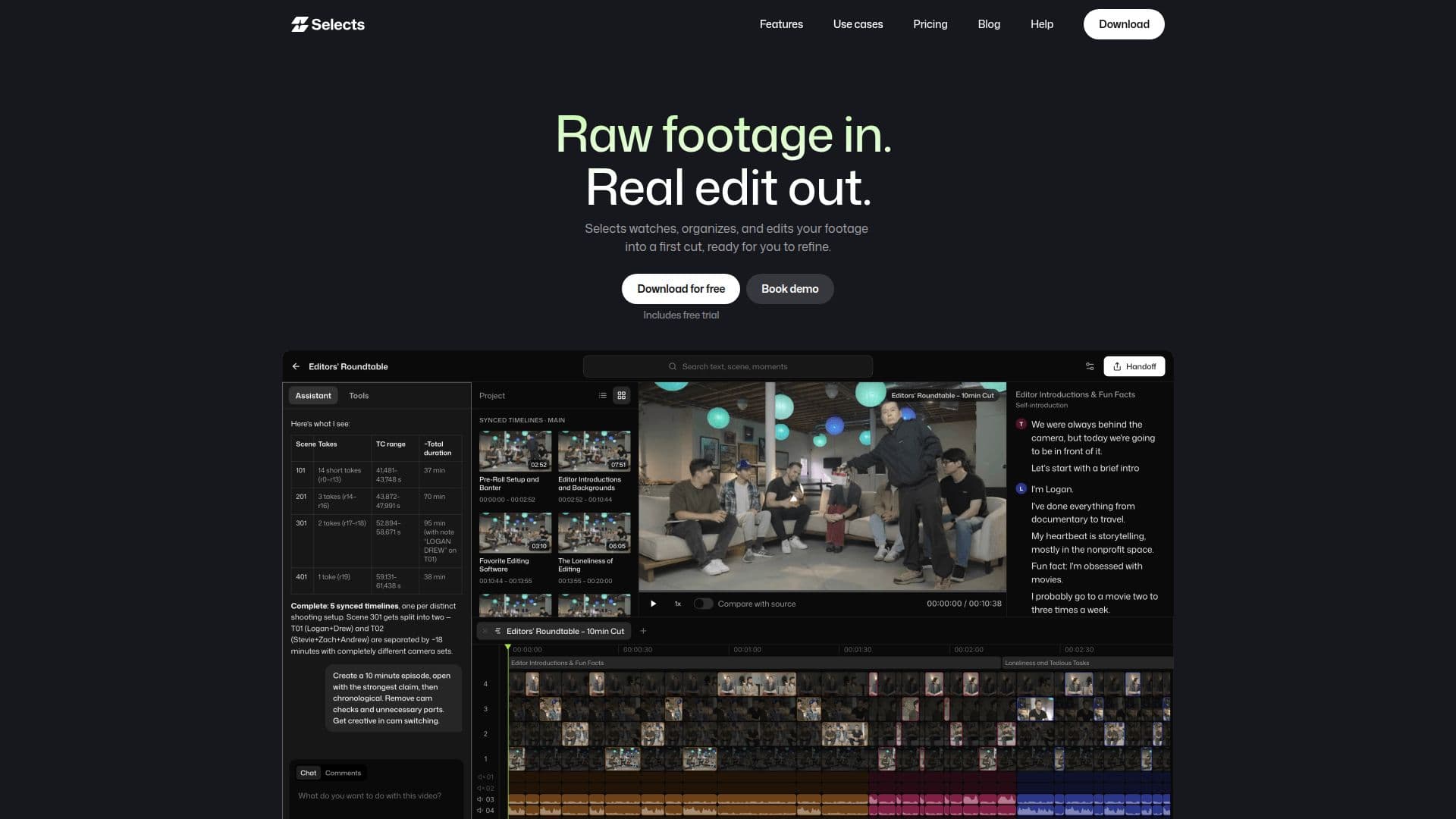
Selects, from Cutback, is an AI-powered assembly-edit tool that speeds up video editing by watching, organizing, and editing raw footage into a first cut ready for you to refine. It removes silences, syncs audio and video, and organizes footage, taking on the tedious first pass so creators can skip to the creative edit faster.
Read More
Selects actually understands the footage, recognizing speakers, scenes, actions, and visual moments so you can find and edit what happened. It preps content the way an editor for that format would, offering pro-grade multi-cam that automatically syncs, detects speakers, assigns cameras, and picks the best audio track, a chat-to-draft workflow (with MCP support) that lets you prompt storyline, pacing, silence and filler cuts, camera switches, and B-roll placement, and instant search so you can find moments like 'the part where he laughed' without scrubbing.
When you are ready, Selects hands off a clean, non-destructive project file with bins, sequences, sync, and cuts preserved to Adobe Premiere Pro, Final Cut Pro, or DaVinci Resolve, keeping edits organized with categorized bins, color-coded topics, markers, and transcripts. You can also finish inside Selects, which works like a familiar NLE, or share the transcript for paper cuts.
Selects is built for interviews, podcasts, scripted videos, vlogs, talk shows, and lectures. It offers a free trial plus Starter, Pro, Team, and Enterprise plans with credit allowances and increasing raw-video analysis limits, and is SOC 2 Type II compliant and an official Adobe Video Partner.
- CategoryAI Video Editors
- Pricing ModelFreemium
- DeploymentCloud
- PlatformsWeb
Selects's Core Features
AI assembly edit that turns raw footage into a first cut
Automatic silence removal and audio-video sync
Pro-grade multi-cam sync with speaker detection and camera assignment
Content understanding of speakers, scenes, actions, and visual moments
Chat-to-draft editing with MCP support
Instant scene and speaker search with no scrubbing
Non-destructive handoff to Premiere Pro, Final Cut Pro, and DaVinci Resolve
Organized bins, color-coded topics, markers, and transcripts
How to use Selects?
Import footage: Add your raw video, multi-cam angles, and audio tracks.
Let Selects analyze: The AI syncs, transcribes, and organizes the footage.
Draft the cut: Prompt for storyline, pacing, silence cuts, and camera switches.
Refine or search: Find specific moments and adjust the rough cut.
Hand off: Export a clean project file to Premiere Pro, Final Cut, or DaVinci Resolve.
Selects's Use Cases
- Interview editing
- Podcast editing
- Scripted videos
- Vlog editing
- Talk show and lecture editing