
Description
Spingle is an AI video editing tool that runs inside Adobe Premiere Pro rather than as a standalone app. It's built for professional editors, particularly event and wedding filmmakers, who need to turn hours of raw footage into a rough cut without scrubbing through every clip by hand.
Read More
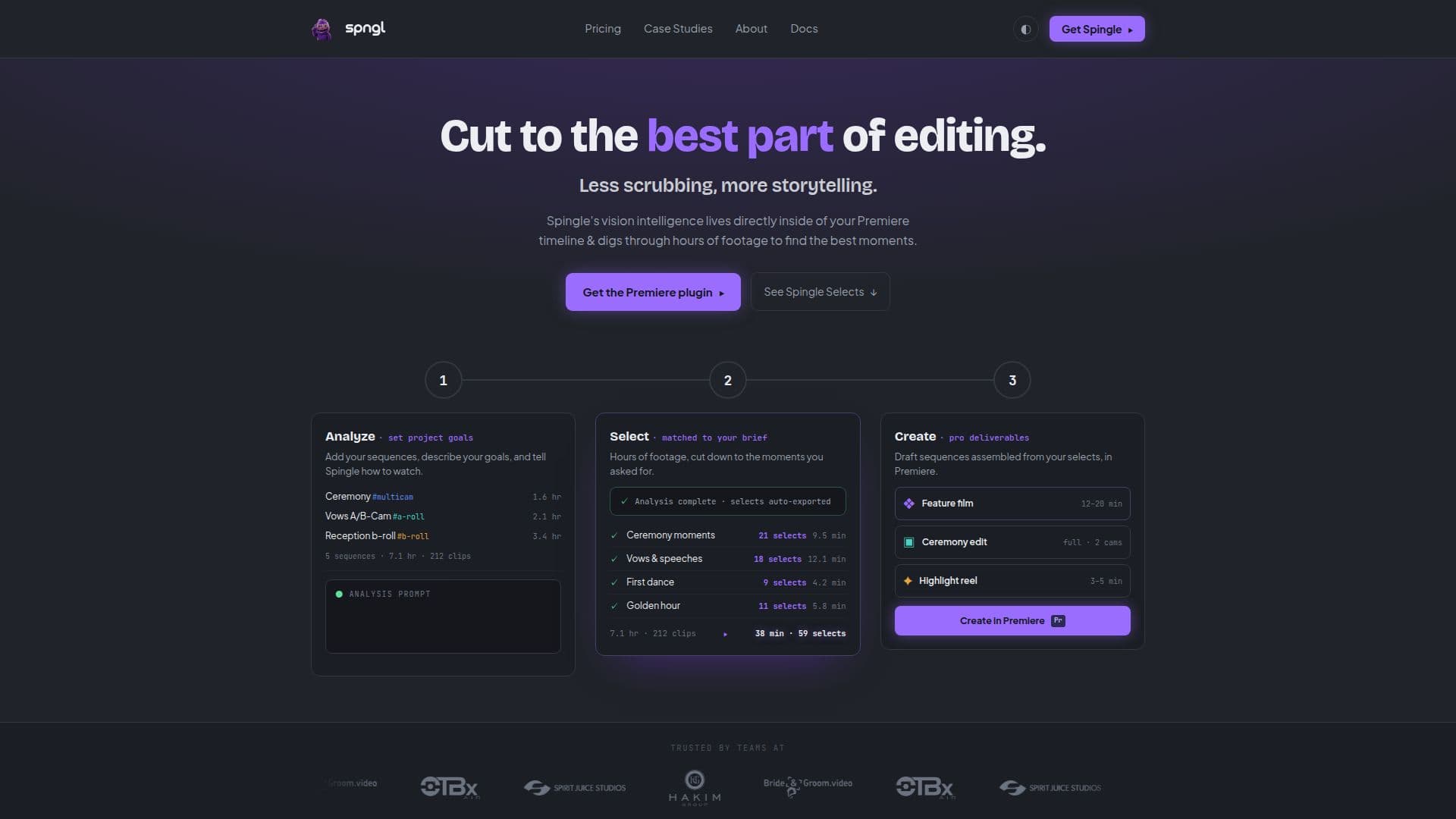
Spingle's vision intelligence lives directly in the Premiere timeline. Add your footage, describe your goals and tell Spingle what to look for, and it digs through the material to find the best moments, matching selects to a brief rather than just tagging content generically. Vision language models interpret both video frames and audio transcripts to identify strong moments, and an on-device camera-motion model separately detects shaky or blurry footage and removes it from consideration automatically.
Beyond finding selects, Spingle can assemble draft sequences directly on the timeline and batch-process rough-cut ideas described in text, generating multiple rough cuts from a written brief. Finished sequences export as XML data straight from Spingle, so an editor keeps working inside their normal Premiere project rather than switching tools.
Spingle is available now for Adobe Premiere Pro, with DaVinci Resolve support running as a separate private beta with its own signup list. It's the rebrand of CleanCut.ai; the underlying Premiere integration and the focus on high-volume event footage carry over under the new name. On the marketing side, Spingle publishes a case study featuring a working wedding filmmaker walking through how the tool fits his real post-production workflow, using his own projects rather than staged demos.
The company doesn't publish pricing on its site; access starts through a "Get Started" request rather than a self-serve signup. Wedding filmmakers specifically can join a separate early-access list, and Spingle also runs an affiliate program for editors, agencies and creators who want to refer other Premiere users to the product in exchange for a payout.
- CategoryAI Video Editors
- Pricing ModelTrial available
- DeploymentCloud
- PlatformsAdobe Premiere Pro
Spingle.ai's Core Features
Vision intelligence built directly into the Adobe Premiere Pro timeline
Finds selects across hours of footage matched to a written brief
Vision language models read both video frames and audio transcripts
On-device camera-motion model detects and removes shaky or blurry footage
Assembles rough-cut sequences automatically on the timeline
Batch-generates rough cuts from text descriptions of an editing goal
Exports finished sequences as XML directly usable in Premiere
DaVinci Resolve support announced as coming soon
How to use Spingle.ai?
Add your footage: Bring your project's raw clips into the Premiere timeline.
Set your goal: Add sequences, describe what you're looking for, and tell Spingle how to watch the footage.
Review selects: Scrub through the b-roll and selects Spingle surfaces from hours of material.
Assemble a draft: Let Spingle build a rough-cut sequence from the chosen selects.
Export: Take the XML sequence data straight into your Premiere edit.
Spingle.ai's Use Cases
- Wedding and event editing
- Rough-cut assembly
- Footage cleanup