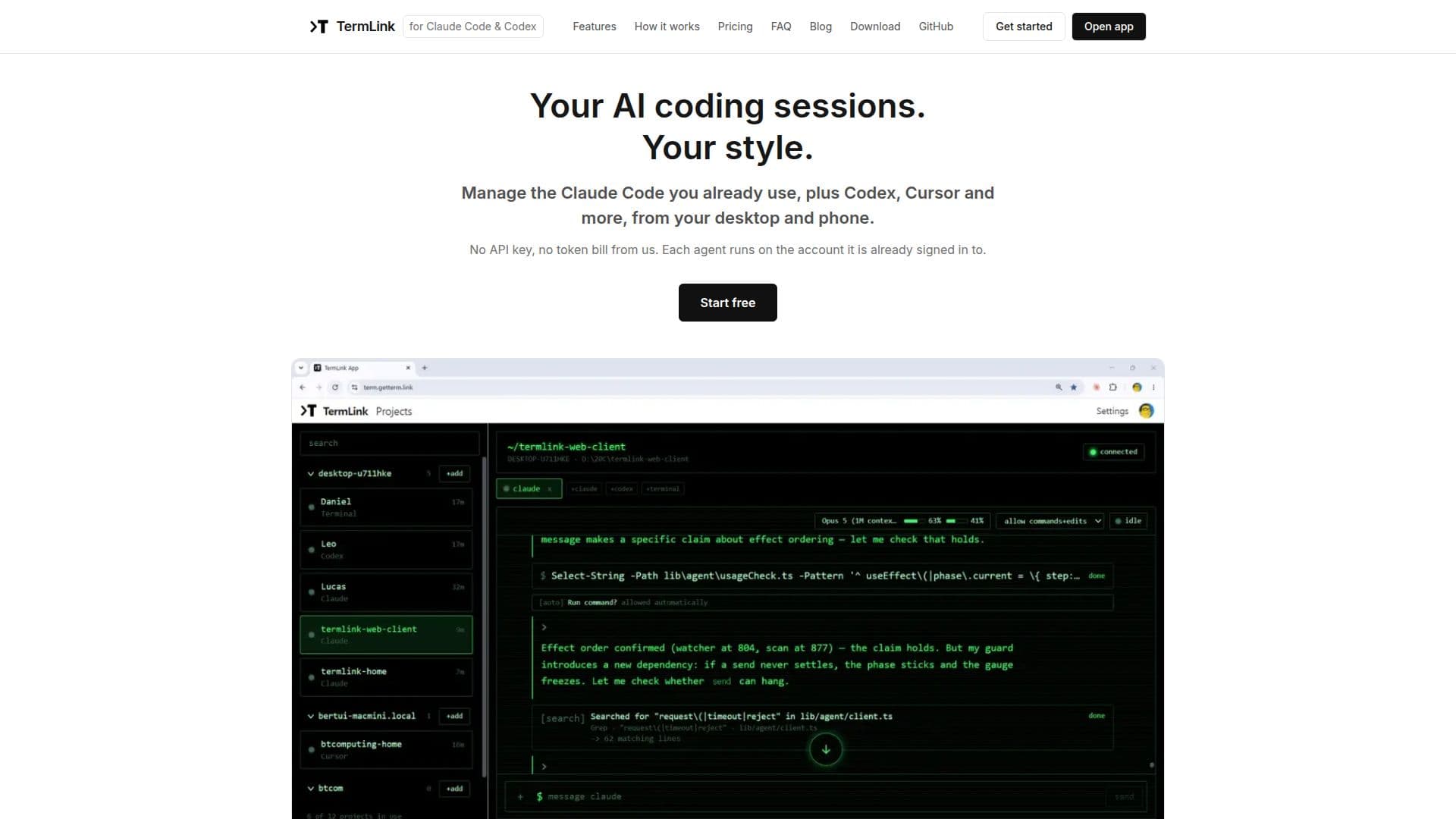
Description
TermLink provides a robust multi-session manager designed for AI coding agents such as Claude Code, Codex CLI, Cursor Agent, and GitHub Copilot CLI. It enables developers and users to centralize and control all their coding sessions from a single browser tab or mobile device, eliminating the complexities of SSH, VPNs, or managing open inbound ports.
Read More
The core functionality of TermLink revolves around its ability to keep agent sessions running on the user's own machine, accessible remotely. This means that code and data remain on the local machine, with only the terminal screen content transmitted securely over WSS through a TermLink relay. This architecture ensures data privacy and security, as nothing is copied off the machine and the relay does not write routed data to disk.
Users can register their machines by installing a simple npm package and signing in with Google. Once set up, sessions can be opened from any browser or phone, offering a consistent experience across devices. TermLink supports customizable themes that restyle the entire screen, saved per browser, and provides a chat-style message box for prompting agents on mobile devices. It also features per-session approval settings for unattended runs, with three levels for agent sessions and an 'Auto-Yes' switch for terminal sessions, allowing users to control how much an agent can do autonomously.
Additional features enhance productivity and user experience, including browser notifications for session completion or when an agent requires input. Sessions persist even if the browser tab is closed, and the terminal UI is accurately repainted upon reconnection. TermLink also handles Claude usage limits by automatically resending stopped turns once the limit resets. For convenience, users can paste or drop screenshots directly into the terminal, which are then uploaded to the host machine.
TermLink offers a flexible pricing model, starting with a free plan that supports up to four active sessions. Paid plans, Pro and Max, increase the number of concurrent sessions to twelve and forty respectively, and include priority support. The platform is compatible with macOS, Linux, and Windows operating systems, ensuring broad accessibility for developers. It does not replace existing AI coding agents but rather enhances their management and accessibility, making it an ideal solution for those working with multiple agents across various machines.
- CategoryAI Coding Assistants
- Pricing ModelFreemium
- DeploymentCloud
- PlatformsmacOS, Linux, Windows (Host); Web Browser, Mobile Browser (Client)
TermLink's Core Features
Multi-session management for AI coding agents
Access sessions from any browser or phone
No SSH, VPN, or open inbound ports required
Sessions run on your own machine, data stays local
Supports Claude Code, Codex CLI, Cursor Agent, GitHub Copilot CLI
Customizable themes saved per browser
Chat-style prompt box for mobile use
Per-session approval settings (Ask, Allow File Edits, Allow Commands and Edits)
Auto-Yes switch for plain terminal sessions
Browser notifications for session status
Sessions continue running when browser tab is closed
Automatic resending of Claude turns after usage limits reset
Terminal UI repainted accurately on reconnect
Paste or drop screenshots for host upload
Google sign-in for account management
Free plan available with concurrent session limits
How to use TermLink?
Install Host: Install the TermLink CLI package on your machine using npm.
Sign In: Authenticate your machine with TermLink using your Google account.
Navigate to Folder: Change to the desired working directory on your machine.
Run Host: Start the TermLink host process, which dials out to the relay.
Open from Browser: Access TermLink in any browser or phone, select your machine, and start a session.
Manage Sessions: Control multiple agent sessions, adjust approval settings, and monitor progress remotely.
TermLink's Use Cases
- Remote AI Coding
- Multi-Machine Agent Management
- Unattended Agent Runs
- Mobile Development Access
- Persistent Sessions
- Collaborative Coding
- Cross-Platform Development
- Resource Monitoring