Description
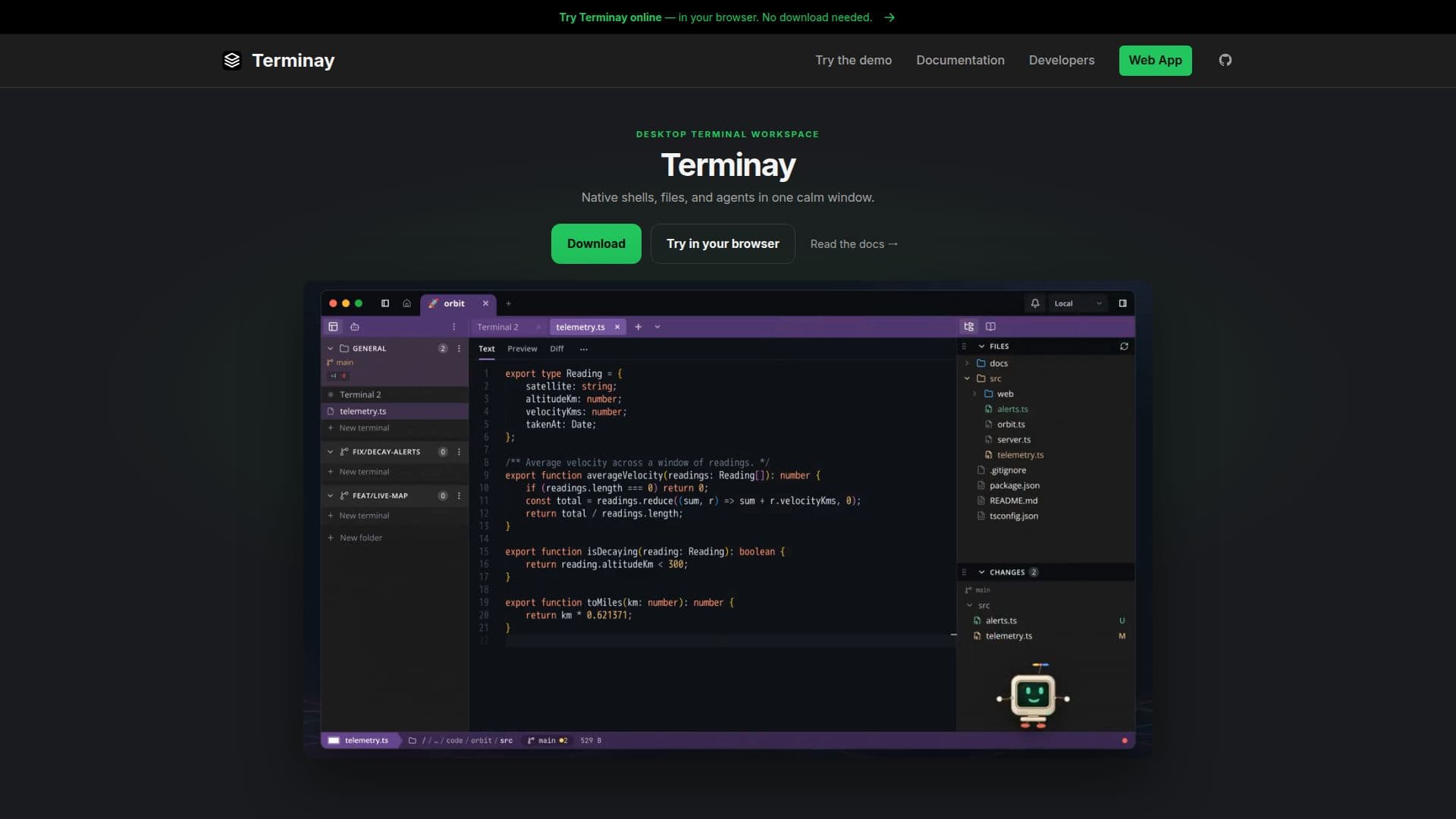
Terminay is a comprehensive desktop terminal workspace engineered to streamline project management and facilitate coding agent interactions. It moves beyond a basic terminal grid by offering a rich set of features that enhance productivity and organization for developers and technical users.
Read More
The platform allows users to create dedicated project workspaces, each with its own root folder, file explorer state, color, and icon, ensuring busy environments remain readable. A central Home Dashboard provides an overview of all projects, tabs, and agents, sorted by priority, activity, and completion status. The Command Bar, accessible via Cmd/Ctrl+L, enables quick searching of terminal actions, workspace commands, file commands, and reusable macros, promoting a keyboard-first workflow.
Automation capabilities are a core strength of Terminay. Users can schedule commands using cron or trigger them based on events such as an agent finishing a task, a terminal requiring attention, or a remote device connecting. All runs are meticulously logged with their outputs. The Macro Automation feature allows for the creation of multi-step sequences incorporating prompts, waits, clipboard paste, key presses, and secure secret insertion.
Terminay also includes robust tools for session management and file handling. Terminal sessions can be captured as local asciicast v3 files, which can then be replayed, searched, revealed, or deleted from a timeline. Files and folders can be browsed directly alongside shells, with support for opening various file types, previewing media and markdown, inspecting Git diffs, and saving edits. Folder browsing offers multiple views, including tree, list, thumbnail, and gallery tabs.
For collaborative and remote work, Terminay provides secure remote access. Users can pair a browser with a one-time link, and subsequent visits are authenticated with a device key over WebRTC, ensuring stable session origins. A significant feature is Agent Terminal Control, which allows installation of the Terminay MCP server for AI agents like Claude Code and Codex. This enables agents to read output, open splits, run commands, and manage automations within their own workspaces, all under user-defined permissions. Agents and scripts can also display sandboxed, interactive HTML windows within their terminals for charts, forms, or custom applications, with user interaction feedback.
Further enhancing agent interaction, the Pixel companion in the status bar allows users to query Claude Code or Codex about server terminals and approve agent actions via chat. Terminay also supports project documentation by rendering Markdown and MDX files as a file-based documentation tree with rich editing and autosave. Git worktrees are integrated, showing pull requests and CI checks, enabling quick branch switching and management. A "Quick Push" feature assists with committing and pushing changes, using an AI agent to draft commit plans and pull requests for user approval. Markdown checklists can be transformed into progress rings and Kanban boards, either per file or aggregated across a folder, providing flexible task management.
- CategoryAI DevOps & Cloud Tools
- Pricing ModelNot specified
- DeploymentLocal
- PlatformsDesktop
Terminay's Core Features
Desktop terminal workspace for projects and coding agents
Split panes and dockable terminals for organized layouts
Command Bar for searching actions, commands, and macros
Project Workspaces with root folders, file explorer state, and custom colors
Home Dashboard for overview of projects, tabs, and agents
Automations for scheduling commands and reacting to events
Macro Automation with multi-step sequences, prompts, and secrets
Terminal Recordings as local asciicast v3 files with replay and search
Searchable settings for shell behavior, themes, and shortcuts
Files Beside Shells for browsing, previewing, and editing files
Secure Remote Access with browser pairing and device-key authentication
Agent Terminal Control for AI agents (e.g., Claude Code, Codex) to manage workspaces
App Windows for agents to display interactive HTML content
Pixel companion for AI agent interaction and approval
Markdown and MDX documentation tree with editing and autosave
Git Worktree management with pull request and CI check status
Quick Push with AI agent-drafted commit plans and pull requests
Tasks from Markdown checklists into progress rings and Kanban boards
How to use Terminay?
Download and Install: Obtain the latest release or build Terminay from source.
Organize Projects: Create project workspaces, assign root folders, colors, and icons for clarity.
Utilize Command Bar: Press Cmd/Ctrl+L to quickly search and execute terminal actions, commands, and macros.
Automate Workflows: Schedule commands with cron or set up event-driven automations for agents or devices.
Record Sessions: Capture terminal sessions as asciicast v3 files for later replay, search, and review.
Manage Files: Browse, open, preview, and edit files and folders directly alongside your terminal sessions.
Enable Remote Access: Pair a browser with a one-time link for secure, stable remote access to your workspace.
Integrate AI Agents: Install the Terminay MCP server to allow AI agents to control and inspect terminal tabs with defined permissions.
Terminay's Use Cases
- Project Management
- Automated Workflows
- AI Agent Integration
- Remote Development
- Session Recording
- File and Code Editing
- Task Tracking
- Developer Documentation
- Git Worktree Management
- AI-Assisted Commits