Description
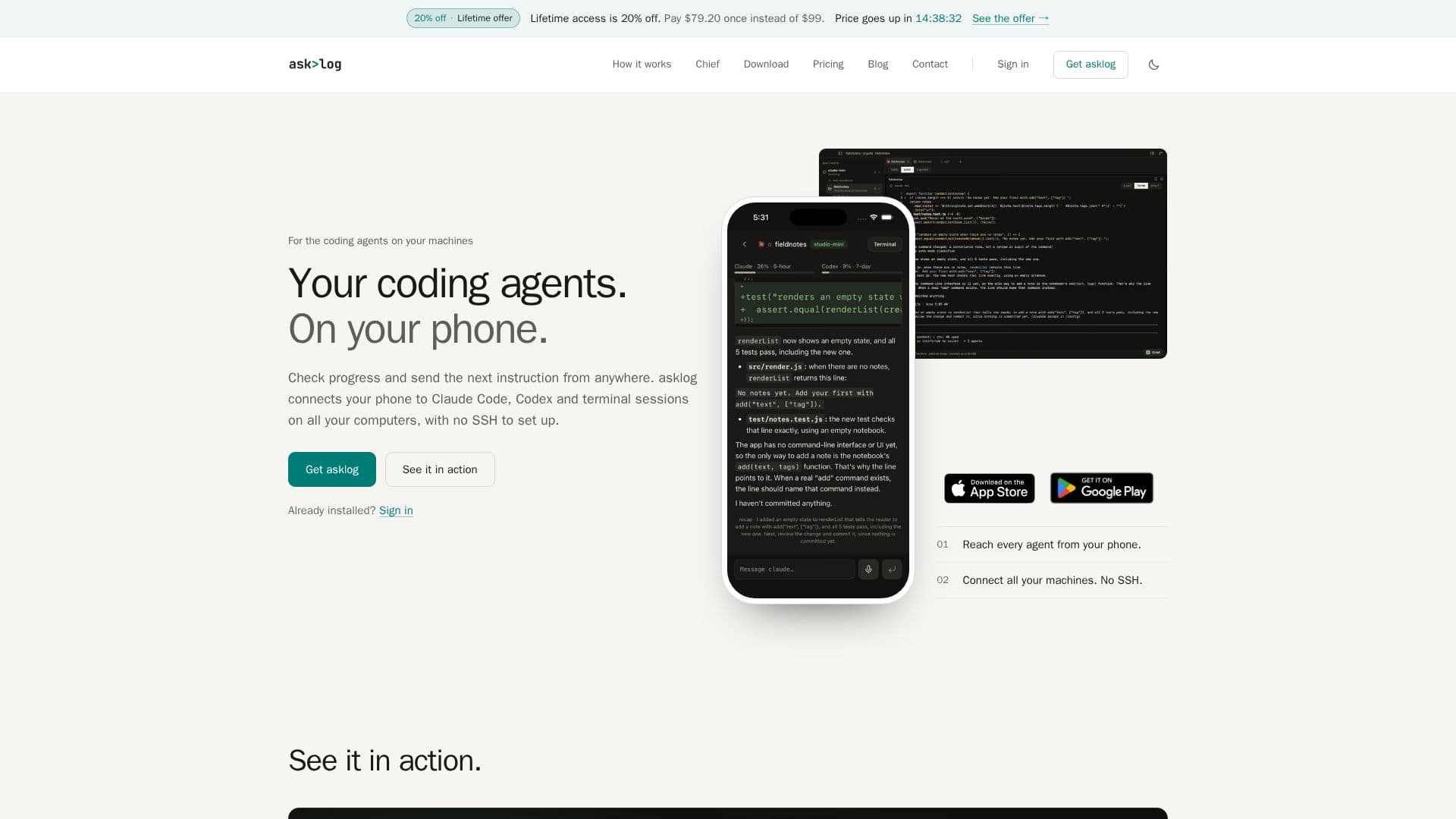
asklog provides a seamless way to access and manage your coding agents and terminal sessions from any device, including your phone, laptop, or browser. It establishes a secure connection to your own computers without requiring complex setups like SSH, port forwarding, or VPNs. This means your projects and tools remain on your local machines, ensuring data privacy and control, while still offering remote accessibility.
Read More
The platform supports popular coding agents such as Claude Code and Codex, along with any other tools that operate within a terminal. Users can connect up to three machines to a single asklog account, allowing them to monitor and interact with their coding environments from various locations. The connection is end-to-end encrypted, and asklog explicitly states that it does not store terminal output or agent conversations on its servers, reinforcing its commitment to user privacy.
A key feature of asklog is 'Chief,' an advanced agent designed to orchestrate other coding agents. Users can instruct Chief in plain language, and it will plan the work, initiate coding agents on separate copies of the code, track their progress, and deliver checked pull requests. Chief ensures that each task runs on its own branch, preventing collisions and maintaining code integrity. This functionality is particularly beneficial for complex projects requiring multiple coding tasks.
asklog offers both monthly and lifetime access plans, with a 3-day free trial available for the monthly plan (excluding Chief). The desktop application is available for macOS, Windows, and Linux, while mobile apps are provided for iPhone, iPad, and Android devices. This multi-platform support ensures flexibility and convenience for developers who need to stay connected to their work, whether at their desk or on the go. The system is designed for ease of installation and use, requiring only a sign-in on your devices to establish connections.
- CategoryAI Coding Assistants
- Pricing ModelFreemium
- DeploymentCloud
- PlatformsmacOS, Windows, Linux, iOS, Android, Web
asklog's Core Features
Remote access to coding agents and terminal sessions
Connects phone, laptop, and browser to your machines
No SSH, port forwarding, or VPN required for connection
Supports Claude Code, Codex, and terminal-based tools
Multi-machine connectivity (up to 3 machines per account)
End-to-end encrypted connections
Does not store terminal output or agent conversations
Chief agent for orchestrating multiple coding tasks
Chief creates separate branches for each coding task
Chief delivers checked pull requests
Cross-platform desktop apps (macOS, Windows, Linux)
Mobile apps for iPhone, iPad, and Android
3-day free trial for monthly plan (excludes Chief)
Monthly and lifetime access options
Device access review and revocation
How to use asklog?
Install Desktop App: Download and install the asklog app on your Mac, Windows, or Linux computer where your coding agents run.
Sign In: Sign in to the same asklog account on your computer and all other devices (phone, laptop, browser).
Open a Session: Choose your machine from the list and continue working on sessions already running there.
Interact Remotely: Read agent output and send new instructions from your phone or other connected devices.
Utilize Chief (Pro): Tell Chief what you want, and it will manage coding agents, track tasks, and deliver pull requests.
asklog's Use Cases
- Remote Code Monitoring
- Mobile Coding Management
- Multi-Machine Development
- Automated Task Orchestration
- Secure Remote Access
- Collaborative Code Review
- Developer Productivity