
Description
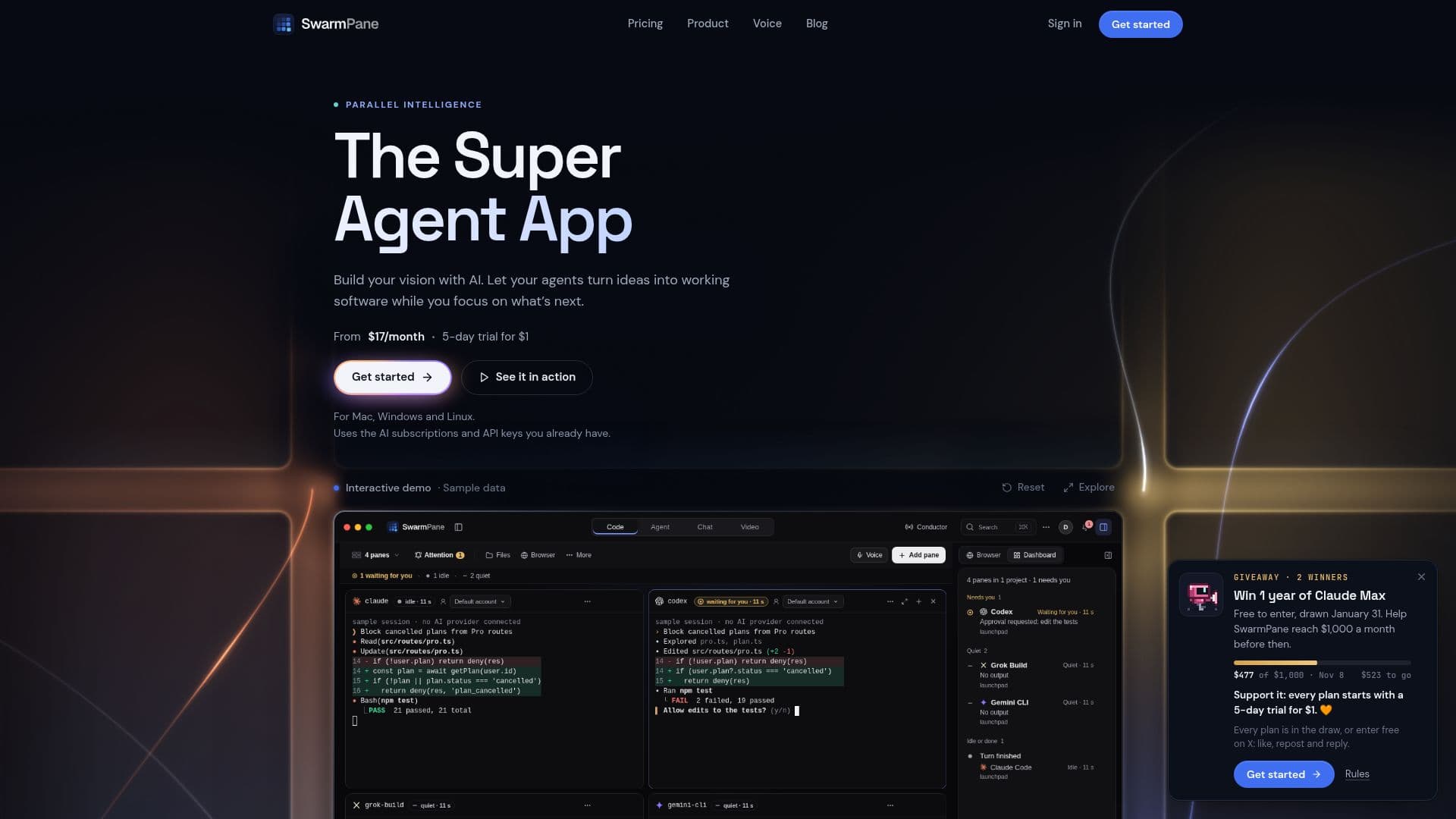
SwarmPane provides a comprehensive desktop workspace for developers utilizing AI coding agents. It enables users to run various coding CLIs, such as Claude Code, Codex, Gemini CLI, and Cursor Agent, concurrently in real terminals. This setup allows for up to 16 agents to work side-by-side on a project, each in its own isolated worktree, preventing conflicts and allowing for parallel development.
Read More
The platform integrates essential developer tools, including project files, Git, and browser previews, directly within the workspace. Key features like 'Agent Race' allow users to pit multiple agents against the same task, with their own tests determining the winner. The 'Undo for agents' functionality provides a checkpoint before every agent step that modifies files, enabling one-click exact rewinds.
SwarmPane offers several modes of operation: 'Agent mode' for agents with specific jobs and memory, 'Code mode' for side-by-side terminals, 'Chat mode' for focused conversations and planning, and 'Workflow mode' to chain agents into repeatable processes with up to 16 steps and approval gates. Additional features include 'Point and Fix' for visual bug resolution, 'Token Guardian' for managing token usage and budgets, and 'Overnight Autopilot' (beta) for unattended task queues that validate work against user-defined checks.
For enhanced productivity, SwarmPane includes 'SwarmPane Voice' (with Pro plan) for dictation into composers and terminals, supporting both cloud Whisper and local Mac Whisper. The 'Video Studio' (Labs, with Pro) allows users to describe a video and watch an agent build and render an MP4 on their computer. The 'Jev Conductor' (beta) routes goals between agents and checks results, with token allowances varying by plan.
SwarmPane is available as a desktop application for Mac (macOS 13 or later), Windows, and Linux. It operates by detecting coding CLIs already installed on the user's computer and utilizes their existing sign-ins and subscriptions, ensuring no second AI bill from SwarmPane itself. Pricing is structured across Starter, Pro, and Ultra plans, with monthly and yearly billing options, each offering a 5-day trial for $1 on initial monthly subscriptions for Starter and Pro.
- CategoryAI Coding Assistants
- Pricing ModelSubscription
- DeploymentDesktop app
- PlatformsMac, Windows, Linux
SwarmPane's Core Features
Run up to 16 AI coding agents side-by-side in real terminals
Agent Grid for managing multiple agents simultaneously
Agent Race to compare agent performance on tasks using user tests
Undo for agents with one-click exact rewind of file-editing steps
Point and Fix for visual bug resolution in browser previews
Token Guardian for measured usage, daily budgets, and loop detection
Overnight Autopilot (beta) for unattended task queues with checks
Workflow mode to chain agents into multi-step processes
SwarmPane Voice for dictation and voice commands (Pro plan)
Video Studio (Labs) for generating MP4 videos from descriptions (Pro plan)
Jev Conductor (beta) for routing goals between agents and checking results
Support for multiple coding CLI accounts (e.g., Claude Code, Codex)
Local MCP connections for integrating other agents
Limit handoff to switch agents or accounts when usage limits are hit
Cross-platform desktop application for Mac, Windows, and Linux
How to use SwarmPane?
Install SwarmPane: Download and install the desktop application for Mac, Windows, or Linux.
Connect Agents: SwarmPane detects installed coding CLIs like Claude Code and Codex; sign in with your existing accounts.
Choose a Mode: Select Agent, Code, Chat, or Workflow mode based on your task requirements.
Assign Tasks: Give agents specific tasks, prompts, or chain them into multi-step workflows.
Monitor & Approve: Observe agent progress in real-time, review changes, and approve edits before they are merged.
Manage Costs: Utilize Token Guardian to set daily budgets and prevent runaway runs.
Enhance with Voice/Video: Use SwarmPane Voice for dictation or Video Studio to generate project videos (Pro plan features).
SwarmPane's Use Cases
- Parallel Code Development
- Agent Performance Comparison
- Automated Code Refactoring
- Visual Bug Fixing
- Overnight Task Automation
- Workflow Automation
- Voice-Controlled Coding
- Developer Video Creation
- Cost-Controlled Agent Usage
- Seamless Agent Handoff