ToolPotion
AI Advisor
Submit a Tool (Free)

nana

AI AppsAI Coding AssistantsRefactoring code#204Free Beta · Windows, macOS (server), Linux (server)

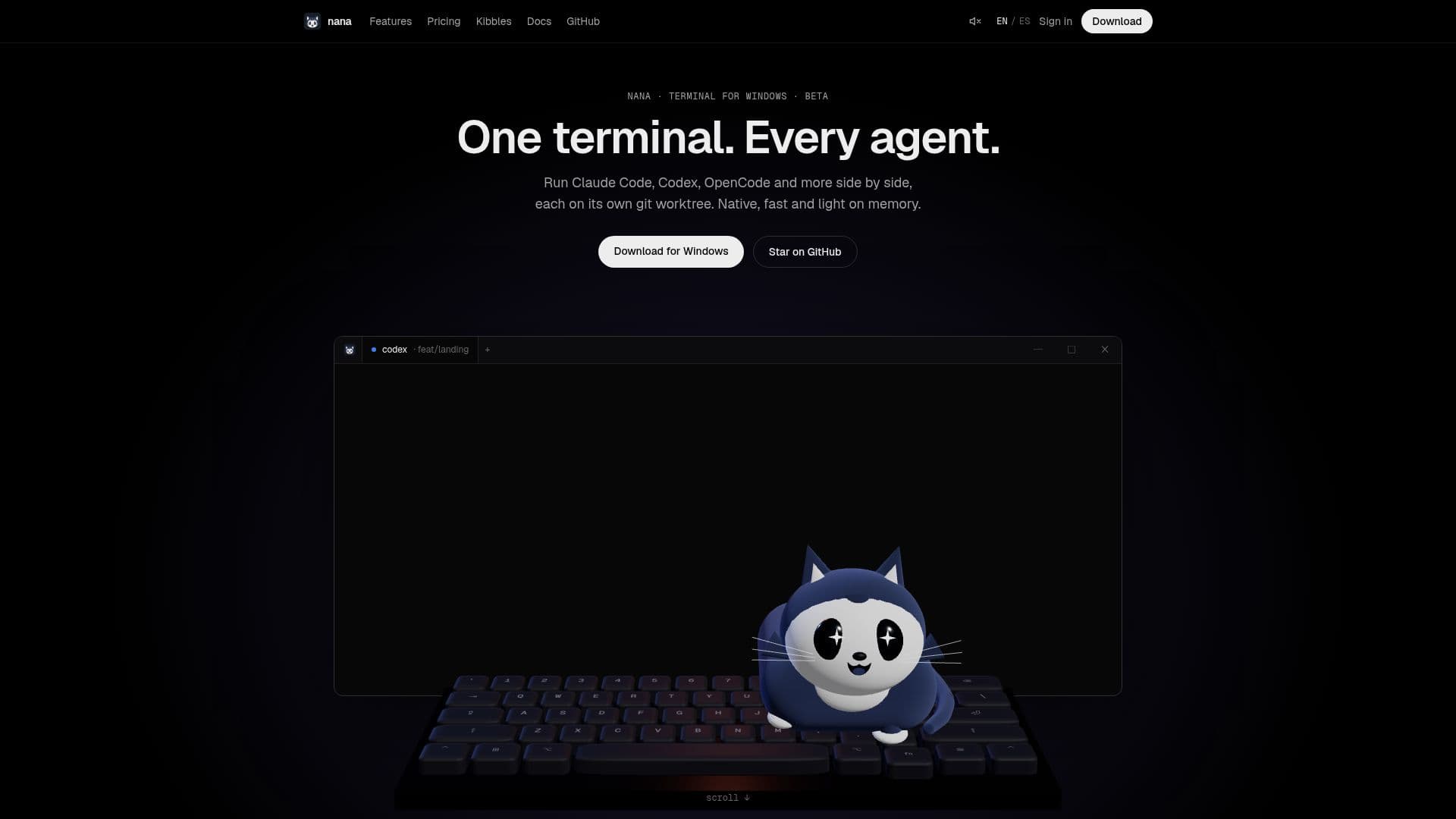
nana is a native terminal multiplexer for Windows, designed for managing multiple AI coding agents simultaneously. It allows each agent to run on its own Git worktree, providing isolation and easy management. Built with Rust, GPUI, and libghostty, nana offers a fast, lightweight, and customizable environment for developers working with various coding agents.

Visit Website
Share
nana screenshot
nana screenshot

nana is a native terminal multiplexer specifically engineered for the agent era, enabling developers to run multiple AI coding agents like Claude Code, Codex, and OpenCode side-by-side. It ensures each agent operates within its own isolated Git worktree, preventing conflicts and streamlining development workflows. This design allows for easy switching, merging, and cleanup of agent-specific branches directly from the sidebar.

Read More

The application is built for Windows 10 and newer, leveraging Rust for performance, GPUI for efficient rendering, and libghostty for its terminal engine, avoiding the overhead of Electron. This results in a fast, native, and memory-light experience. A key feature is its ability to detect the status of agents in your terminals—showing if they are working, waiting, or done—without requiring any hooks or complex setup.

nana also integrates robust code review capabilities, allowing users to view Git diffs, browse older commits, and revisit changes directly within the terminal environment. For continuous operation, terminals live in `nana-server`, meaning agents continue running in the background even if the main application window is closed. Furthermore, it supports remote servers, enabling users to open projects on Linux or macOS over SSH, with `nana-server` automatically installed on the remote machine to maintain sessions.

The Composer feature facilitates writing long prompts with files and images, which can then be sent to a single terminal or broadcast to all split panes simultaneously. Customization is extensive, with over 490 terminal themes available for live preview. The platform is also extensible through "Kibbles," which are small web apps built with standard web tooling that can add panels, tabs, commands, and languages. Mobile apps for iOS and Android are planned to connect directly to the user's server, emphasizing a cloud-free and account-free experience.

nana is currently available as a free beta, offering all current features without limits on projects or agents, including Git worktrees, code review, background sessions, remote server support, themes, and extensions. Future plans include new paid tiers for individuals and teams seeking additional functionalities.

  • CategoryAI Coding Assistants
  • Pricing ModelFree Beta
  • DeploymentNative Desktop App, CLI/Server
  • PlatformsWindows, macOS (server), Linux (server)

  • Native Terminal Multiplexer for Windows

  • Run Multiple AI Coding Agents Side-by-Side

  • Dedicated Git Worktree for Each Agent

  • Agent Status Monitoring (Working, Waiting, Done)

  • Integrated Code Review with Git Diffs

  • Background Sessions (Agents Run After App Close)

  • Remote Server Support via SSH (Linux/macOS)

  • Composer for Multi-Pane Prompting

  • 490+ Customizable Terminal Themes

  • Extensible with Kibbles (Web Apps for Panels, Tabs, Commands)

  • Fast and Lightweight (Rust, GPU Rendering, No Electron)

  • Free Beta with Unlimited Projects and Agents

  • No Admin Rights Required for Installation

  • Automatic Updates and Recovery

  • Windows Terminal Integration

  1. Install nana: Download and open the .msi installer for Windows 10+ or use a PowerShell command.

  2. Add a project: Open nana, then choose 'Add Project' from the sidebar or press Ctrl+Shift+O and select a folder.

  3. Open a terminal: Press Ctrl+Shift+T to open a new tab in your project, or Ctrl+Shift+N for a Home terminal.

  4. Split terminals: Use Ctrl+Shift+D to split right or Ctrl+Shift+Alt+D to split down for multi-pane views.

  5. Manage agents: Run your coding agents; nana will automatically detect their status (working, waiting, done).

  6. Review code: Utilize the built-in Git diff viewer to review changes and browse commits directly.

  7. Install Kibbles: Find Kibbles in Settings → Kibbles → Browse, then install and turn them on to add new features.

  • Managing Multiple AI Agents
  • Isolated Development Workflows
  • Code Review within Terminal
  • Continuous Agent Operation
  • Remote Development with Agents
  • Batch Prompting for Agents
  • Customizing Terminal Environment
  • Developer Productivity

nana Reviews

Loading...

Popular AI Tools Like nana

Orca

AI Apps

A free, open-source Agent Development Environment that runs Claude Code, Codex, Gemini, and other CLI coding agents in parallel across isolated git worktrees.

AI Coding Assistants

Ranked #33 for DevOps Engineers

View Tool

AI Apps

A free, open-source Agent Development Environment that runs Claude Code, Codex, Gemini, and other CLI coding agents in parallel across isolated git worktrees.

AI Coding Assistants
Ranked #33 for DevOps Engineers

devpit

AI Apps

devpit is a desktop application designed for managing coding agents. It offers a terminal per project, a board for task management, and an orchestrator across projects. Compatible…

AI Coding Assistants

Ranked #230 for Explaining code

View Tool

AI Apps

Desktop application designed for managing coding agents. It offers a terminal per project, a board for task management, and an orchestrator across projects. Compatible…devpit is a desktop application designed for managing coding agents. It offers a terminal per project, a board for task management, and an orchestrator across projects. Compatible…

AI Coding Assistants
Ranked #230 for Explaining code

Codara Studio is a comprehensive desktop console for AI coding agents, integrating file exploration, editing, live agent terminals, git graph, and run orchestration. It supports…

AI Coding Assistants

Ranked #194 for Explaining code

View Tool

Comprehensive desktop console for AI coding agents, integrating file exploration, editing, live agent terminals, git graph, and run orchestration. It supports…Codara Studio is a comprehensive desktop console for AI coding agents, integrating file exploration, editing, live agent terminals, git graph, and run orchestration. It supports…

AI Coding Assistants
Ranked #194 for Explaining code

ADE is a local-first desktop app designed for orchestrating parallel AI coding agents. It features isolated git worktrees, automation rules, and over 35 built-in tools, enabling…

AI Coding Assistants

Ranked #162 for Refactoring code

View Tool

Local-first desktop app designed for orchestrating parallel AI coding agents. It features isolated git worktrees, automation rules, and over 35 built-in tools, enabling…ADE is a local-first desktop app designed for orchestrating parallel AI coding agents. It features isolated git worktrees, automation rules, and over 35 built-in tools, enabling…

AI Coding Assistants
Ranked #162 for Refactoring code

Farol

AI Apps

Farol is a free, open-source macOS terminal app designed for AI coding agents. It allows users to run Claude Code and Codex in parallel, each within its own git worktree,…

AI Coding Assistants

Ranked #226 for Explaining code

View Tool

AI Apps

Free, open-source macOS terminal app designed for AI coding agents. It allows users to run Claude Code and Codex in parallel, each within its own git worktree,…Farol is a free, open-source macOS terminal app designed for AI coding agents. It allows users to run Claude Code and Codex in parallel, each within its own git worktree,…

AI Coding Assistants
Ranked #226 for Explaining code

Zide

AI Apps

Zide is a comprehensive desktop application for developers, integrating code, Git, issues, pull requests, CI, terminals, and AI agents into one workspace. It supports GitHub,…

AI Coding Assistants

Ranked #167 for Explaining code

View Tool

AI Apps

Comprehensive desktop application for developers, integrating code, Git, issues, pull requests, CI, terminals, and AI agents into one workspace. It supports GitHub,…Zide is a comprehensive desktop application for developers, integrating code, Git, issues, pull requests, CI, terminals, and AI agents into one workspace. It supports GitHub,…

AI Coding Assistants
Ranked #167 for Explaining code

Hyperlane is an AI-native IDE that runs multiple coding agents in parallel, each in its own isolated Git worktree. It supports Claude Code, Codex, OpenCode, and Gemini CLI,…

AI Coding Assistants

Ranked #192 for Explaining code

View Tool

AI-native IDE that runs multiple coding agents in parallel, each in its own isolated Git worktree. It supports Claude Code, Codex, OpenCode, and Gemini CLI,…Hyperlane is an AI-native IDE that runs multiple coding agents in parallel, each in its own isolated Git worktree. It supports Claude Code, Codex, OpenCode, and Gemini CLI,…

AI Coding Assistants
Ranked #192 for Explaining code

AskCodi Desktop provides an AI engineering team on your machine, featuring a CTO agent and specialist engineers. It plans, codes, and reviews across isolated git worktrees with…

AI Coding Assistants

Ranked #48 in Coding & Development

View Tool

Provides an AI engineering team on your machine, featuring a CTO agent and specialist engineers. It plans, codes, and reviews across isolated git worktrees with…AskCodi Desktop provides an AI engineering team on your machine, featuring a CTO agent and specialist engineers. It plans, codes, and reviews across isolated git worktrees with…

AI Coding Assistants
Ranked #48 in Coding & Development
1 of 8