Description
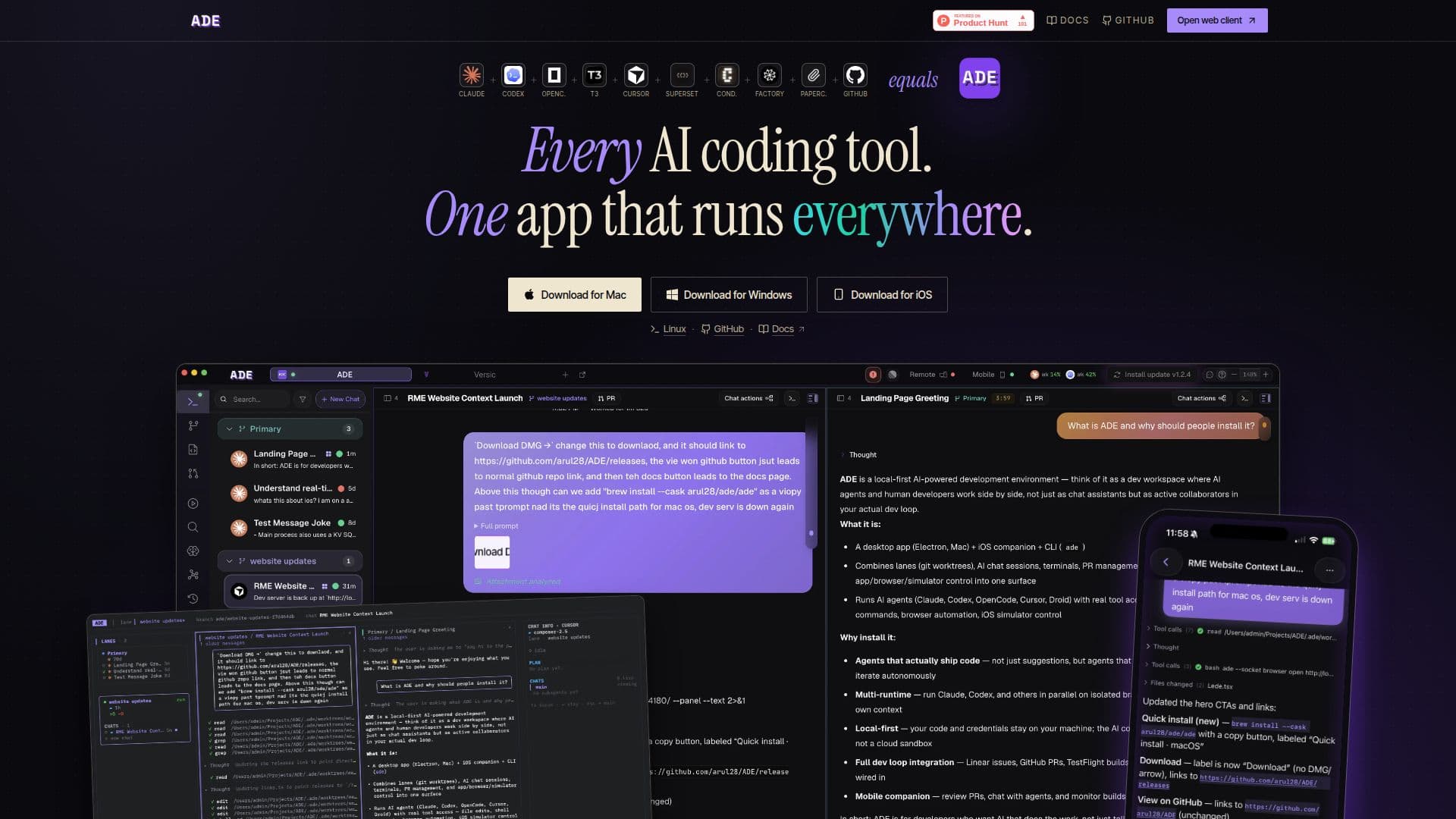
ADE — Agentic Development Environment is a local-first desktop application that facilitates the orchestration of parallel AI coding agents. This innovative tool allows users to manage isolated git worktrees, implement automation rules, and utilize over 35 built-in tools, all within a single interface. The application is designed to run on macOS, Windows, iOS, and in terminal environments, ensuring that users can access their workspace from virtually anywhere.
Read More
One of the standout features of ADE is its ability to create git worktrees on the fly. Users can spin up isolated branches and worktrees in a single action, complete with their own checkouts, terminals, ports, and history. This functionality allows for efficient project management and collaboration, as users can stack worktrees on a graph and easily rebase when necessary.
ADE also offers a unique agent chat feature, where users can interact with multiple AI coding agents, such as Claude Code, Codex, Cursor, OpenCode, and Droid, all from a single prompt box. This integration enables users to launch ADE chats or headless CLI sessions, with a grid view that displays every run side by side. Messages, tool calls, and proofs are synchronized across all screens, eliminating the need for copy-pasting between surfaces.
The application supports auto-creation of worktrees, allowing users to describe tasks and have ADE automatically spin up the necessary branches and worktrees. Additionally, users can turn completed chats into pull requests, complete with diffs, checks, and merges, all without needing to switch to GitHub. The worktree graph feature provides a visual representation of every worktree as a stack, highlighting dependencies, conflict risks, and rebase orders at a glance.
With ADE, users can manage their entire coding environment from a single workspace, whether they are using the desktop application, terminal, or iOS device. The built-in browser pane facilitates web QA, element inspection, and proof capture, while remote runtimes allow users to run agents on remote machines with full tool access. This comprehensive control plane makes ADE an essential tool for developers looking to streamline their coding processes and enhance productivity.
- CategoryAI Coding Assistants
- Pricing ModelFreemium
- DeploymentLocal-first
- PlatformsmacOS, Windows, iOS
ADE's Core Features
Local-first desktop app
Isolated git worktrees
Automation rules
Over 35 built-in tools
Agent chat with multiple AI coding agents
Auto-create worktrees
Turn chats into pull requests
Worktree graph visualization
How to use ADE?
Open a repository: Start by opening your desired code repository within ADE.
Create a lane: Set up a new lane for your coding task to organize your work.
Run an agent: Launch an AI coding agent to assist with your coding needs.
Review the result: Check the output and results generated by the agent.
Ship it: Finalize your changes and push them to the main branch.
ADE's Use Cases
- Collaborative coding
- Project management
- Web QA
- Remote development
- Automated pull requests