Description
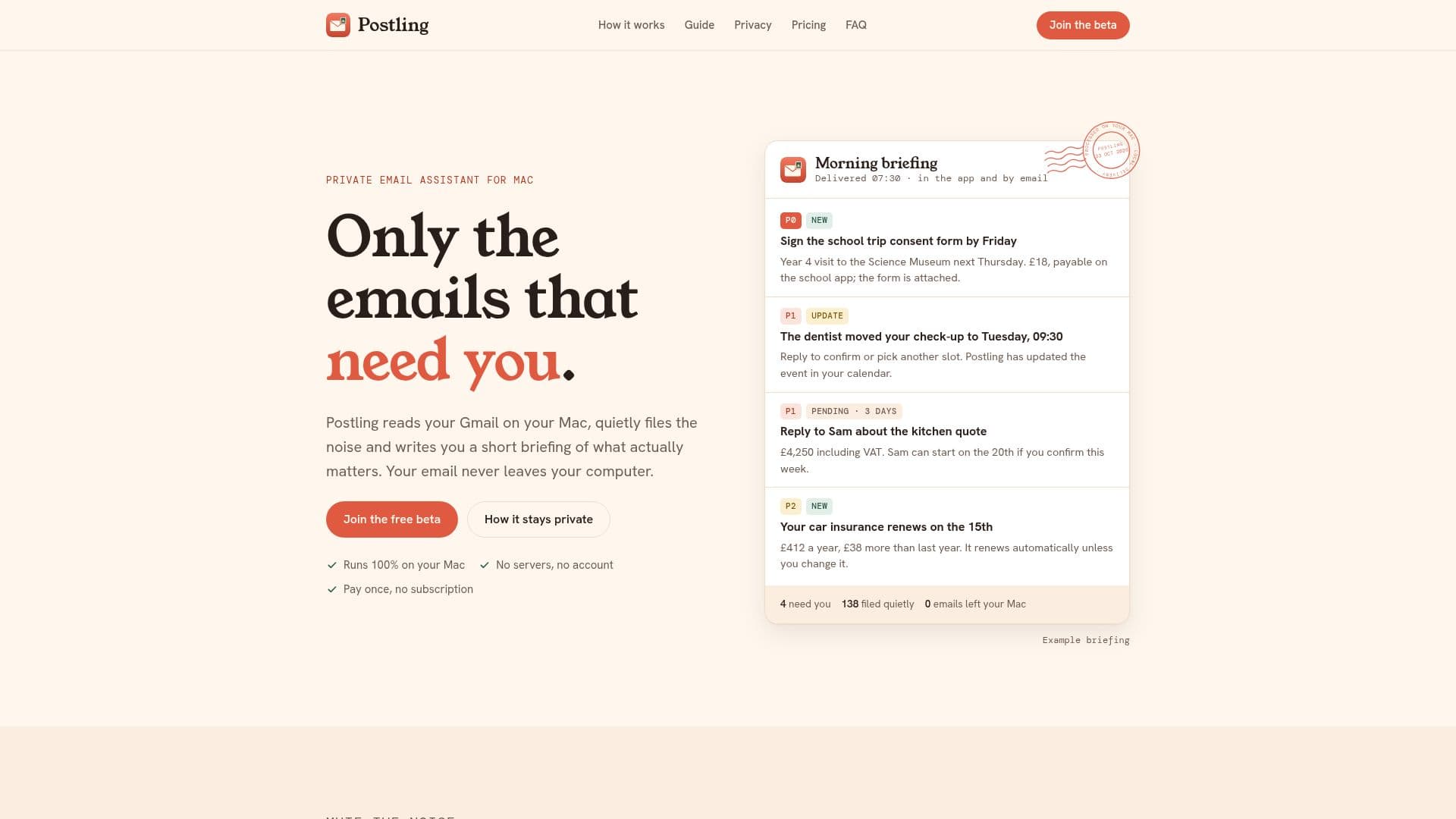
Postling is a private email assistant designed specifically for Mac users. It efficiently organizes your Gmail by sorting emails, filing away the noise, and providing you with concise briefings of what truly matters. The application operates entirely on your Mac, ensuring that your emails never leave your computer, thus maintaining your privacy and security.
Read More
Postling works by categorizing each email with a label and priority, ensuring that only the emails that require your attention remain in your inbox. It learns from your existing Gmail labels and filters, adapting to how you already manage your emails. This learning process allows Postling to improve its sorting accuracy over time, ensuring that important emails are never missed.
The application supports multiple Gmail accounts, each with its own settings and briefings, allowing you to manage personal and professional emails separately or together. It also integrates with your calendar, adding important dates from emails directly to the calendar of your choice, ensuring you never miss an appointment or deadline.
Postling is designed for families, professionals, and busy individuals who want to streamline their email management without compromising privacy. It offers a one-time purchase model with no subscription fees, providing updates for the first year. Afterward, users can opt for annual updates at a nominal fee.
The application is compatible with Macs running Apple silicon (M1 or later) and macOS 26 or later. It currently supports Gmail and Google Workspace, with plans to expand to other email providers in the future. Postling ensures that your email data remains private by using Apple's on-device AI, with an option to connect to TypeSafe for those who prefer it.
- CategoryAI Email Assistants
- Pricing ModelOne-time purchase
- DeploymentmacOS
- PlatformsMac with Apple silicon
Postling's Core Features
Sorts Gmail by label and priority
Keeps important emails in the inbox
Provides briefings marked new, updated, or pending
Learns from existing Gmail labels and filters
Supports multiple Gmail accounts with individual settings
Integrates with calendars for important dates
Operates entirely on your Mac for privacy
One-time purchase with optional annual updates
How to use Postling?
Connect Gmail: Sign in securely without sharing your password
Set Focus Areas: Choose what matters most to you
Read Briefings: Receive updates up to three times a day
Manage Calendars: Add important dates to your chosen calendar
Postling's Use Cases
- Family Management
- Professional Email Sorting
- Privacy-Conscious Users
- Busy Individuals
- Multiple Account Management