Description
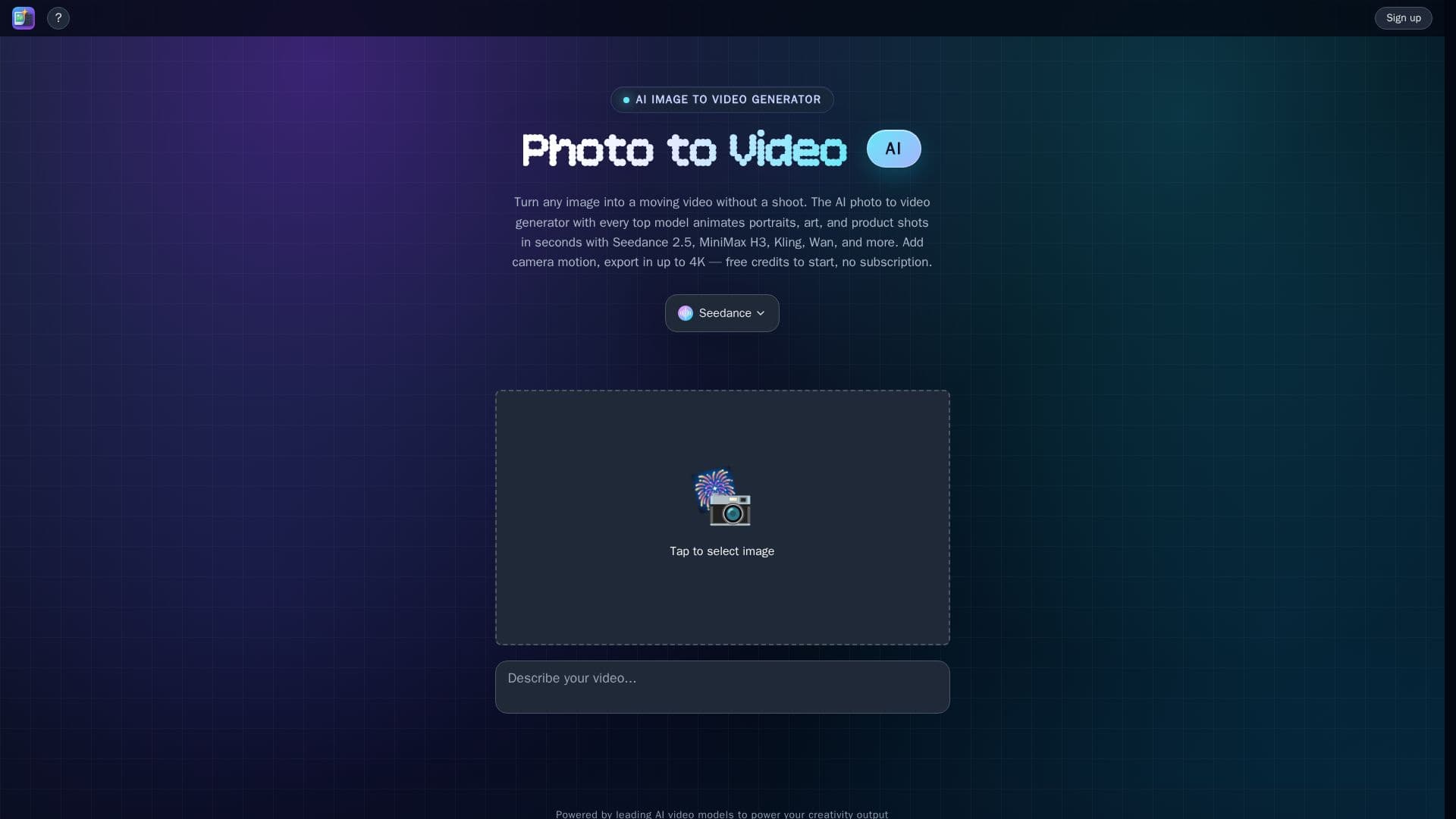
The AI Photo to Video Generator allows users to animate any image in seconds, turning photos, illustrations, or prompts into finished motion videos. By simply uploading an image, the tool animates the scene, adds camera movement, and lights the frame, bringing still images to life without the need for a shoot. Users can pan, push in, or create dynamic movements from a single input, ensuring that every video aligns with their vision.
This tool is particularly effective for animating portraits, artwork, and product shots while maintaining the integrity of the original details. Users can make faces blink and smile, add gentle motion to illustrations, or showcase products from multiple angles. The AI Image to Video Generator allows for precise control over camera movements, enabling users to highlight specific details and create seamless multi-shot videos.
With the ability to upload up to eight reference images, the model retains shape, color, and composition throughout the video, ensuring a cohesive final product. The generator supports various leading AI video models, including Seedance 2.5, MiniMax H3, Kling, and Wan, allowing users to switch models per shot and compare results without any subscription fees. The platform also offers free credits upon sign-up, making it accessible for users to start creating videos immediately.
The AI Photo to Video Generator is ideal for creators looking to enhance their visual content quickly and efficiently. It combines advanced AI technology with user-friendly features, making it suitable for a wide range of applications, from marketing to personal projects. With the capability to export videos in up to 4K resolution, users can achieve high-quality outputs that are ready to share across various platforms.
Photo to Video AI's Core Features
Free Tier
Up to 4K Resolution
No Subscription Required
Supports Multiple AI Models
Native Audio Generation
Direct Camera Control
Seamless Multi-shot Videos
Fast Video Generation
How to use Photo to Video AI?
Upload an image or write a prompt.
Select the desired AI model from the options.
Choose the video length and resolution.
Press the 'Make Video' button to generate.
Photo to Video AI's Use Cases
- Marketing Videos
- Social Media Content
- Artistic Projects
- Product Demonstrations
- Personal Projects