Description
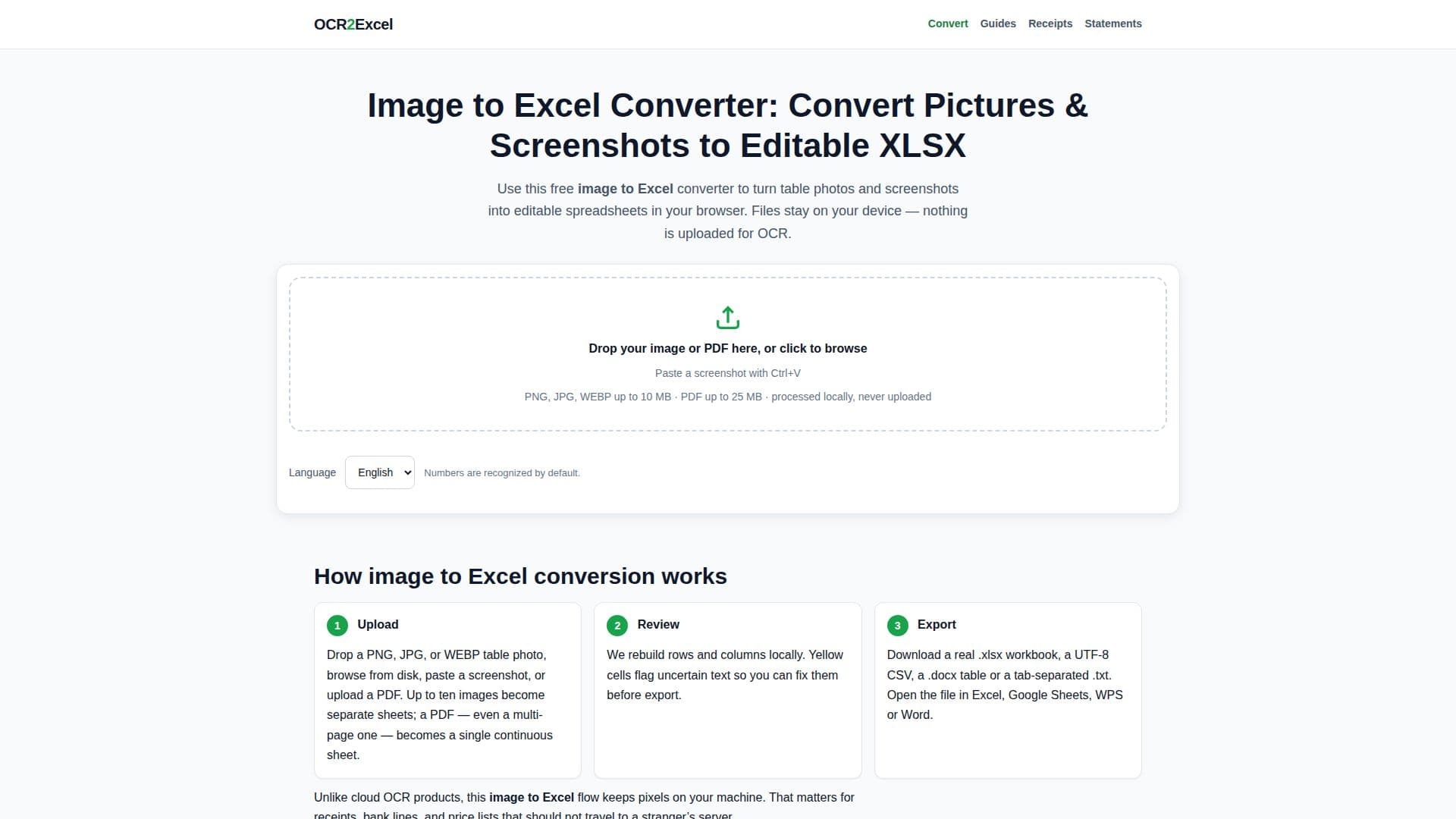
OCR2Excel is a browser-based tool designed to convert images of tables into editable Excel spreadsheets. It supports various image formats including PNG, JPG, WEBP, and PDF, allowing users to upload up to ten images per session. The conversion process is conducted locally using WebAssembly, ensuring that no images are uploaded to external servers, thus maintaining user privacy.
Read More
The tool is particularly useful for individuals and teams who frequently receive table data in image format, such as receipts or bank statements, and need to convert them into spreadsheets without manual data entry. OCR2Excel highlights low-confidence cells in yellow, allowing users to review and correct them before exporting the final spreadsheet.
OCR2Excel supports multiple output formats including XLSX, CSV, DOCX, and TXT, making it versatile for different use cases. The tool is free to use and does not require any sign-up, making it accessible to anyone needing quick and reliable image-to-Excel conversion.
While the tool excels at converting printed tables, it has limitations with handwritten tables, which may require additional editing. The tool's local processing ethos ensures that sensitive data remains secure, addressing privacy concerns often associated with cloud-based OCR solutions.
- CategoryAI Spreadsheet Tools
- Pricing ModelFree
- DeploymentLocal
- PlatformsBrowser
OCR2Excel's Core Features
Local OCR processing
Supports PNG, JPG, WEBP, PDF
No image upload to servers
Free to use
Highlights low-confidence cells
Multiple output formats
No account required
Real-time table review
How to use OCR2Excel?
Prepare: Capture a clear table image
Open: Access OCR2Excel in your browser
Convert: Upload image and click Convert
Review: Check yellow cells for accuracy
Download: Export as XLSX or CSV
OCR2Excel's Use Cases
- Receipt Conversion
- Bank Statement Processing
- Invoice Management
- Data Entry Automation
- Financial Reporting