
Description
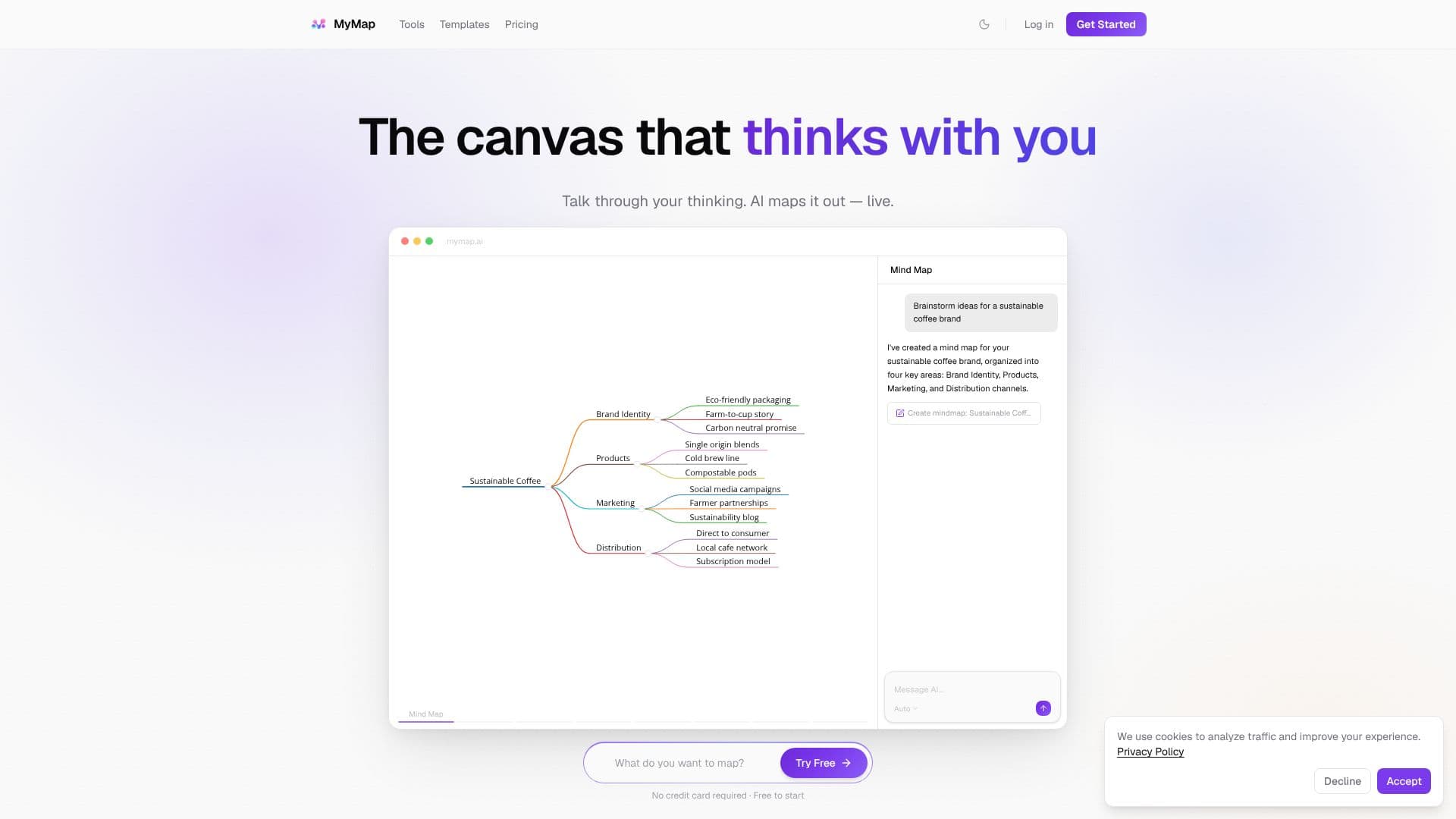
MyMap offers a unique AI canvas designed for visual thinking, allowing users to interact with AI and see their ideas materialize instantly. Unlike traditional chat interfaces, MyMap generates structured visual content directly onto an infinite canvas. Users can engage in conversations with the AI, which then maps out their thoughts into mind maps, flowcharts, diagrams, and connected ideas in real-time. This dynamic process enables users to brainstorm, plan, analyze, and compare concepts more effectively.
Read More
The platform's AI is context-aware, understanding node positions, connections, and neighboring elements to build upon existing ideas. It supports multiple AI models from various providers, including Qwen, GPT, Claude, and Gemini, offering users flexibility and avoiding vendor lock-in. Users can switch between these models to find the best fit for their needs. The AI can also generate images directly on the canvas, further enriching visual brainstorming sessions.
MyMap supports a variety of visual formats, including mind maps, flowcharts, diagrams, and slides, all generated from a single conversation without the need to switch tools. The real-time streaming of AI-generated content and connections allows users to witness their ideas evolve live. The tool is built for various thinking processes, whether it's brainstorming new ideas, planning projects, analyzing data, or comparing different options.
Key capabilities include turning prompts into structured mind maps, creating actionable roadmaps with flowcharts, generating instant visual frameworks for analysis like SWOT or Kanban boards, and producing clear side-by-side comparisons. The platform is accessible via a free tier, requiring no credit card, and offers paid plans for increased usage and access to premium AI models. MyMap aims to eliminate the challenge of staring at blank canvases by making the canvas itself an interactive thinking partner.
- CategoryProductivity
- Pricing ModelFreemium
- DeploymentCloud
- PlatformsWeb
MyMap AI Canvas's Core Features
AI-powered visual canvas for real-time idea mapping
Generates mind maps, flowcharts, diagrams, and connected ideas
Context-aware AI understands node positions and connections
Supports multiple AI models from various providers (Qwen, GPT, Claude, Gemini)
On-canvas AI image generation
Real-time streaming of AI-generated content and connections
Supports various visual formats from a single conversation
Infinite canvas for unlimited ideation space
Free tier available with no credit card required
Tools for brainstorming, planning, analysis, and comparison
Guest access for immediate use without signup
How to use MyMap AI Canvas?
Describe your idea: Input your prompt or topic into the AI chat interface.
Watch it map: See the AI generate visual content like mind maps or flowcharts on the canvas in real-time.
Interact and refine: Drag, connect, and rearrange nodes to organize and expand your ideas.
Switch AI models: Select from various AI models to optimize for specific tasks or output quality.
Generate visuals: Use AI to create images directly on your canvas.
Save and access: Sign up to save your work and access your maps later.
MyMap AI Canvas's Use Cases
- Brainstorming ideas
- Project planning
- Data analysis
- Concept comparison
- Customer journey mapping
- Database schema design
- Study guide creation