ToolPotion
AI Advisor
Submit a Tool (Free)

Microsoft Editor

AI AppsGrammar CheckersSubscription · Web, Desktop, Mobile

Microsoft Editor is an AI-powered writing assistant integrated with Microsoft Word and Outlook. It helps users write, edit, and collaborate effectively, offering grammar checks, style suggestions, and support for multiple languages to enhance writing quality.

Visit Website
Share
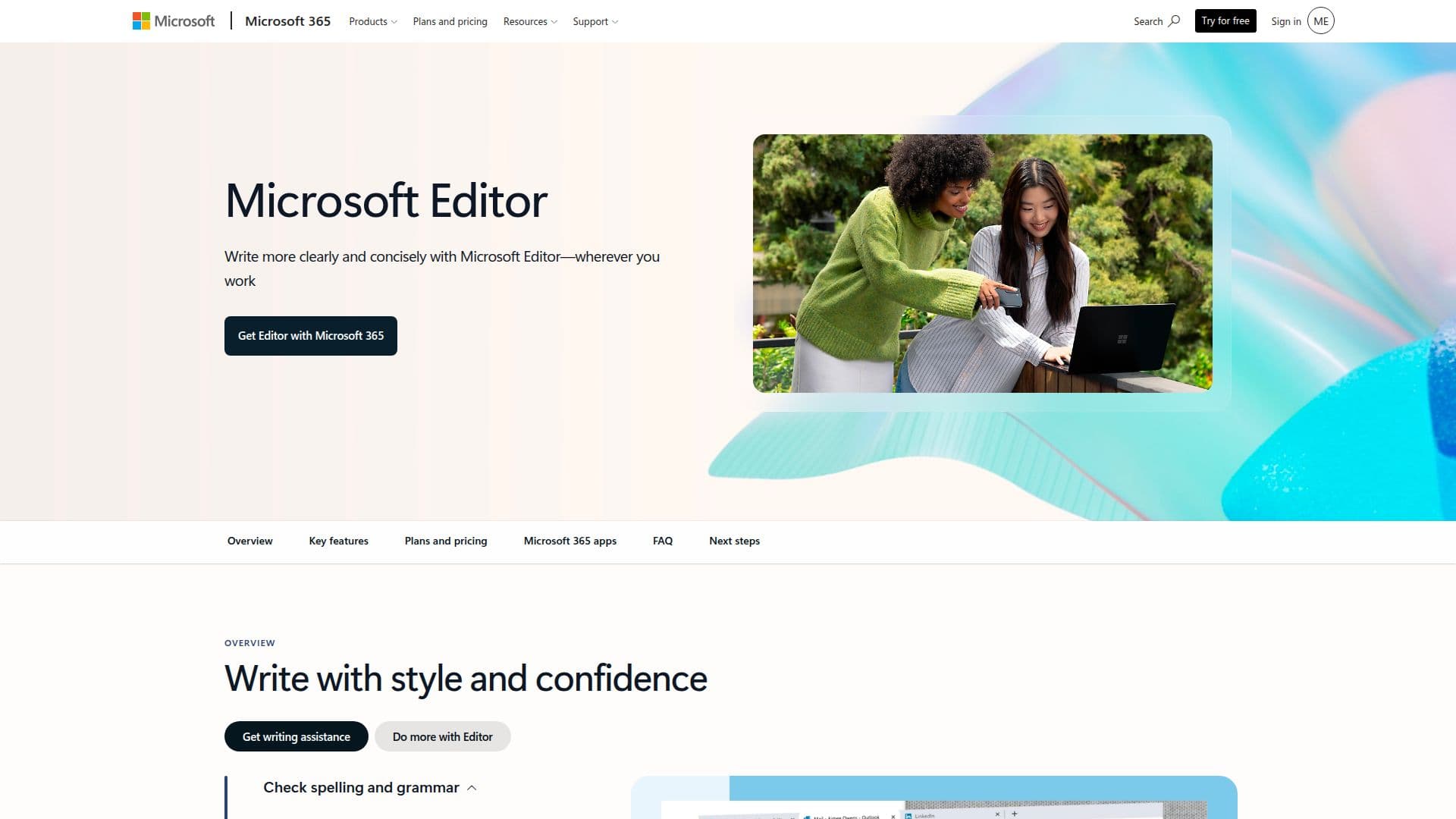
Microsoft Editor screenshot

Microsoft Editor is a powerful writing assistant designed to enhance your writing experience in Microsoft Word and Outlook. With its AI-driven features, it provides users with tools to write, edit, and collaborate seamlessly. The integration of Copilot in Word allows users to receive AI prompts that help organize their ideas and improve their writing style.

Read More

One of the key capabilities of Microsoft Editor is its ability to catch misspellings and check for grammar, capitalization, and punctuation errors. It goes beyond basic spell check by offering advanced features that assess clarity, conciseness, and formality. Users can benefit from in-app learning tips that provide background information and suggestions on vocabulary and punctuation, making it an invaluable tool for anyone looking to enhance their writing skills.

Microsoft Editor supports communication in over 20 languages, including English, Spanish, German, and French. Users can select up to three languages for simultaneous spell checking, making it a versatile tool for multilingual writers. Additionally, users can craft their own dictionaries to ensure that specific words are not marked as misspelled, further personalizing their writing experience.

The tool also includes a feature that checks documents for content similarity with online text, allowing users to cite original sources effectively. It identifies phrases that could benefit from simpler wording and encourages the use of active voice, helping users avoid jargon and improve overall readability. The online grammar checker highlights issues such as sentence fragments, missing words, and commonly confused words, ensuring that users produce polished and professional documents.

Microsoft Editor is particularly beneficial for individuals who use Microsoft 365 Personal or Family subscriptions, as it unlocks premium features across various devices, including PCs, Macs, phones, and tablets. With 1 TB of secure cloud storage, users can save and access their documents from anywhere, making collaboration easier than ever. Whether you are a student, professional, or anyone in between, Microsoft Editor is designed to elevate your writing and ensure that your communication is clear and effective.

  • CategoryGrammar Checkers
  • Pricing ModelSubscription
  • DeploymentCloud
  • PlatformsWeb, Desktop, Mobile

  • Grammar and spell check

  • Style suggestions

  • Multi-language support

  • Custom dictionary creation

  • Content similarity checking

  • Active voice recommendations

  • In-app learning tips

  • Integration with Microsoft Word and Outlook

  1. Open Microsoft Word or Outlook to access Editor.

  2. Start writing your document or email.

  3. Use the Editor tool to check for grammar and spelling errors.

  4. Review style suggestions and make necessary adjustments.

  5. Select your preferred languages for spell checking.

  6. Utilize in-app tips to enhance your writing skills.

  7. Save your document to OneDrive for easy access and collaboration.

  8. Share your document with others for feedback and editing.

  • Academic Writing
  • Professional Emails
  • Multilingual Communication
  • Content Creation
  • Collaborative Projects

Popular AI Tools Like Microsoft Editor

An AI-powered grammar, spelling, and style checker that works in over 30 languages across browsers, desktop apps, and office programs, with a free tier and no sign-up needed.

Grammar Checkers

Ranked #2 in Paraphrasing Tools

View Tool

An AI-powered grammar, spelling, and style checker that works in over 30 languages across browsers, desktop apps, and office programs, with a free tier and no sign-up needed.

FeaturedGrammar Checkers
Ranked #2 in Paraphrasing Tools

GrammarIn is an AI-powered writing assistant that enhances writing accuracy and clarity. It offers grammar checks, spelling modifications, and context-specific corrections to help…

Grammar Checkers
View Tool

AI-powered writing assistant that enhances writing accuracy and clarity. It offers grammar checks, spelling modifications, and context-specific corrections to help…GrammarIn is an AI-powered writing assistant that enhances writing accuracy and clarity. It offers grammar checks, spelling modifications, and context-specific corrections to help…

Grammar Checkers
See the Top 250 AI Apps

Ginger Software is an AI-powered writing assistant that enhances your writing by correcting grammar, spelling, and style errors. It offers personalized editing solutions for users…

Grammar Checkers

Ranked #13 in Grammar Checkers

View Tool

AI-powered writing assistant that enhances your writing by correcting grammar, spelling, and style errors. It offers personalized editing solutions for users…Ginger Software is an AI-powered writing assistant that enhances your writing by correcting grammar, spelling, and style errors. It offers personalized editing solutions for users…

Grammar Checkers
Ranked #13 in Grammar Checkers

GrammarCheck.me is an AI-powered tool designed to correct grammatical errors, including spelling, punctuation, and tense issues. It offers multilingual support and provides…

Grammar Checkers

Ranked #23 in Grammar Checkers

View Tool

GrammarCheck.me is an AI-powered tool designed to correct grammatical errors, including spelling, punctuation, and tense issues. It offers multilingual support and provides…

Grammar Checkers
Ranked #23 in Grammar Checkers

Scribens

AI Apps

Scribens is a free grammar checker that corrects a wide variety of mistakes, including conjugation, agreement, word confusion, punctuation, typography, and more. It helps users…

Grammar Checkers

Ranked #16 in Grammar Checkers

View Tool

AI Apps

Free grammar checker that corrects a wide variety of mistakes, including conjugation, agreement, word confusion, punctuation, typography, and more. It helps users…Scribens is a free grammar checker that corrects a wide variety of mistakes, including conjugation, agreement, word confusion, punctuation, typography, and more. It helps users…

Grammar Checkers
Ranked #16 in Grammar Checkers

Grammarly

AI Apps

Grammarly offers AI writing assistance to enhance your writing skills. With personalized guidance and text generation, it helps users write clearly and effectively across various…

Grammar Checkers

Ranked #1 in AI Writing Assistants

View Tool

AI Apps

Offers AI writing assistance to enhance your writing skills. With personalized guidance and text generation, it helps users write clearly and effectively across various…Grammarly offers AI writing assistance to enhance your writing skills. With personalized guidance and text generation, it helps users write clearly and effectively across various…

FeaturedGrammar Checkers
Ranked #1 in AI Writing Assistants

A free online AI grammar checker that instantly corrects grammar, punctuation, and spelling mistakes to help improve your writing.

Grammar Checkers
View Tool

A free online AI grammar checker that instantly corrects grammar, punctuation, and spelling mistakes to help improve your writing.

Grammar Checkers
See the Top 250 AI Apps

An iOS productivity app that provides AI-powered grammar and spelling correction, rewriting, paraphrasing, and text translation to clean up emails, reports, and posts.

Grammar Checkers
View Tool
1 of 8