ToolPotion
AI Advisor
Submit a Tool (Free)

LensUp

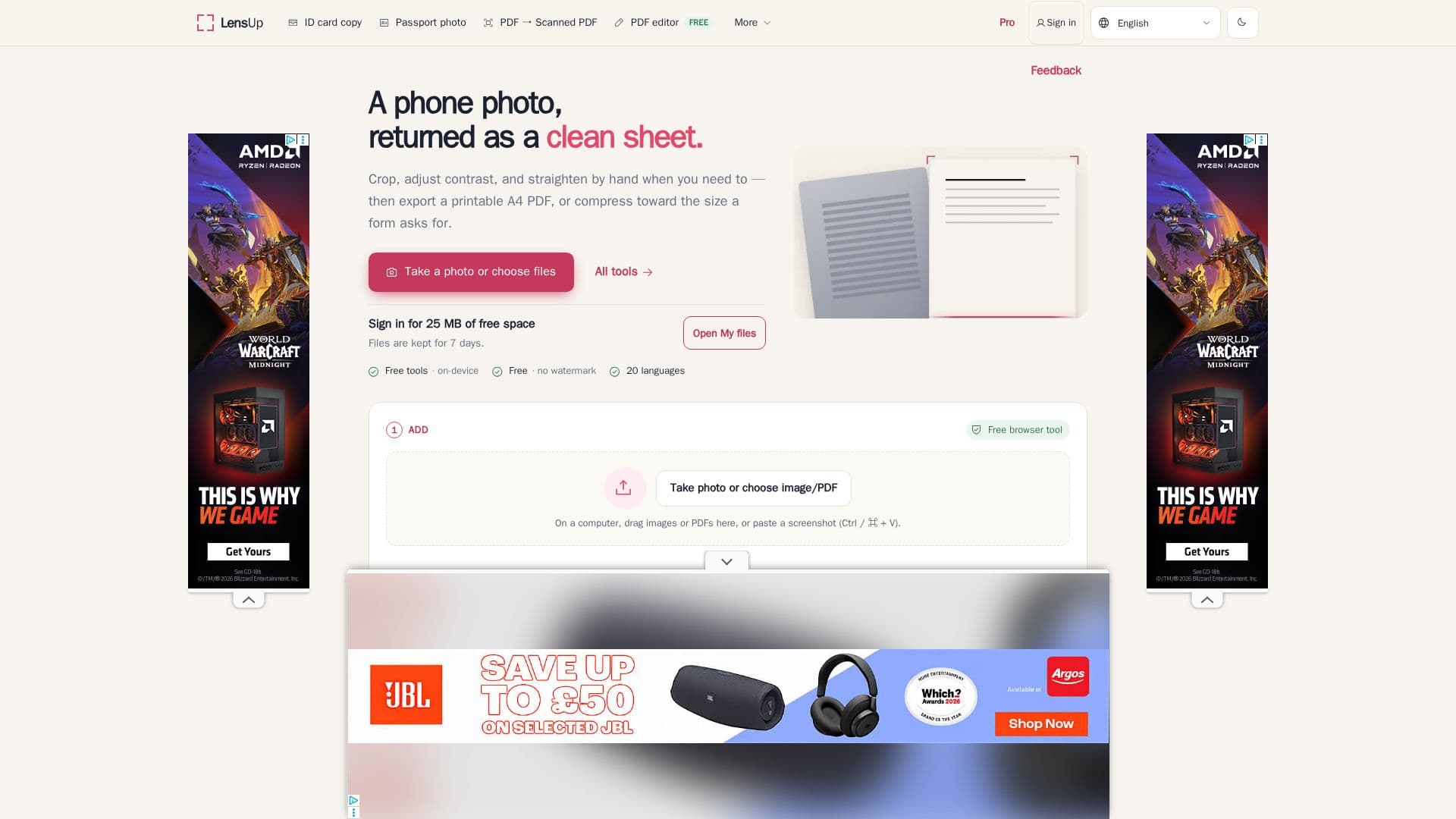
LensUp is a free online document scanner that transforms photos into clean, printable PDFs directly in your browser. It offers features like cropping, straightening, shadow removal, and fading colored pen marks. Users can also compress files to meet upload limits and create ID card layouts without needing an account or uploading files for basic scanning.

Visit Website
Share
LensUp screenshot
LensUp screenshot

LensUp provides a suite of browser-based tools designed to convert phone photos of paper documents into high-quality, printable PDFs. This free online scanner allows users to perform various enhancements, including cropping, straightening, and correcting perspective on scanned images. It also features advanced options like de-shadowing to even out lighting, fading colored pen marks while preserving dark text, and compressing PDFs to specific target sizes for upload limits.

Read More

The platform operates entirely within the user's browser, ensuring privacy by processing files locally without uploading them to servers for basic scanning, cropping, and exporting. This local processing means no sign-up is required for core functionalities, and there are no daily limits or watermarks on exports. For users needing additional features, LensUp Pro offers benefits such as no ads, batch processing, support for larger files (up to 500 MB), and 10 GB of cloud storage with shareable links.

LensUp is particularly useful for a diverse audience, including students and teachers who need to scan worksheets and fade pen marks, individuals handling government and job applications that require specific file size compression, and those managing ID and paperwork errands by creating ID card copies with front and back on a single A4 page. It also assists with digitizing receipts and records, allowing users to arrange and merge multiple pages into one PDF.

While LensUp excels at producing clean, image-based PDFs, it's important to note that the exported files do not contain selectable or editable text, form fields, or clickable links. For text recognition, users would need to employ a separate OCR tool. The service is funded by advertising for its free tier, with LensUp Pro providing an ad-free experience and additional server-side features like cloud storage, which explicitly states when files are uploaded.

  • CategoryAI Document & PDF Tools
  • Pricing ModelFreemium
  • DeploymentBrowser-based
  • PlatformsWeb

  • Scan photos to clean, printable PDFs

  • Perspective correction for slanted documents

  • De-shadow and even out lighting on scans

  • Fade colored pen marks while preserving dark text

  • Compress PDFs toward a target file size (e.g., 200 KB)

  • Create ID card layouts (front and back on one A4 page)

  • Crop and straighten pages in the browser

  • No sign-up required for basic scanning

  • No daily limits or watermarks on free exports

  • Local processing in browser for privacy (no uploads for basic functions)

  • Merge multiple photos into a single PDF

  • Reorder and delete pages within a document

  • Supports various output formats: PDF, JPG, PNG

  • Optional watermark text or image

  • Optional signature/stamp image

  1. Photograph Document: Take a photo of your document or choose an image from your device.

  2. Refine Scan: Crop, straighten, and correct perspective using the in-browser editor. Apply de-shadowing or fade colored pen marks as needed.

  3. Choose Scan Effect: Select a scan effect (e.g., White document, Black and white, Color) and compare the preview with the original.

  4. Adjust Layout & Format: Select paper size (A4, Letter), layout (Single, 2-up, 4-up, ID card), and output format (Auto, PDF, JPG, PNG).

  5. Compress (Optional): Choose a target file size if you need to compress the PDF for upload limits.

  6. Export PDF: Export the refined document as a clean, printable PDF to your device.

  • Digitizing Documents
  • Academic Work
  • Job Applications
  • ID Card Copying
  • Receipt & Record Keeping
  • Shadow Removal
  • Perspective Correction
  • Multi-Page Scanning
  • File Size Reduction
  • Watermarking Documents

LensUp Reviews

Loading...

Popular AI Tools Like LensUp

imagetotext.me is a free online OCR tool that extracts editable, searchable text from images and PDFs, supporting bulk conversion, handwriting, and math, with no signup required.

AI Document & PDF Tools

Ranked #52 for Extracting text from images

View Tool

Free online OCR tool that extracts editable, searchable text from images and PDFs, supporting bulk conversion, handwriting, and math, with no signup required.imagetotext.me is a free online OCR tool that extracts editable, searchable text from images and PDFs, supporting bulk conversion, handwriting, and math, with no signup required.

AI Document & PDF Tools
Ranked #52 for Extracting text from images

PDF Converter is an online tool to convert files to and from PDF and edit PDFs, with 20+ tools for converting, merging, splitting, compressing, watermarking, and OCR, usable on…

AI Document & PDF Tools
View Tool

Online tool to convert files to and from PDF and edit PDFs, with 20+ tools for converting, merging, splitting, compressing, watermarking, and OCR, usable on…PDF Converter is an online tool to convert files to and from PDF and edit PDFs, with 20+ tools for converting, merging, splitting, compressing, watermarking, and OCR, usable on…

AI Document & PDF Tools
See the Top 250 AI Apps

Image to Text Converter is a free online tool that uses OCR technology to extract text from images, photos, and scanned documents. It supports multiple formats and languages,…

AI Document & PDF Tools

Ranked #70 for Extracting text from images

View Tool

Free online tool that uses OCR technology to extract text from images, photos, and scanned documents. It supports multiple formats and languages,…Image to Text Converter is a free online tool that uses OCR technology to extract text from images, photos, and scanned documents. It supports multiple formats and languages,…

AI Document & PDF Tools
Ranked #70 for Extracting text from images

An online converter that turns PDF files into clean, editable DOCX documents in the browser, supporting both text-based and scanned PDFs, with free conversions up to 10MB and…

AI Document & PDF Tools
View Tool

fotosize

AI Apps

fotosize is a free online ID photo maker that runs entirely in your browser, allowing you to crop passport, visa, or ID photos to specific document sizes. It helps frame the head,…

AI Photo Editors
View Tool

AI Apps

Free online ID photo maker that runs entirely in your browser, allowing you to crop passport, visa, or ID photos to specific document sizes. It helps frame the head,…fotosize is a free online ID photo maker that runs entirely in your browser, allowing you to crop passport, visa, or ID photos to specific document sizes. It helps frame the head,…

AI Photo Editors
See the Top 250 AI Apps

This AI tool removes handwriting from images, PDFs, and scanned documents. It preserves printed text, fixes distortions, and auto-crops edges. Available as a web app and mobile…

AI Document & PDF Tools

Ranked #132 in AI Document & PDF Tools

View Tool

pdftoword.ai is a free online toolkit of 24 PDF tools for converting, editing, compressing, and securing documents in the browser, with no software install or account required.

AI Document & PDF Tools
View Tool

Free online toolkit of 24 PDF tools for converting, editing, compressing, and securing documents in the browser, with no software install or account required.pdftoword.ai is a free online toolkit of 24 PDF tools for converting, editing, compressing, and securing documents in the browser, with no software install or account required.

AI Document & PDF Tools
See the Top 250 AI Apps

JPGtoText.com is a free online OCR converter that extracts editable text from JPG, PNG, and other images in seconds. It supports 50+ languages, low-resolution images, and even…

AI Document & PDF Tools

Ranked #69 for Extracting text from images

View Tool
1 of 8