Description
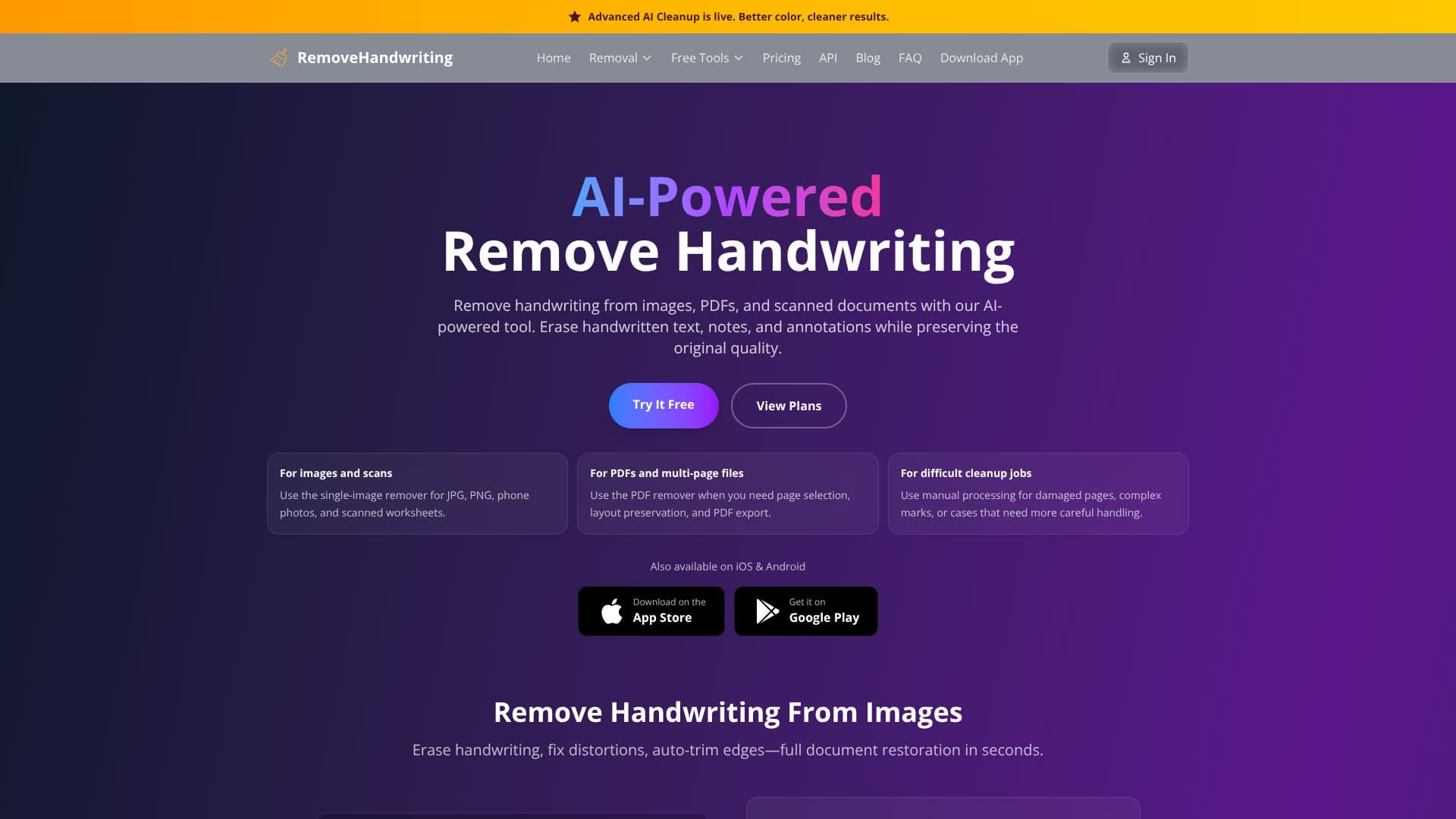
RemoveHandwriting.com offers an advanced AI-powered solution to erase handwritten notes, annotations, and marks from images, PDFs, and scanned documents. The tool is designed to preserve the original quality of the document, ensuring that printed text, tables, and diagrams remain intact while handwritten content is removed. This makes it ideal for various document cleanup tasks, including preparing test papers, archiving old documents, or regenerating shareable copies of marked-up materials.
Read More
The platform supports multiple file types, including JPG, PNG, JPEG, and PDF. For single images and scans, a dedicated remover is available. For multi-page files like PDFs, a specialized PDF remover allows for page selection, layout preservation, and direct PDF export. For more complex or damaged documents, a manual processing option is provided for careful handling of difficult cleanup jobs.
Beyond handwriting removal, the AI performs comprehensive document restoration. This includes fixing skewed and warped pages, automatically cropping to the document's frame, removing background noise, and preserving original colors. The service aims to deliver clean, high-quality results in seconds, making document processing faster and more efficient.
RemoveHandwriting.com is accessible via a web browser and also offers dedicated mobile applications for iOS and Android devices. The service is free to use, with options to earn credits through referrals or by watching ads. Paid subscriptions and one-time credit packs are available for users requiring more extensive processing power. The company emphasizes data privacy, stating that uploaded images are automatically deleted after processing and are not used for training purposes.
The target audience includes students, teachers, businesses, and anyone needing to clean up documents with handwritten annotations. Use cases range from preparing study materials and grading papers to digitizing historical documents and managing business contracts. The tool's ability to restore documents to a pristine condition while preserving essential content provides significant value for efficient document management and archival.
- CategoryAI Document & PDF Tools
- Pricing ModelFreemium
- DeploymentCloud
- PlatformsWeb, iOS, Android
Remove Handwriting AI's Core Features
AI-powered handwriting removal from images, PDFs, and scanned documents
Preserves printed text, tables, and diagrams while erasing handwriting
Fixes skewed, warped, and bent pages automatically
Auto-crops document edges and removes background clutter
Supports JPG, PNG, JPEG, and PDF file formats
Dedicated PDF remover with page selection and PDF export
Manual processing option for difficult cleanup jobs
Web application and mobile apps for iOS and Android
Free to use with options to earn credits
Data privacy with automatic deletion of uploaded files
How to use Remove Handwriting AI?
Upload Image/PDF: Select your image or PDF file containing handwriting.
AI Processing: The AI analyzes the document and removes handwritten marks.
Review Results: View the cleaned document with handwriting removed.
Download Clean Copy: Download the processed image or PDF.
Remove Handwriting AI's Use Cases
- Student Worksheets
- Document Archiving
- Business Contracts
- Exam Preparation
- Form Cleanup
- Manuscript Editing
- Historical Documents
- Homework Revision