Description
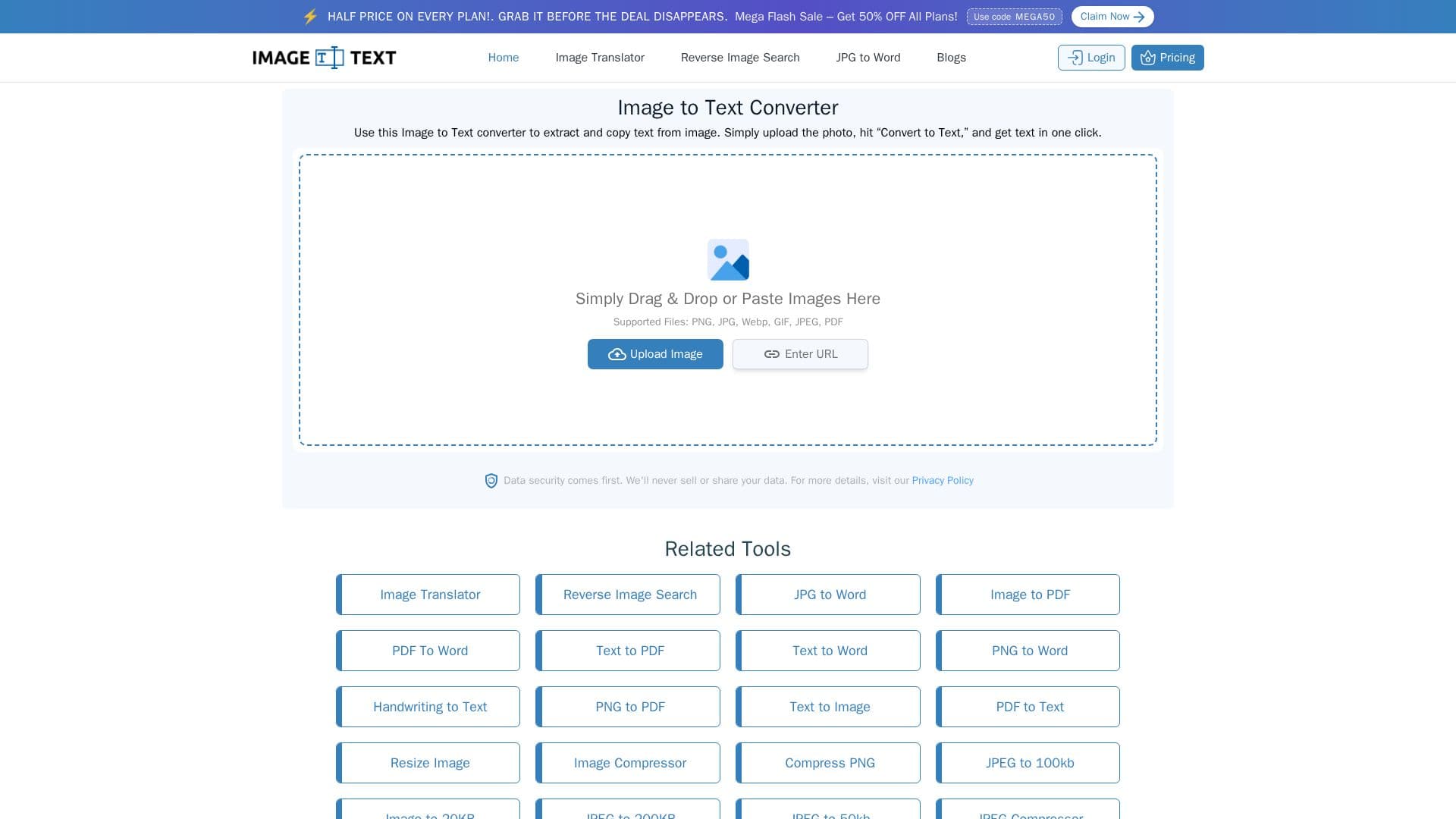
imagetotext.me is a free online OCR tool that extracts and copies text from images. Users upload, paste, drag, or link an image, click Convert, and get editable, searchable text in one click. It supports PNG, JPG, WebP, GIF, JPEG, and PDF, and can digitize handwritten notes, screenshots, and printed documents.
Read More
The tool uses advanced OCR models such as Tesseract and can detect and extract math equations, handle mildly blurry or lower-resolution photos, and crop or rotate images before conversion. Extracted text can be downloaded as TXT, DOCX, or PDF with no watermark. It is freemium: free users can convert up to 5 images per session with no daily session limit and no signup required, while paid plans raise the per-submission limit up to 150 images with faster conversion and batch processing. An API is also available.
imagetotext.me is aimed at students, teachers, writers, researchers, data-entry specialists, and office professionals who need to digitize material quickly. Paid plans start at $3.50 per month, and the tool states that user data is stored securely and never sold or shared with third parties.
- CategoryAI Document & PDF Tools
- Pricing ModelFreemium
- DeploymentCloud
- PlatformsWeb
imagetotext.me's Core Features
Free OCR text extraction from images
Support for PNG, JPG, WebP, GIF, JPEG, and PDF
Handwritten text recognition
Math equation detection
Bulk image conversion (up to 150 per submission on paid plans)
Crop and rotate before conversion
Download as TXT, DOCX, or PDF with no watermark
API access
How to use imagetotext.me?
Add images: Upload, paste, drag, or insert an image URL.
Convert to text: Click Convert to start the OCR conversion.
Get results: View, copy, or download the extracted text.
imagetotext.me's Use Cases
- Digitizing notes
- Data entry
- Research collection
- Screenshot capture