Description
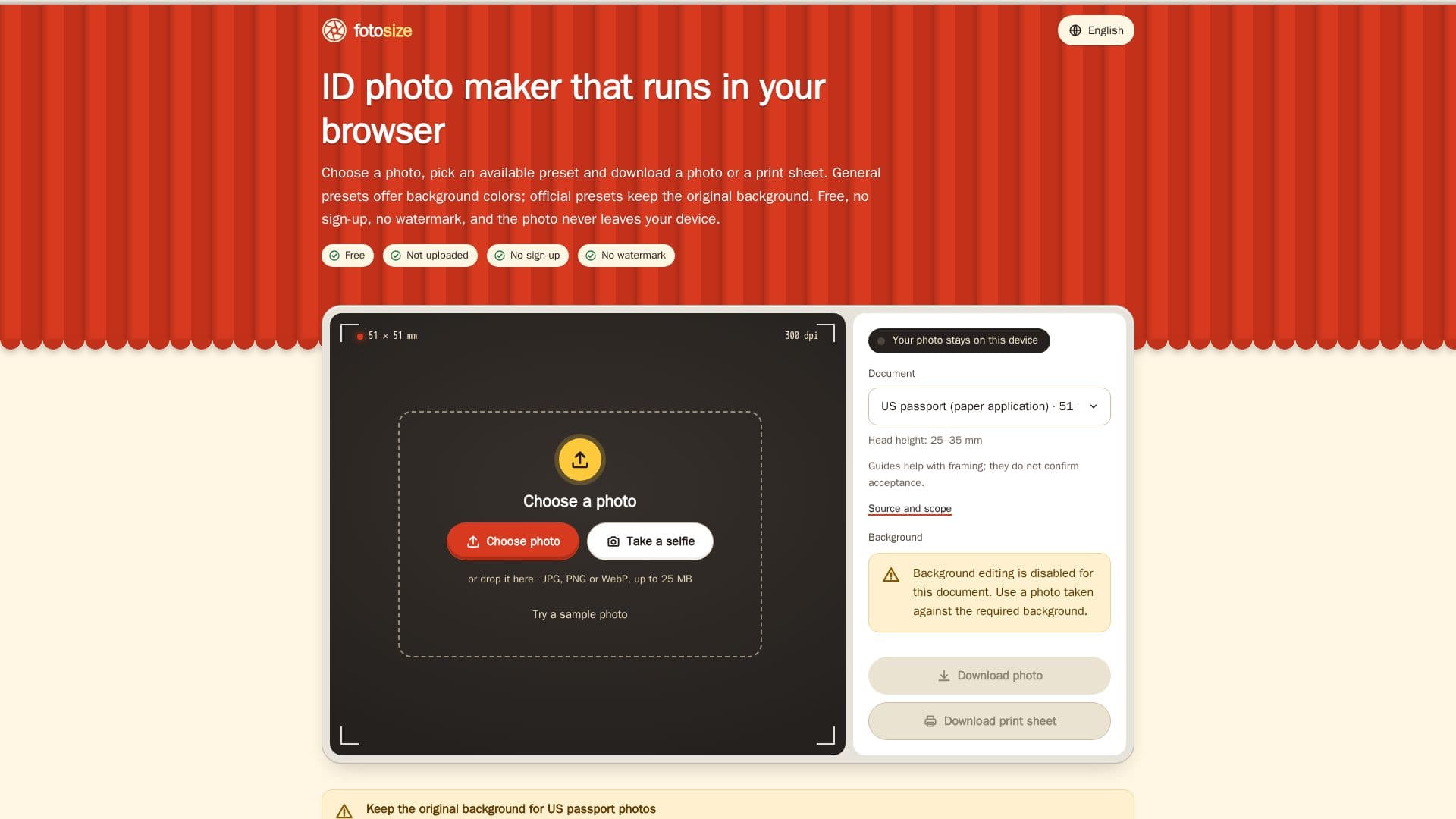
fotosize provides a free, browser-based solution for creating passport, visa, and other ID photos. The tool allows users to crop an existing photo to the precise dimensions required by various official documents, such as 51 × 51 mm for the United States or 35 × 45 mm for the United Kingdom and Japan. A key feature is that all photo processing occurs directly in the user's browser, meaning photos are never uploaded to a server, ensuring complete privacy and data security.
Read More
Users can choose a photo, select from available presets that specify dimensions and scope, and then download either a single photo or a print sheet. The tool includes guides to assist with framing the head, eyes, and chin according to document requirements. For general crop presets, fotosize offers options to change the background color to white, light grey, blue, or red. However, for official document presets, the original background is maintained, aligning with strict regulations that often prohibit edited backgrounds for passports and visas.
fotosize supports various print sheet sizes, including 10 × 15 cm, L-size (89 × 127 mm), or A4, and automatically lays out the correct number of photos with cut lines. It is compatible with current Safari and Chrome browsers, including on mobile phones, though larger photos might require more memory. The service is completely free to use, requires no sign-up or account, does not add watermarks, and imposes no limits on the number of photos processed.
It's important to note that fotosize is not an official government service and is not connected to any government entity. Users are advised to check the specific rules of their issuing office, as regulations can change and some countries, like the US, prohibit photos edited with software, apps, or AI, including changed backgrounds. The tool focuses on accurate cropping and layout, not retouching faces or changing clothes. For developers, fotosize also offers an MCP server for AI assistants to look up ID photo specifications, including sizes, head sizes, and background rules, all checked against official sources.
- CategoryAI Photo Editors
- Pricing ModelFree
- DeploymentCloud
- PlatformsWeb
fotosize's Core Features
Browser-based ID photo cropping
Supports passport, visa, and ID photo sizes
No photo upload; processing stays on device
General presets with background color options (white, light grey, blue, red)
Official presets maintain original background
Automatic head and eye framing guides
Lays out photos on 10 × 15 cm, L-size, or A4 print sheets
Includes cut lines for printing
Free to use with no account or sign-up required
No watermarks on output photos
No limit on the number of photos processed
Compatible with current Safari and Chrome browsers (desktop and mobile)
Outputs JPG at 300 or 600 dpi
MCP server for AI assistants to look up photo specs
How to use fotosize?
Choose a Photo: Select a front-facing selfie taken in good light from your device.
Check Guides: Move and zoom the photo until the head and eyes align with the on-screen guides.
Pick Background (General Presets): For general presets, choose a background color; official presets keep the original background.
Download Photo or Print Sheet: Download the single cropped photo or a print sheet with multiple copies and cut lines.
fotosize's Use Cases
- Passport Photo Creation
- Visa Photo Preparation
- ID Card Photo Production
- Print Sheet Layout
- Background Color Adjustment
- Privacy-Focused Photo Editing
- Mobile Photo Cropping
- Developer Integration for Photo Specs