Description
PassportPhotoBox provides an online solution for individuals and professionals to prepare official photos for passports, visas, and various applications. The platform simplifies the process of converting an existing photo into a compliant format, offering a user-friendly interface to select specific country and document profiles. This ensures that photos meet the precise dimensions, background requirements, and other specifications mandated by different authorities.
Read More
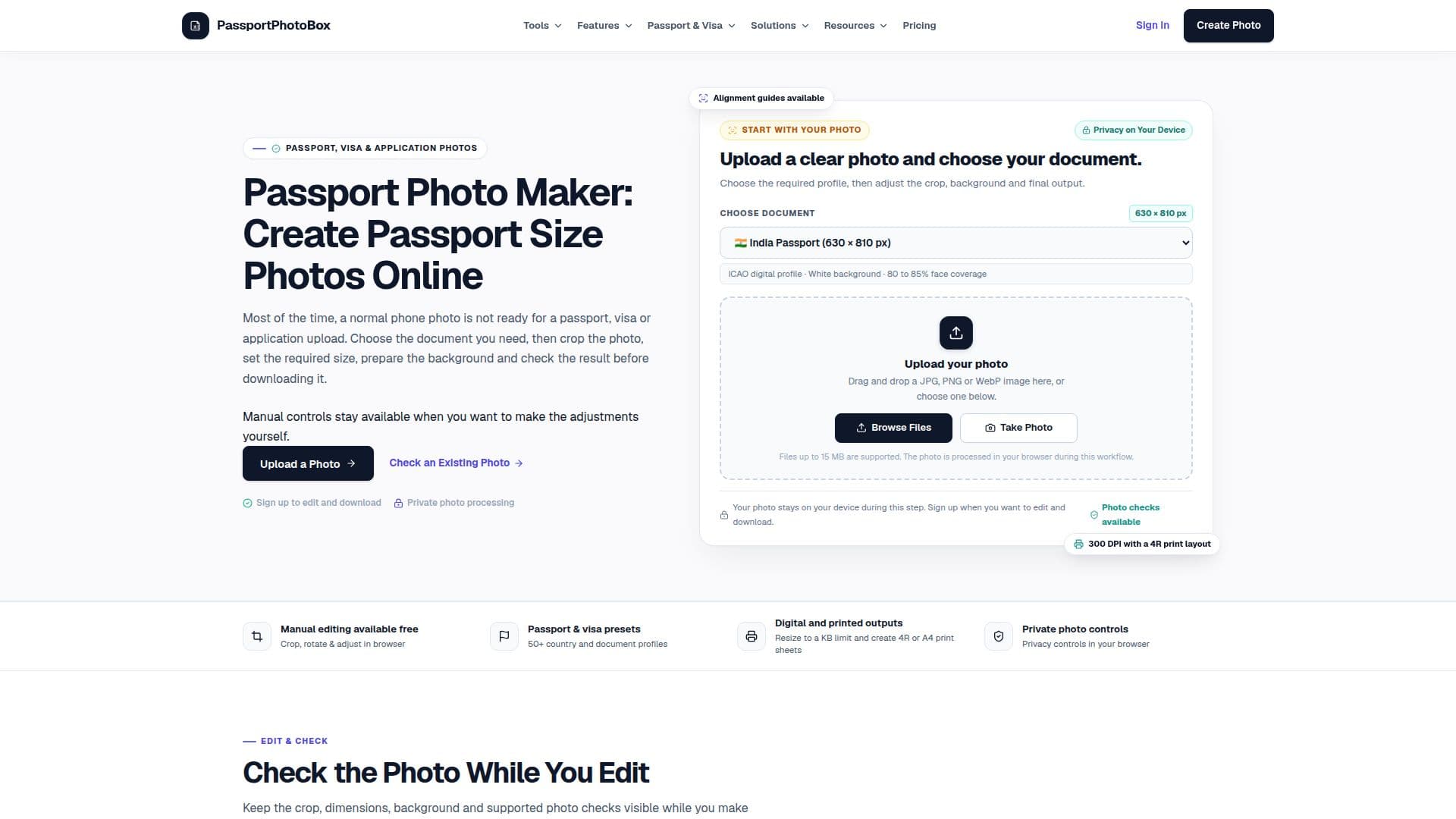
The tool allows users to upload a clear photo and then guides them through an editing process that includes checking the photo against selected profiles. It helps prepare the background and offers guided corrections without altering the user's face. Beyond passport and visa photos, PassportPhotoBox extends its utility to preparing application and exam files, signatures, handwriting, and even creating print sheets for multiple photos.
A key feature is its browser-based processing, which means photos are handled locally without being uploaded to a provider's cloud, enhancing privacy and direct file delivery. This local editing capability ensures that personal portrait files remain within the user's browser, moving directly from the source file to a reviewed result.
PassportPhotoBox caters to a wide range of needs, from students preparing for competitive exams and individuals applying for jobs or travel visas, to families needing baby passport photos. It also supports application desks, immigration teams, photo studios, and businesses requiring employee ID and team photos. The platform emphasizes adherence to official instructions, providing guidance on specific requirements for various countries and application types, such as those for the United States, United Kingdom, Schengen area, and India.
While the platform offers extensive photo preparation tools, it clearly states that it is preparation software, not a photography service. It advises users to check whether authorities require commercially taken photographs. The service also distinguishes between different types of photo uses, such as professional profiles versus formal application uploads, and provides specific workflows for each, ensuring the final output is appropriate for its intended destination.
- CategoryAI Photo Editors
- Pricing ModelNot Available
- DeploymentCloud
- PlatformsWeb-based
PassportPhotoBox's Core Features
Online Passport Photo Maker
Visa Photo Preparation by Country
Application and Exam File Preparation
Signature and Handwriting Tools
Print Sheet Creation for Photos
Browser-Based Photo Editing
Local Photo Processing (No Cloud Upload)
Direct File Delivery
Photo Checker Against Document Profiles
Background Preparation and Guided Corrections
Support for Digital and Printed Outputs
Guidance for Specific Country Requirements
Tools for Job Application Photos
Solutions for Family and Baby Passports
Employee ID and Team Photo Preparation
How to use PassportPhotoBox?
Upload Photo: Start by uploading a clear photo you already have from your device.
Choose Document Profile: Select the specific passport, visa, or application profile you need (e.g., India Passport, US Visa).
Edit and Adjust: Use the online editor to adjust the photo, prepare the background, and review guided corrections.
Check Compliance: Verify the photo against the selected document's requirements using the built-in checker.
Prepare File: Format the photo to the exact dimensions, file type, and size required for your application.
Download or Print: Download the finished digital file or prepare a sheet ready for printing.
PassportPhotoBox's Use Cases
- Passport Photo Creation
- Visa Photo Preparation
- Job Application Photos
- Student Exam Applications
- Signature & Document Preparation
- Baby Passport Photos
- Employee ID & Team Photos
- Photo Studio Services
- Immigration Document Support
- Printable Photo Sheets