Description
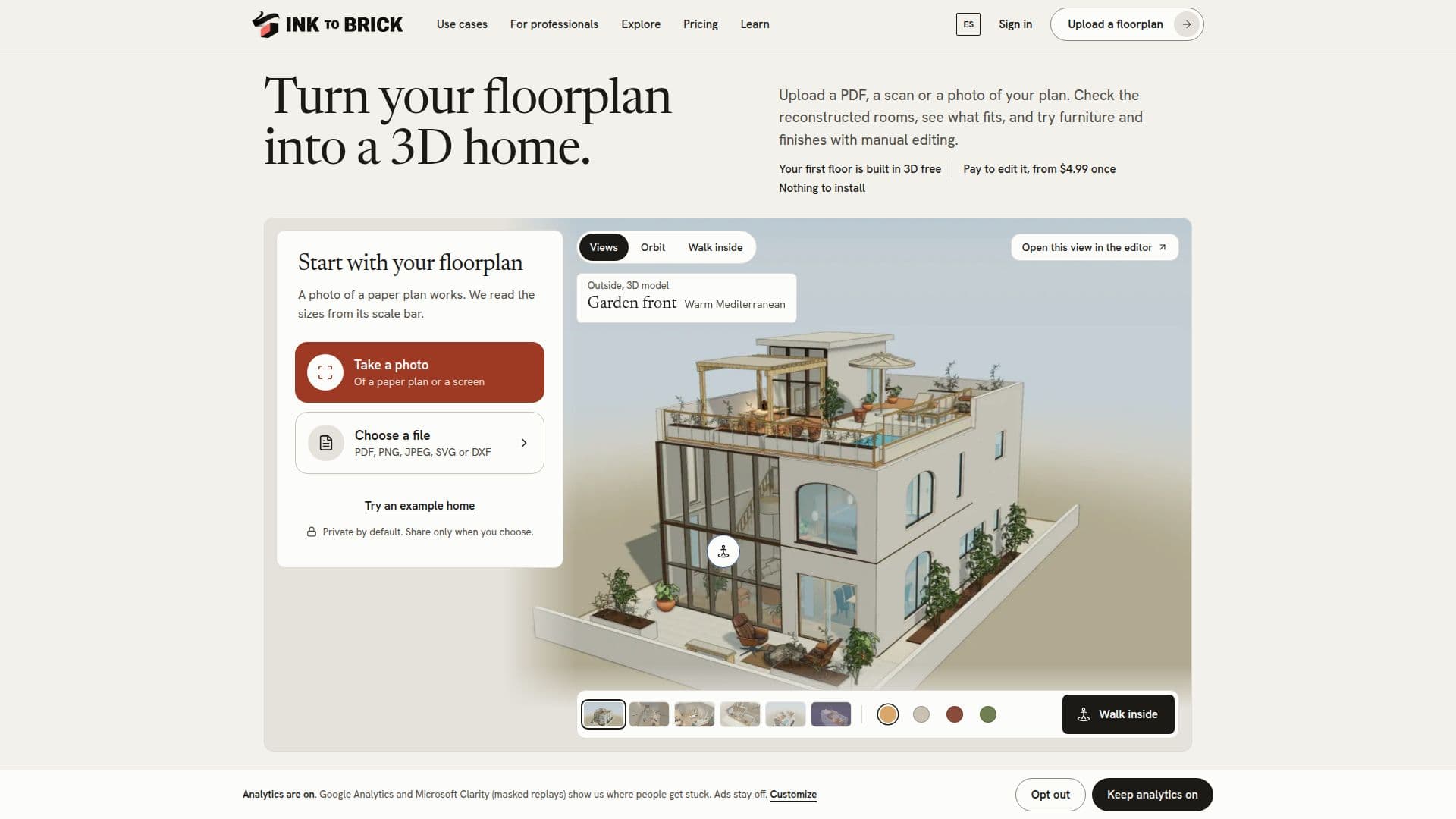
Ink to Brick is a tool that allows users to convert floor plans into 3D home models. By uploading a PDF, image, SVG, or DXF file, users can create a conceptual 3D model that can be explored, furnished, and exported in various formats such as GLB, DWG, and USDZ. The platform offers a free 3D build of the first floor, with additional editing available for a one-time fee starting at $4.99 per floor. This tool is designed for homeowners, property developers, and designers who want to visualize and plan spaces before making physical changes.
Read More
The platform supports multiple file formats and allows for manual editing, standard furniture placement, and private sharing. Users can also generate photorealistic images using separate prepaid credits. The tool is accessible on tablets and computers for full functionality, while phones can be used for reviewing projects and changing finishes.
Ink to Brick provides various export options, including canonical JSON, CSV, XLSX, and IFC4 for structured data, as well as PNG, JPEG, and WebP for visual representations. The tool also supports importing existing buildings or 3D objects in formats like GLB, OBJ, and SKP. Users can measure distances within the model, but it is advised to verify critical dimensions on-site.
The platform offers different pricing plans, including single floor, two floors, and floor packs, with Pro and Studio plans available for recurring client work. These plans include additional features like MCP tools and professional export formats. Ink to Brick ensures privacy by keeping projects private unless explicitly published by the user.
- CategoryAI Interior & Architecture Design
- Pricing ModelFreemium
- DeploymentCloud
- PlatformsWeb
Ink to Brick's Core Features
3D model creation from floor plans
Supports PDF, SVG, DXF, and image files
Free 3D build for the first floor
Manual editing and standard furniture options
Private sharing and basic exports
Photorealistic image generation
Multiple export formats including GLB and USDZ
Pro and Studio plans for professional use
How to use Ink to Brick?
Upload: Submit your floor plan in PDF, SVG, DXF, or image format
Explore: View and navigate the conceptual 3D model
Edit: Use manual tools to adjust and furnish the model
Export: Save your model in various formats for further use
Ink to Brick's Use Cases
- Home Design
- Property Development
- Interior Design
- Real Estate
- Architecture