Description
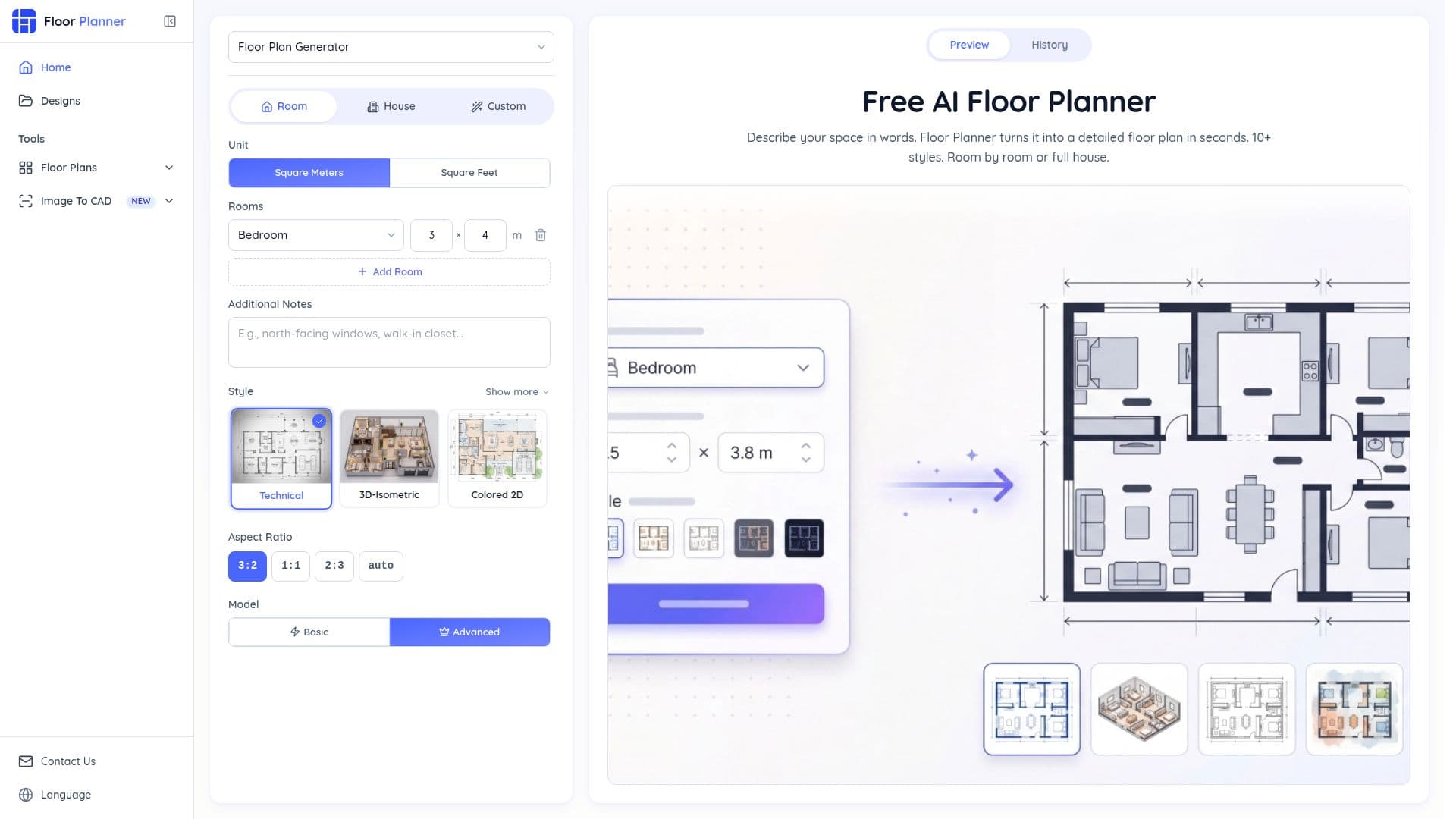
Floor Planner is an innovative AI tool designed to convert your ideas into professional-quality floor plans quickly and effortlessly. It offers a user-friendly interface that requires no design skills, allowing users to create both 2D and 3D floor plans in seconds. With three generation modes—Room, House, and Custom—users can tailor their designs to specific needs, whether it's a single room or a multi-room layout.
Read More
The platform supports 10 unique architectural and artistic styles, including Technical, Blueprint, 3D Isometric, Realistic, Hand-Drawn, and Watercolor, among others. This variety allows users to switch styles without altering the layout, making it suitable for different presentation needs, from construction documentation to client presentations and mood boards.
Floor Planner is free to use, with no sign-up required, and it saves all generated floor plans in the user's browser history for easy access and modification. This feature is particularly beneficial for professionals like interior designers, real estate agents, and architects, who can generate multiple layout variations quickly, reducing the design iteration cycle significantly.
The tool's AI model ensures that the generated floor plans are precise and practical, with accurate dimensions and logical layouts. Users can specify dimensions in square meters or feet and choose from various aspect ratios to fit different formats like web, print, or presentations.
Floor Planner is trusted by designers and homeowners worldwide, boasting a satisfaction rate of 98%. It is particularly useful for those with no CAD experience, as it handles dimensions and spatial layouts automatically. The platform is designed to be intuitive, requiring only a plain English description of the space to generate a floor plan.
Overall, Floor Planner stands out for its ease of use, flexibility, and the professional quality of its outputs, making it a valuable tool for anyone involved in spatial planning or design.
- CategoryAI Interior & Architecture Design
- Pricing ModelFree
- DeploymentCloud
- PlatformsWeb
Floor Planner's Core Features
Free to use with no sign-up required
Generates 2D and 3D floor plans
Supports 10 rendering styles
Three generation modes: Room, House, Custom
Auto-saves plans in browser history
Handles dimensions in meters or feet
Switch styles without changing layout
Ideal for designers, homeowners, and real estate agents
How to use Floor Planner?
Choose Generation Mode: Select Room, House, or Custom mode
Configure Dimensions & Layout: Set precise measurements
Pick a Visual Style: Choose from 10 rendering styles
Generate, Preview & Download: Create and save your floor plan
Floor Planner's Use Cases
- Interior Design
- Home Renovation
- Real Estate Listings
- Architectural Concepts
- Furniture Placement