Description
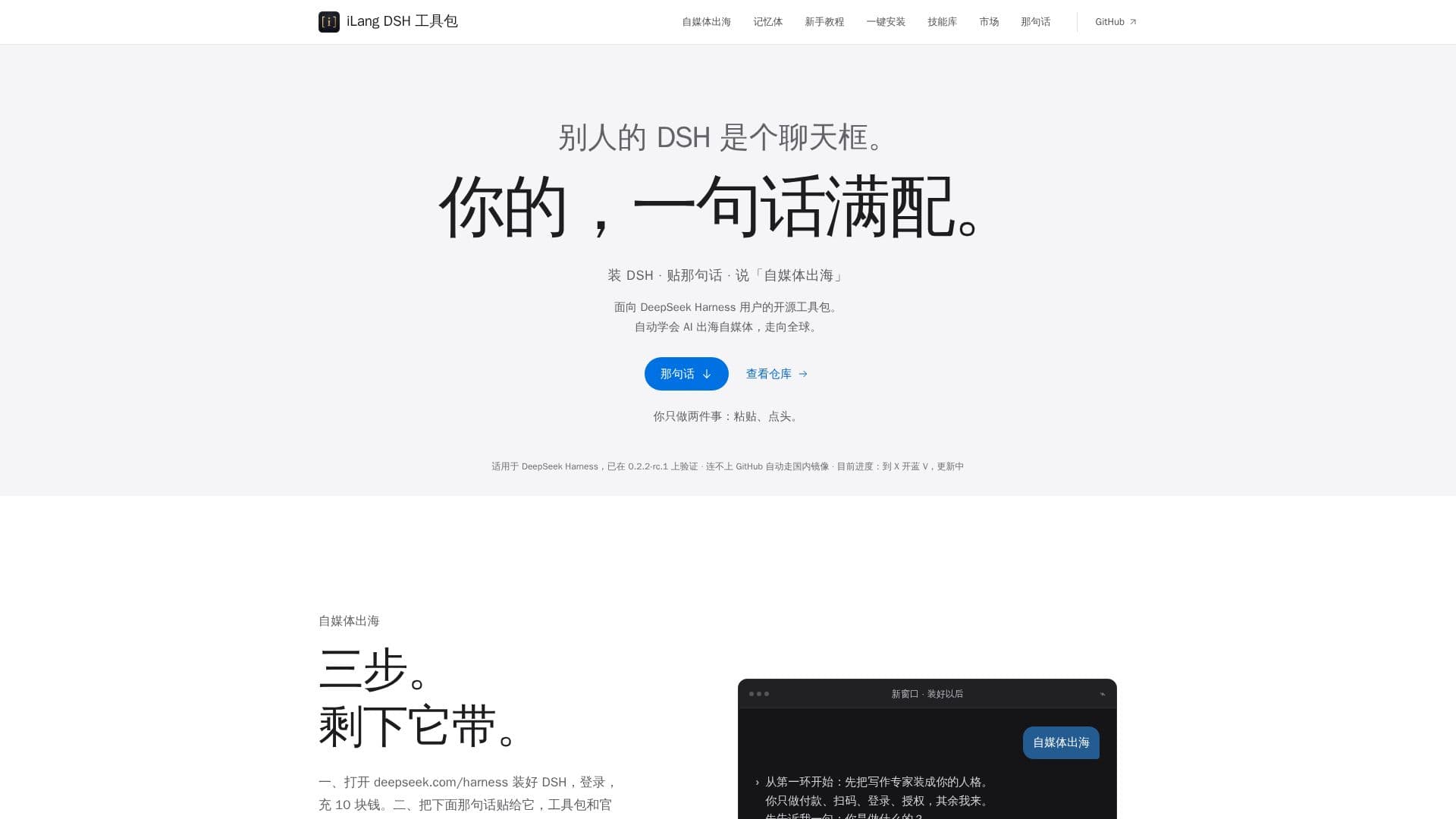
The iLang DSH Toolkit is an open-source toolset specifically developed for users of DeepSeek Harness, a platform for AI applications. This toolkit aims to significantly enhance the user experience by providing several core functionalities, including persistent local memory, comprehensive beginner tutorials, a streamlined one-click installation process, and an extensible skill library. Its primary goal is to ensure that every new DeepSeek Harness window or session seamlessly picks up exactly where the last one left off, maintaining continuity and efficiency in the user's workflow.
Read More
One of the standout features of the iLang DSH Toolkit is its persistent local memory. Unlike standard setups where progress might be lost when a window is closed, this toolkit writes user habits, decisions, and configurations into local files. This means that switching between windows or even computers (with a simple backup command) will not result in lost progress. Each new session begins with a report of the last completed task, ensuring users are always aware of their current standing. The memory system is designed with a unique "key" mechanism, where each memory entry is akin to a Git commit, forming a hash chain for authenticity and integrity.
For new users, the toolkit offers a guided experience. It simplifies the initial setup of DeepSeek Harness by providing clear, step-by-step instructions. Users are guided through installing DSH, pasting a specific command to install the toolkit and official plugins, and then initiating tasks like "self-media overseas." The toolkit automates many complex processes, such as installing writing experts, connecting content sources, building knowledge bases, generating articles, and even setting up overseas servers and social media accounts. Users primarily need to confirm actions, make payments, or authorize logins, with the toolkit handling the technical heavy lifting.
The installation process is designed for simplicity and security. It supports Windows (via `bootstrap.ps1`), macOS, and Linux (via `bootstrap.sh`), automatically selecting the appropriate script based on the operating system. All installations are sourced exclusively from official channels, and the toolkit operates in a default local mode, ensuring that user data and memories remain on their local machine and are not uploaded. Sensitive information like API keys is stored in a local encrypted strongbox, and passwords are never saved. Notes are kept as plain text, allowing users full control to view, modify, or delete them.
Furthermore, the iLang DSH Toolkit comes with a growing library of skills, including `mem-forever` for local memory, `site-design-engine` for website page design, and `deai` to reduce AI-generated text's artificiality. Users can also suggest new skills for integration, making the toolkit highly adaptable and community-driven. This comprehensive approach makes the iLang DSH Toolkit an invaluable resource for DeepSeek Harness users looking for a more robust, persistent, and user-friendly AI development environment.
- CategoryAI Agent Builders
- Pricing ModelFree
- DeploymentLocal
- PlatformsWindows, macOS, Linux
iLang DSH Toolkit's Core Features
Persistent Local Memory: Saves user habits, decisions, and configurations locally.
Beginner Tutorials: Guides new users through DeepSeek Harness setup and usage.
One-Click Installation: Simplifies the setup of the toolkit and official plugins.
Skill Library: Provides pre-built skills like `mem-forever`, `site-design-engine`, and `deai`.
Progress Continuity: New windows resume from the last saved progress.
Cross-Platform Support: Compatible with Windows, macOS, and Linux.
Automated Workflow: Handles complex tasks like installing experts and building knowledge bases.
Secure Local Data: Memories and keys remain on the user's local machine, not uploaded.
Official Source Installation: Ensures software is installed only from trusted sources.
User-Driven Skill Integration: Allows users to suggest and integrate new skills.
MIT Open Source License: Freely available and modifiable.
Git Commit Memory: Each memory entry is a Git commit for authenticity.
Local Video-to-Text Conversion: Processes video locally without uploading.
Configurable Models: Supports different DeepSeek models like Flash and Pro.
How to use iLang DSH Toolkit?
Install DeepSeek Harness: Open deepseek.com/harness, install DSH, log in, and add funds.
Paste Installation Command: In any DSH session, paste the provided command to install the toolkit and official plugins.
Initiate Workflow: Say "self-media overseas" to DSH to start the automated setup for AI self-media.
Follow Prompts: Respond to DSH's questions and confirmations for payments, logins, and authorizations.
Utilize Skills: Access and use built-in skills like `mem-forever` or `site-design-engine`.
Resume Progress: Close and reopen a DSH window, selecting the work folder, and it will report previous progress.
iLang DSH Toolkit's Use Cases
- AI Content Creation
- Website Design
- Knowledge Base Management
- AI Self-Media Setup
- Persistent Workflow
- Secure Local Development
- Video Content Processing