Description
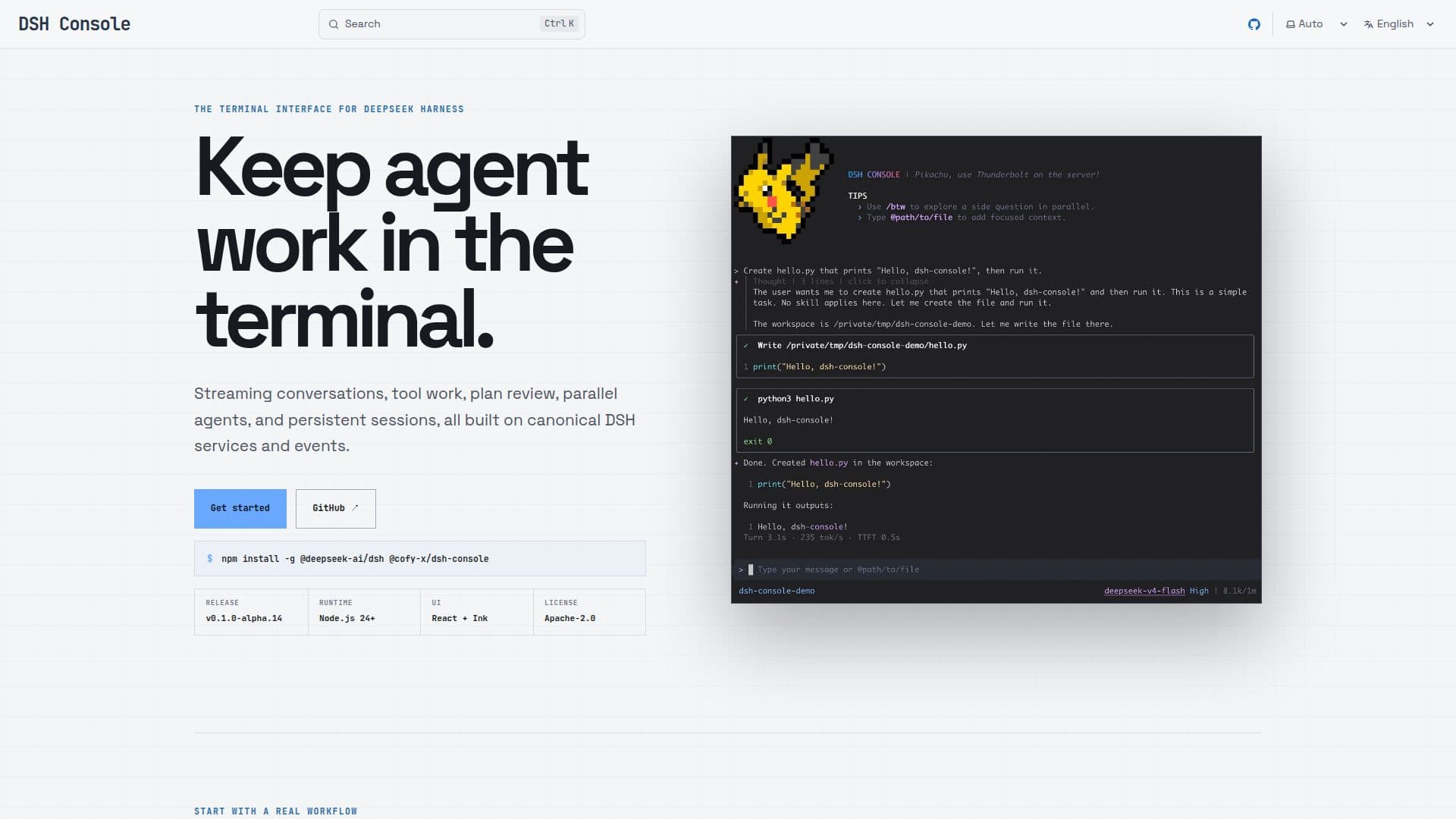
DSH Console is a terminal interface designed for DeepSeek Harness, providing a streamlined environment for managing agents, tools, models, and persistent sessions. It allows users to keep their workflow within the terminal, supporting streaming conversations, tool work, plan reviews, parallel agents, and persistent sessions. Built on canonical DSH services and events, it ensures that all operations are seamlessly integrated.
Read More
The console is currently in its alpha release, version v0.1.0-alpha.14, and requires Node.js 24+ for runtime. The user interface is developed using React and Ink, ensuring a modern and responsive experience. Licensed under Apache-2.0, it offers flexibility for developers and users alike.
To get started with DSH Console, users need to install DSH and the Console, configure a provider credential, and submit the first prompt. The interface allows users to select a model and reasoning effort, track context usage, and browse persistent sessions for the current directory. Users can replay canonical events and continue their work seamlessly.
The console also supports plan reviews, allowing users to review DSH plans, approvals, questions, tool work, and todo states without leaving the terminal. Users can enter plan mode, submit plans, and review them in a Markdown Plan Review dialog. The console provides tools for supervising tool usage, approvals, and todo states, ensuring that all workflow decisions are kept in focused terminal dialogs.
DSH Console is ideal for developers and AI practitioners who need a robust terminal interface for managing AI workflows. It offers a comprehensive set of features for managing AI models and tools, making it a valuable addition to any AI toolkit.
- CategoryAI Agent Builders
- DeploymentCloud
- PlatformsWeb
DSH Console's Core Features
Terminal interface for DeepSeek Harness
Streaming conversations
Tool management
Plan review
Parallel agents support
Persistent sessions
Node.js 24+ runtime
React + Ink UI
How to use DSH Console?
Install: Set up DSH and Console
Configure: Set provider credentials
Submit: Enter the first prompt
Select: Choose model and reasoning effort
Track: Monitor context usage
Browse: Access persistent sessions
Review: Supervise tools and approvals
Execute: Review plans before execution
DSH Console's Use Cases
- Agent Management
- Tool Supervision
- Plan Review
- Session Continuation
- Model Interaction