
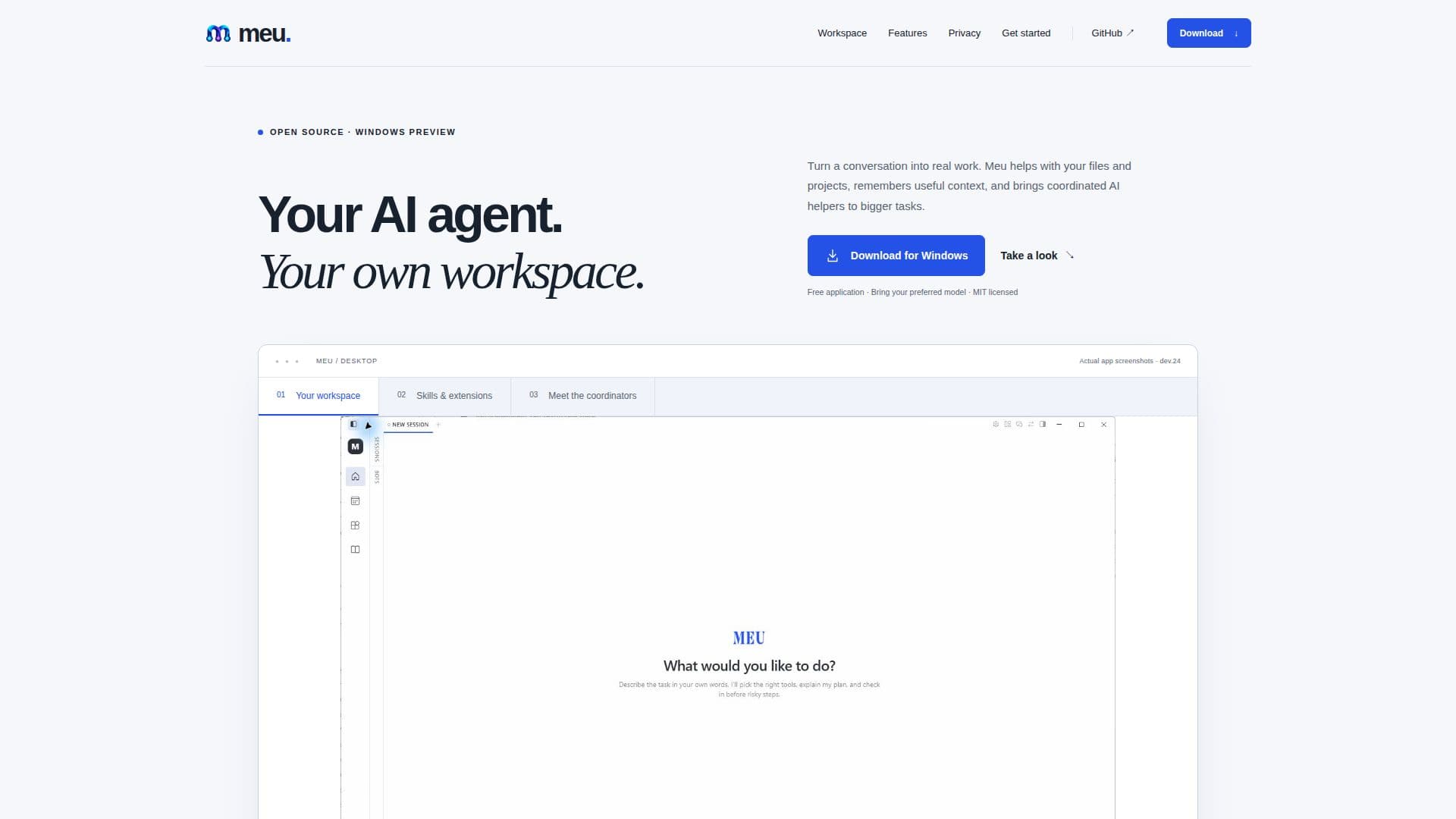
Description
Meu Agent is an open-source AI desktop assistant specifically designed for Windows users, focusing on privacy and practical project execution. It allows users to work on real projects by providing persistent memory, enabling the AI to remember useful context and past conversations across sessions. The application supports multi-agent coordination, allowing complex tasks to be broken down into clear assignments for various AI helpers.
Read More
One of Meu Agent's core strengths is its flexibility in language model integration. Users can choose between local and cloud-based Large Language Models (LLMs), including providers like Anthropic, DeepSeek, Gemini, OpenAI Codex, and OpenRouter, as well as compatible local endpoints. This choice empowers users to manage their data privacy and processing preferences. The application itself is free and open-source under the MIT license, though model providers and optional external services may incur separate charges.
The platform is built around real work, offering more than just a conversational interface. It provides a dedicated workspace where users can read and edit files, run commands, inspect results, and manage generated artifacts. This integrated environment ensures that conversations, context, and actual work remain cohesive. Users can extend the agent's capabilities through skills, plugins, and MCP integrations, adapting it to specialized workflows as projects evolve.
The Meu Coordinator feature is designed for tackling larger tasks by orchestrating a team of AI helpers. It allows users to define a goal, set acceptance criteria, and delegate work to individual agents. The coordinator manages progress, reviews outputs, and facilitates repairs for failed assignments, ensuring a structured approach to complex projects. Different coordinator types, such as the General coordinator or the DeepSeek coordinator, offer varied model routing options.
Privacy is a fundamental aspect of Meu Agent, with a design philosophy that keeps user data local. All chat history, persistent memory, and skills are stored directly on the user's computer, eliminating the need for a central Meu account or a Meu-hosted portal. The open-source nature of the project means its code can be inspected on GitHub, reinforcing transparency. The application also provides clear guidance on how external services and cloud models handle requests, giving users control over their data flow.
- CategoryAI Agent Builders
- Pricing ModelFree
- DeploymentLocal
- PlatformsWindows
Meu Agent's Core Features
Open-source AI assistant for Windows
Persistent memory for context retention
Multi-agent coordination for complex tasks
Support for local and cloud language models (LLMs)
Dedicated workspace for project management
File reading and editing capabilities
Command execution and result inspection
Extensible with skills, plugins, and MCP integrations
Privacy-focused local data storage
Meu Coordinator for task delegation and review
Compatibility with multiple LLM providers (Anthropic, DeepSeek, Gemini, OpenAI, OpenRouter)
MIT licensed application
GitHub for code inspection and issue reporting
Version history and transactional memory store for project notes
Project-specific memory separate from global notes
How to use Meu Agent?
Install the preview: Download the newest Windows x64 installer from GitHub Releases.
Connect your model: Set up a provider in Settings → Providers, then choose your main model.
Start a real task: Select a workspace and describe your goal, then monitor tool activity and inspect results.
Extend capabilities: Browse and add skills, plugins, or MCP integrations for specialized workflows.
Manage project memory: Use the sidebar in Desktop to access Project notes for stored facts and actions.
Update the application: Check for updates in Settings → About → Version & updates.
Meu Agent's Use Cases
- Project Management
- Code Development
- Content Creation
- Research Assistance
- Workflow Automation
- Data Analysis
- Personal Productivity