
Description
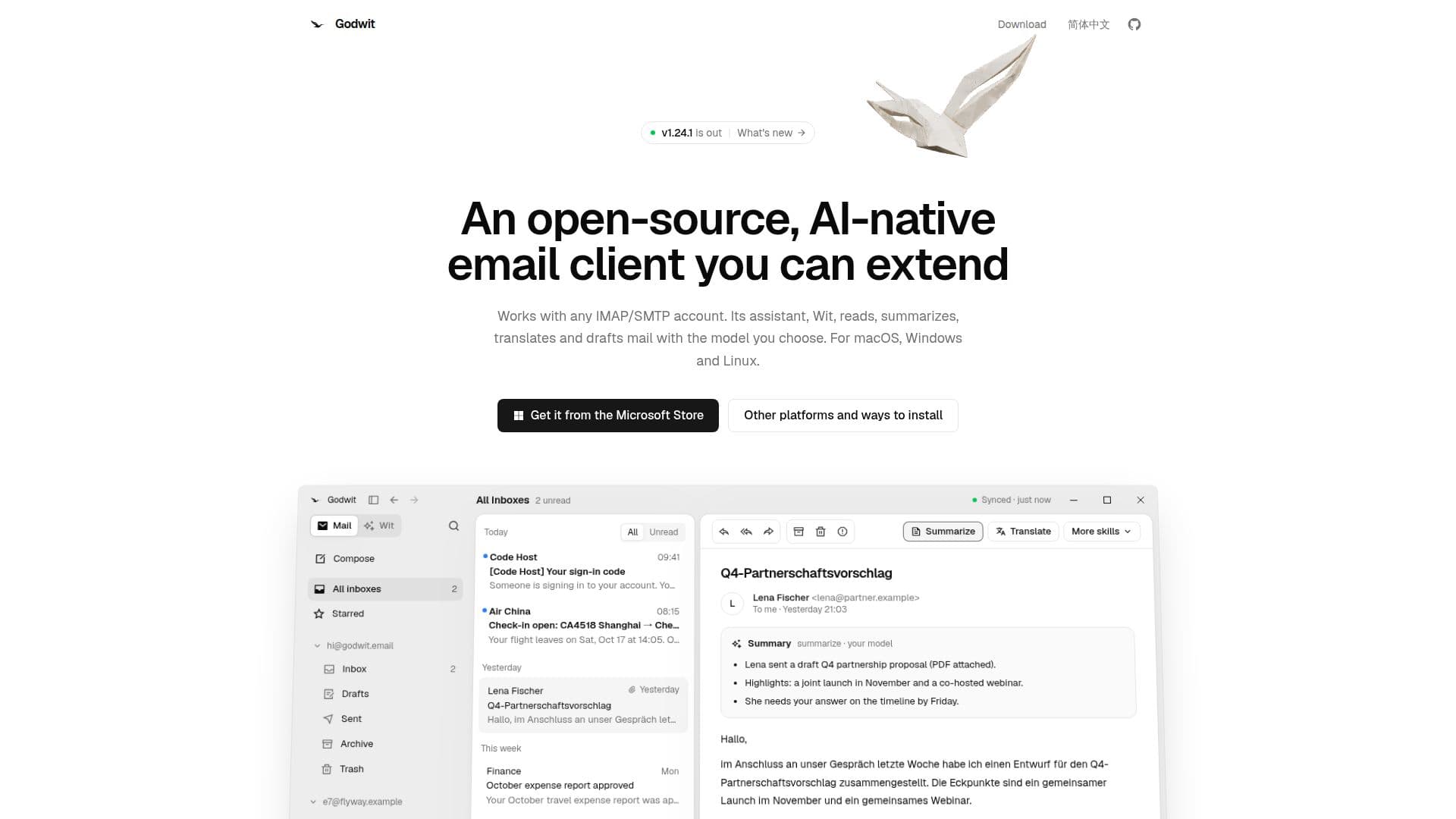
Godwit is an open-source, AI-native desktop email client that offers comprehensive email management for any IMAP/SMTP account. It distinguishes itself with an integrated AI assistant named Wit, which enhances email productivity by performing tasks such as reading, summarizing, translating, and drafting messages. Users have the flexibility to choose their preferred OpenAI-compatible or Anthropic-compatible AI models, including local options like Ollama and LM Studio, with API keys securely stored in the system keychain.
Read More
The client supports essential email functionalities including IMAP/SMTP synchronization, offline changes, conversation views, full-text search, and HTML composition. It automatically detects setup configurations for popular services like Gmail, Outlook, iCloud, Yahoo, QQ Mail, 163/126, Lark/Feishu, and DingTalk, among others. Wit, the AI assistant, can answer questions about your mail, read attachments in various formats (PDF, Office, CSV), and draft replies, always requiring user approval before sending anything.
Godwit offers a range of AI actions such as summarizing messages, translating content, adjusting tone and length, and generating quick replies. These actions can be applied to an entire message, a selected portion, or a draft. The client is highly extensible, allowing users to add custom functionalities through TypeScript plugins with declared permissions, which can introduce new cards, actions, and Wit tools. It also supports MCP servers, enabling Wit to utilize external tools.
Privacy and security are core tenets of Godwit. The client operates without a Godwit account, telemetry, or server relaying user mail. All synced mail, drafts, and search indexes reside locally on the user's computer. Passwords are stored exclusively in the system keychain and are never written to config files or logs. Direct connections are made only between the user's mail server and their chosen AI model provider, ensuring mail never leaves the local machine unless explicitly sent to the AI for processing. Remote images are blocked by default and loaded only upon user click. Godwit also provides an MCP server, `godwit mcp`, which allows other agents like Claude or Cursor to read mail and create drafts without the ability to send, further emphasizing user control and data privacy.
- CategoryAI Email Assistants
- Pricing ModelFree
- DeploymentDesktop
- PlatformsmacOS, Windows, Linux
Godwit's Core Features
Open-source desktop email client
Supports any IMAP/SMTP account
Integrated AI assistant (Wit)
AI capabilities: summarize, translate, draft, quick replies
Reads attachments (PDF, Office, CSV)
User-selectable AI models (OpenAI-compatible, Anthropic-compatible, local models)
Secure API key storage in system keychain
IMAP/SMTP sync with offline changes
Conversation view and full-text search
HTML compose functionality
Automatic setup detection for major email providers
Extensible with TypeScript plugins and MCP servers
No Godwit account, telemetry, or server relaying mail
Local storage of mail, drafts, and search index
Passwords stored only in system keychain
How to use Godwit?
Download Godwit: Obtain the installer for macOS, Windows, or Linux from the official website.
Install the client: Run the downloaded installer and follow the on-screen instructions.
Add email account: Configure your IMAP/SMTP email account within Godwit; setup is often auto-detected for popular services.
Choose AI model: Select your preferred OpenAI-compatible or Anthropic-compatible AI model, including local options, and enter your API key.
Interact with Wit: Use the AI assistant to summarize, translate, draft replies, or ask questions about your emails.
Manage extensions: Drop SKILL.md files or install TypeScript plugins to extend functionality and add new tools for Wit.
Godwit's Use Cases
- Email Summarization
- Multilingual Communication
- Drafting Email Replies
- Information Retrieval from Mail
- Tone and Length Adjustment
- Quick Email Responses
- Attachment Content Analysis
- Custom Email Workflows