ToolPotion
AI Advisor
Submit a Tool (Free)

Glass

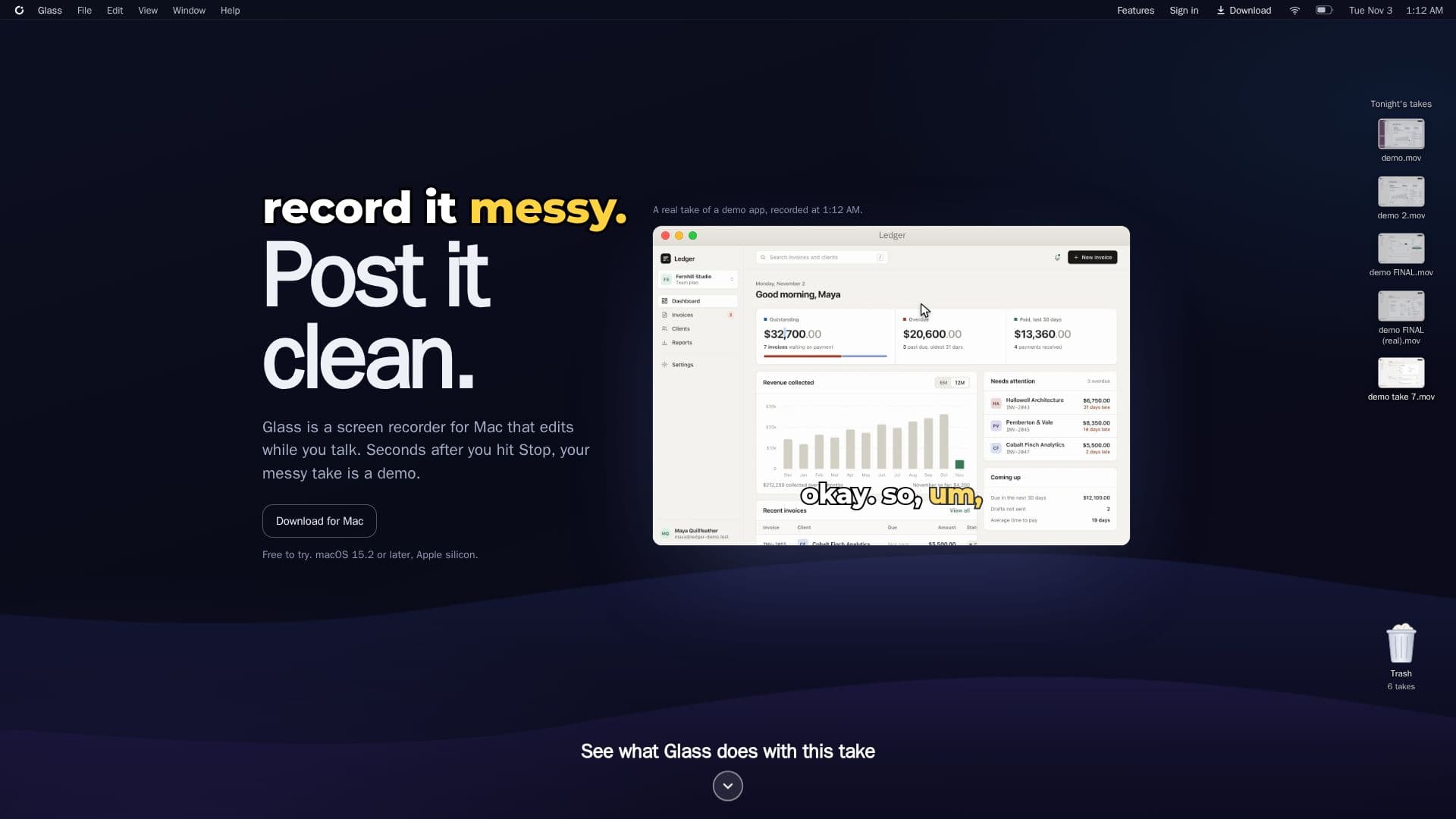
Glass is a screen recorder for Mac that edits your takes while you talk, transforming messy recordings into polished demos. It automatically cuts false starts, speeds up waiting times, zooms in on clicks, and covers private information. Designed for macOS 15.2 or later on Apple silicon, it helps users create professional-looking videos quickly and efficiently.

Visit Website
Share
Glass screenshot
Glass screenshot

Glass is a sophisticated screen recorder for Mac designed to streamline the creation of demos and presentations. Unlike traditional screen recorders that require extensive post-production editing, Glass edits your recording in real-time as you speak. This innovative approach means that seconds after you hit the Stop button, your raw, unpolished take is transformed into a clean, professional demo ready for sharing.

Read More

The core functionality of Glass revolves around its ability to intelligently process your recording while it's happening. It automatically identifies and removes common recording imperfections such as false starts, filler words like "ums" and "okays," and repetitive phrases. The software also intelligently speeds up segments where there's inactivity, such as loading screens or moments spent searching for files, ensuring viewers don't have to endure unnecessary waiting times. Furthermore, Glass enhances the viewing experience by automatically zooming in on areas where you click and highlighting those clicks, making it easier for your audience to follow along.

Privacy and clarity are also key features. Glass can automatically detect and obscure sensitive information on your screen, such as email addresses, API keys, and passwords, replacing them with a soft blur that renders the underlying content unreadable. This ensures that private data remains confidential even in shared demos. For accessibility and engagement, Glass generates captions directly from your spoken words, with options to highlight words as they are spoken or keep them lit karaoke-style. It also includes professional voice cleaning to reduce background noise and even out your voice, making it sound as if you used a high-quality microphone.

Glass supports recording either a full display or a single window, giving users flexibility in what they capture. Recordings stay on your Mac, with only necessary audio, still frames, and on-screen text sent to AI services for editing, ensuring data privacy. The application offers a free tier with basic AI editing capabilities and 720p exports, along with paid Starter and Pro plans that provide more extensive AI editing minutes, 1080p exports without watermarks, automatic private information redaction, enhanced voice features, and advanced sharing options like password protection and expiry dates for links. It requires macOS 15.2 or later and an Apple silicon Mac.

  • CategoryAI Video Editors
  • Pricing ModelFreemium
  • DeploymentCloud
  • PlatformsmacOS

  • Real-time editing while recording

  • Automatic false start removal

  • Speeds up waiting times and slow pages

  • Zooms in on clicks and highlights them

  • Automatic redaction of private information (emails, keys, passwords)

  • Generates captions from spoken words

  • Professional voice cleaning and noise reduction

  • Records full screen or single window

  • Records Mac's system sound and microphone audio

  • Exports MP4 videos (720p free, 1080p paid)

  • Share links with viewer analytics

  • Offline recording, hand-editing, and export

  • AI editing, chat, and voiceover features

  • Password and expiry date for share links (Pro plan)

  • Downloadable share links for viewers (Starter+ plans)

  1. Install Glass: Download and install the Glass application on your Apple silicon Mac running macOS 15.2 or later.

  2. Start Recording: Select whether to record your full screen or a single window, then begin speaking to start your take.

  3. Record Messy: Speak naturally, knowing Glass will edit out imperfections like ums, false starts, and pauses in real-time.

  4. Hit Stop: Conclude your recording, and Glass will immediately present a polished demo based on its real-time edits.

  5. Review and Share: Access your edited demo, which is ready to post, or use share links to invite others to watch.

  6. Enhance with AI (Optional): Utilize AI editing, chat, or voiceover features for further refinements, if your plan allows.

  • Software Demos
  • Product Tutorials
  • Training Videos
  • Explainer Videos
  • Feedback & Reviews
  • Internal Communications
  • Sales Presentations

Glass Reviews

Loading...

Popular AI Tools Like Glass

Screentell

AI Apps

Screentell is a browser-based screen recorder and video editor that allows users to create studio-quality product demos, tutorials, and training videos without any installation.…

AI Video Editors

Ranked #149 in AI Video Editors

View Tool

AI Apps

Browser-based screen recorder and video editor that allows users to create studio-quality product demos, tutorials, and training videos without any installation.…Screentell is a browser-based screen recorder and video editor that allows users to create studio-quality product demos, tutorials, and training videos without any installation.…

AI Video Editors
Ranked #149 in AI Video Editors

FocuSee is an AI-powered screen recorder for Windows and Mac that automates video editing. It features automatic zoom, cursor tracking, AI audio enhancement, and a teleprompter,…

AI Video Editors

Ranked #43 for Creating animations

View Tool

AI-powered screen recorder for Windows and Mac that automates video editing. It features automatic zoom, cursor tracking, AI audio enhancement, and a teleprompter,…FocuSee is an AI-powered screen recorder for Windows and Mac that automates video editing. It features automatic zoom, cursor tracking, AI audio enhancement, and a teleprompter,…

AI Video Editors
Ranked #43 for Creating animations

knooth

AI Apps

knooth is a macOS screen recording app with built-in editing, timeline animations, and on-device AI captions and filler-word removal. It keeps all recordings and AI processing…

AI Video Editors
View Tool

AI Apps

MacOS screen recording app with built-in editing, timeline animations, and on-device AI captions and filler-word removal. It keeps all recordings and AI processing…knooth is a macOS screen recording app with built-in editing, timeline animations, and on-device AI captions and filler-word removal. It keeps all recordings and AI processing…

AI Video Editors
See the Top 250 AI Apps

Tella

AI Apps

Tella is an all-in-one screen recorder with AI video editing for Mac, Windows, and the web, letting users record screen, camera, and audio and share or export in up to 4K. It…

AI Video EditorsEducation & E-learning

Ranked #25 for Removing background noise

View Tool

AI Apps

All-in-one screen recorder with AI video editing for Mac, Windows, and the web, letting users record screen, camera, and audio and share or export in up to 4K. It…Tella is an all-in-one screen recorder with AI video editing for Mac, Windows, and the web, letting users record screen, camera, and audio and share or export in up to 4K. It…

AI Video EditorsEducation & E-learning
Ranked #25 for Removing background noise

Boom

AI Apps

A Mac app for presenters and creators that combines live presentation, screen recording, and camera enhancement with dynamic layouts, cinematic zoom, and branded overlays, with no…

AI Video Editors
View Tool

AI Apps

A Mac app for presenters and creators that combines live presentation, screen recording, and camera enhancement with dynamic layouts, cinematic zoom, and branded overlays, with no…

AI Video Editors
See the Top 250 AI Apps

Camtasia

AI Apps

Camtasia is TechSmith's desktop screen recorder and video editor for creating tutorials, training videos, and software demos, now with AI-powered features. It is built for…

AI Video EditorsEducation & E-learning
View Tool

AI Apps

TechSmith's desktop screen recorder and video editor for creating tutorials, training videos, and software demos, now with AI-powered features. It is built for…Camtasia is TechSmith's desktop screen recorder and video editor for creating tutorials, training videos, and software demos, now with AI-powered features. It is built for…

AI Video EditorsEducation & E-learning
See the Top 250 AI Apps

Motionik

AI Apps

Motionik is a screen recorder and editor for Windows and macOS that combines recording, automatic cursor-tracking zoom, and editing in one tool to create polished product demos,…

AI Video Editors

Ranked #197 in AI Video Editors

View Tool

AI Apps

Screen recorder and editor for Windows and macOS that combines recording, automatic cursor-tracking zoom, and editing in one tool to create polished product demos,…Motionik is a screen recorder and editor for Windows and macOS that combines recording, automatic cursor-tracking zoom, and editing in one tool to create polished product demos,…

AI Video Editors
Ranked #197 in AI Video Editors

Screen Studio is a professional screen recorder for macOS, designed to create engaging product demos, courses, tutorials, and social media videos. It offers features like…

Video Generation & Editing
View Tool

Professional screen recorder for macOS, designed to create engaging product demos, courses, tutorials, and social media videos. It offers features like…Screen Studio is a professional screen recorder for macOS, designed to create engaging product demos, courses, tutorials, and social media videos. It offers features like…

Video Generation & Editing
See the Top 250 AI Apps
1 of 8