Description
FreyaVideo is a web-based AI image and video creation service designed to convert static visual assets into engaging marketing videos. It caters to marketers, creators, and designers who possess existing artwork but lack the time or skills for manual motion graphics production. The platform supports various input image formats such as JPG, PNG, and WebP, exporting the final output as an MP4 video.
Read More
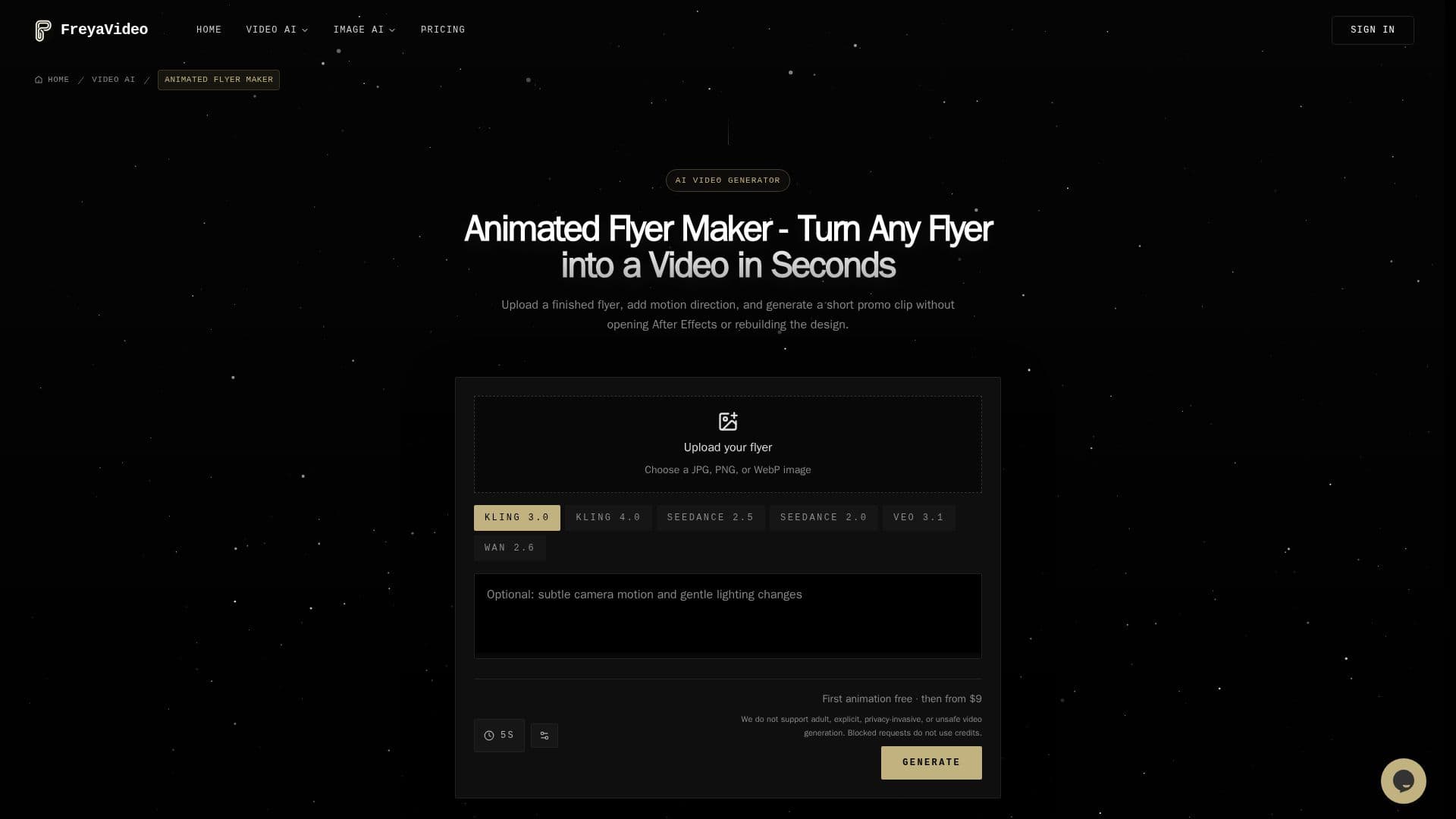
The core functionality revolves around its Animated Flyer Maker, Product Photo to Video AI, and general image-to-video capabilities. Users can upload a finished flyer, product image, or social visual, then describe the desired motion—such as camera pushes, glow pulses, smoke, or subtle lighting shifts. FreyaVideo's AI, including models like Kling 3.0, automatically handles the animation process, preserving the original artwork, text, and branding while adding depth and movement.
Key use cases include transforming nightclub flyers into neon promo reels, birthday invites into party-ready story clips, concert posters into kinetic motion pieces, and restaurant opening flyers into scroll-stopping local ads. For product marketing, it enables the creation of video ads for platforms like TikTok, Instagram, Amazon, and Shopify from single product photos, allowing for multiple ad variants from one source image.
FreyaVideo operates on a flexible credit-based pricing model, allowing users to pay per use without a monthly subscription commitment. This makes it suitable for occasional campaigns or bursts of production. New users typically receive a free trial. The platform emphasizes ease of use, requiring no video editing skills, and focuses on maintaining the readability of text and preserving the original design hierarchy during animation. It also offers a browsable workspace to manage past generations, preview videos, and reuse settings for faster revisions.
- CategoryAI Video Generators
- Pricing ModelPay-Per-Use
- DeploymentCloud
- PlatformsWeb
FreyaVideo's Core Features
Animated Flyer Maker: Turn static flyers into dynamic videos.
Product Photo to Video AI: Convert product images into video ads for e-commerce.
Image to Video Generation: Transform any static image into a short animated video.
AI Motion Description: Describe desired motion effects for animation.
Multiple Output Formats: Export generated videos as MP4 files.
No Editing Skills Required: Designed for users without video editing experience.
Pay-Per-Use Pricing: Credit-based system with no subscription needed.
Preserves Original Design: Maintains typography, logos, and layout details.
Supports Various Image Inputs: Works with JPG, PNG, and WebP formats.
Customizable Output Settings: Adjust aspect ratio, duration, and resolution.
Kling 3.0 Model: Recommended for controlled image-to-video animation.
Commercial Use: Videos suitable for product clips, event promos, and social ads.
Generation History Workspace: Browse, preview, and reuse past creations.
Pre-Submit Confirmation: Review request summary and estimated credits before generation.
Multi-Language Support: English and Simplified Chinese content.
How to use FreyaVideo?
Upload Image: Start by uploading your finished flyer, product photo, or any static image.
Describe Motion: Provide a text prompt detailing the desired motion, such as camera push, glow, or particles.
Choose Output Settings: Select the aspect ratio, duration, and resolution for your video.
Generate Video: Initiate the generation process to animate your image into an MP4 video.
Preview and Download: Review the generated video and download the MP4 file for your marketing channels.
FreyaVideo's Use Cases
- Animated Event Flyers
- Product Video Ads
- Social Media Content
- Restaurant & Bar Promotions
- Holiday Sale Videos
- Portrait Animation
- Poster to Promo Reel
- Marketing Campaign Visuals