Description
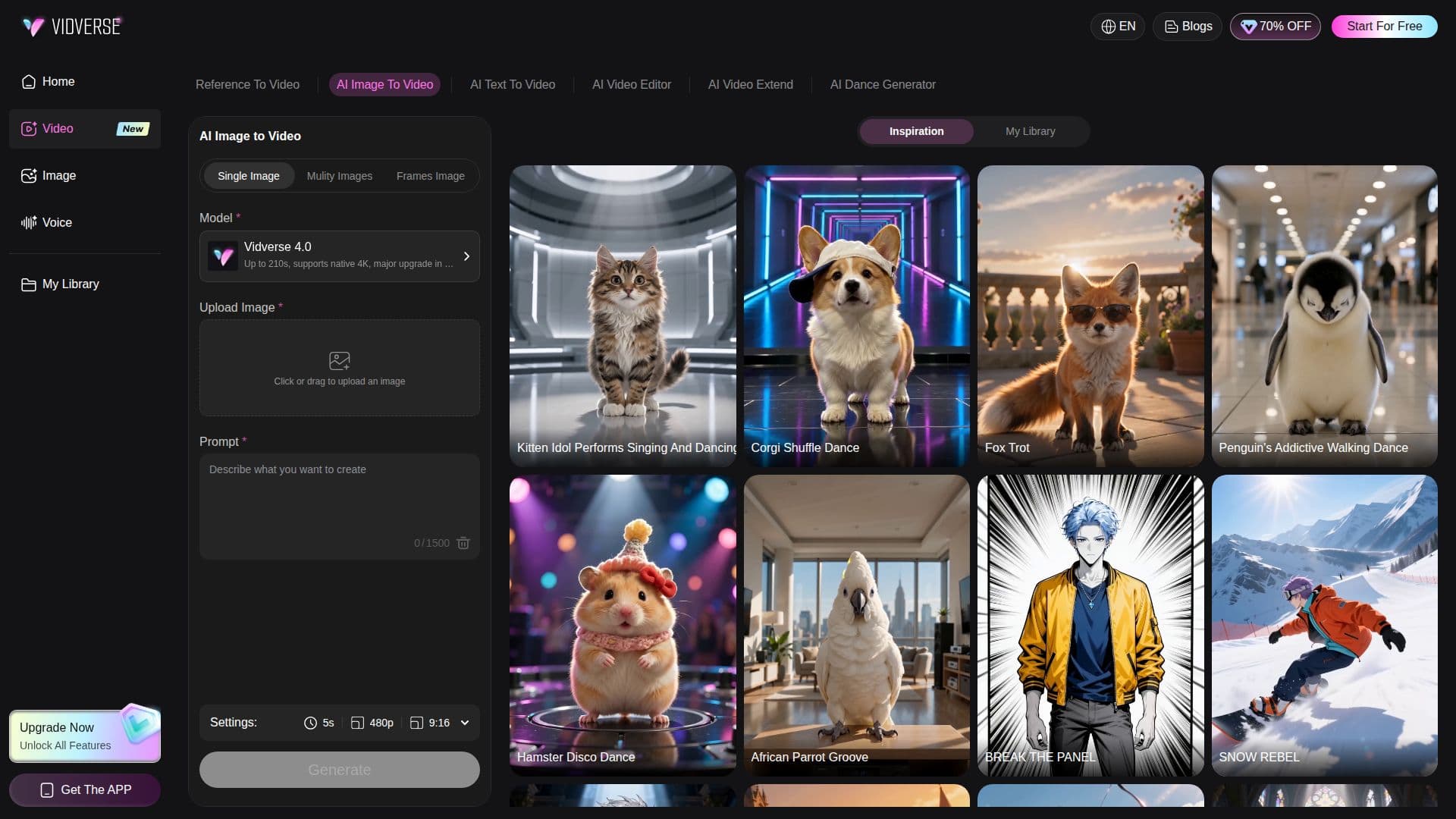
Vidverse AI Image to Video is a cutting-edge tool that allows users to convert static images into dynamic videos. By leveraging advanced AI technology, users can upload a photo, illustration, or artwork and describe the motion they wish to see. The AI then animates the image, adding camera effects and other visual details to bring it to life. This tool is particularly useful for creators looking to produce engaging content without the need for complex video-editing software.
Read More
The platform supports various AI video models, including Vidverse 4.0, Seedance 2.5, and Wan 3.0, each offering unique capabilities such as native 4K support and realistic effects. Users can control character actions, camera movements, and environmental effects through prompts, allowing for precise creative expression.
Vidverse AI Image to Video is accessible online, enabling users to generate videos directly in their browser. The tool is suitable for a wide range of applications, from social media content to marketing and storytelling. It offers flexible pricing options, including credit packs and membership plans, making it accessible to both individual creators and larger teams.
The platform ensures high-quality output with features like audio-video synchronization and cinematic effects. Users can share their AI-generated videos on social media platforms like TikTok, Instagram, and YouTube, provided they adhere to platform guidelines. Vidverse AI Image to Video is a valuable tool for anyone looking to enhance their visual content with AI-driven animation.
- CategoryAI Video Generators
- Pricing ModelFreemium
- DeploymentCloud
- PlatformsWeb
Vidverse AI Image to Video's Core Features
AI-powered image to video conversion
Supports multiple AI video models
Control over motion and effects via prompts
Online video generation without software installation
Native 4K video support
Audio-video synchronization
Flexible pricing with credit packs
Social media sharing capabilities
How to use Vidverse AI Image to Video?
Upload Image: Select and upload your static image.
Describe Motion: Enter a prompt describing the desired motion.
Generate Video: Use the AI to create a dynamic video.
Share: Download and share your video on social media.
Vidverse AI Image to Video's Use Cases
- Social Media Content
- Marketing Campaigns
- Storytelling
- Character Animation
- Cinematic Scenes