
Description
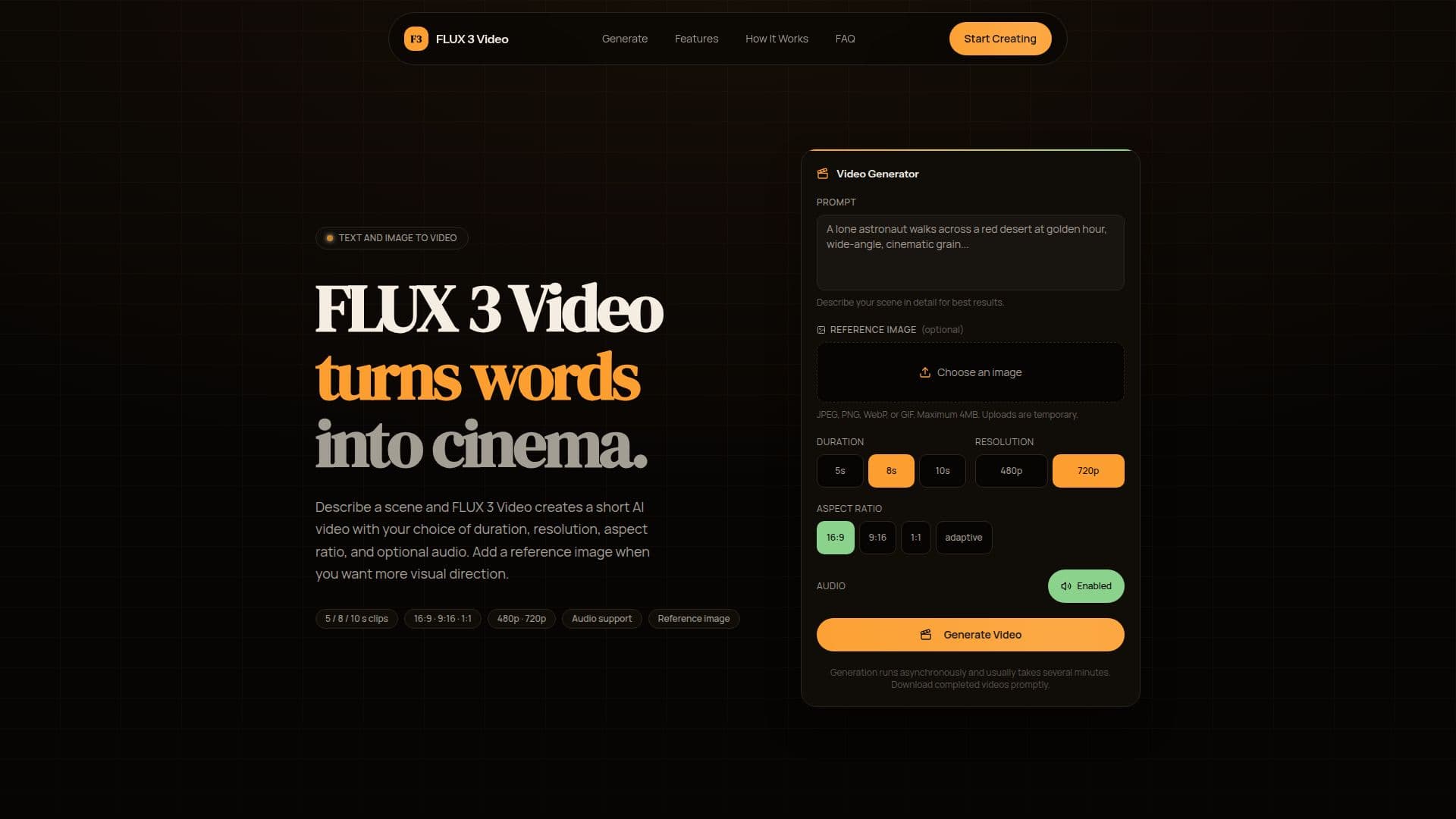
FLUX 3 Video is an innovative browser-based AI video creator designed to transform written scene descriptions into short videos. Users can enhance their video creation process by adding a reference image to guide the visual outcome. The platform allows for a variety of configurations, including the choice of video duration, aspect ratio, and resolution, making it adaptable to different needs and preferences.
Read More
To create a video with FLUX 3 Video, users simply need to write a detailed prompt that describes the scene they envision. They can select from three different durations: 5, 8, or 10 seconds. Additionally, users can choose from various aspect ratios such as 16:9, 9:16, 1:1, or an adaptive mode that lets the model decide the best fit. The resolution options include 480p and 720p, allowing users to balance quality and generation time according to their workflow.
One of the standout features of FLUX 3 Video is its ability to animate a reference image. Users can upload a JPEG, PNG, WebP, or GIF image with a maximum size of 4MB. This image can significantly influence the subject, composition, color, or overall visual direction of the generated clip. The video generation process runs asynchronously, typically taking several minutes to complete, depending on factors such as demand and the complexity of the request.
FLUX 3 Video is particularly useful for content creators, marketers, and anyone looking to produce engaging video content quickly and efficiently. By simply describing a scene in detail, users can leverage the platform's capabilities to create visually appealing videos without the need for extensive video editing skills. The platform also includes an optional audio generation feature, allowing users to add synchronized sound or music to their clips effortlessly.
In summary, FLUX 3 Video turns words into cinema, providing a straightforward and efficient way to create short videos that capture the user's vision. With its user-friendly interface and flexible options, it caters to a wide range of creative needs.
- CategoryAI Video Generators
- Pricing ModelFreemium
- DeploymentCloud
- PlatformsWeb
FLUX 3 Video's Core Features
Text-to-video generation
Reference image guidance
5, 8, or 10-second output
480p and 720p resolution
Landscape, portrait, square, and adaptive aspect ratios
Optional synchronized audio
Asynchronous video generation
Upload JPEG, PNG, WebP, or GIF images
How to use FLUX 3 Video?
Write your prompt: Describe the scene you have in mind, including camera angle, lighting, subject, mood, and pacing.
Configure the output: Select duration (5, 8, or 10 seconds), aspect ratio, resolution, and whether you want audio.
Upload a reference image: Optionally, add an image to anchor the visual style of your video.
Select Generate: FLUX 3 Video processes your request asynchronously and keeps checking its status until ready.
FLUX 3 Video's Use Cases
- Marketing Videos
- Social Media Content
- Educational Videos
- Creative Projects
- Event Highlights