
Description
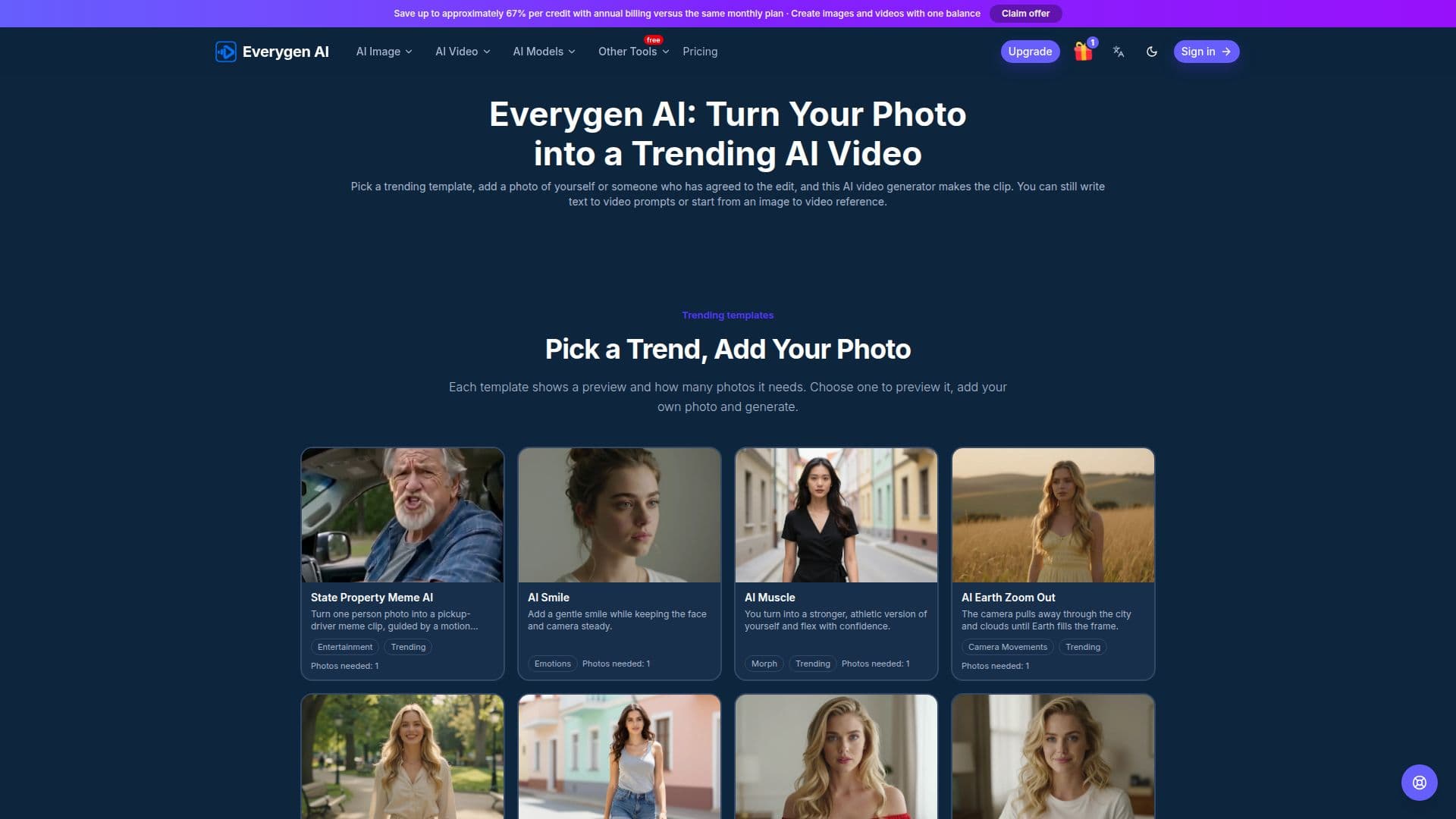
Everygen AI provides a versatile platform for creating AI-generated images and videos. It allows users to turn a single photo into a trending video by selecting from a range of templates, such as "AI Muscle" or "AI Mermaid Transformation." These templates guide the motion and style, simplifying the video creation process without requiring complex prompt writing. Users simply upload a clear photo, choose a template, and the AI video generator produces the clip.
Read More
Beyond photo-to-video transformations, Everygen AI supports text-to-video generation, where users can describe a scene, subject, and camera movement to create a video from scratch. It also offers image-to-video functionality, enabling users to upload a reference image and describe subsequent actions or motions to bring it to life. The platform integrates various video models like Veo, Seedance, and Kling, allowing users to select the most suitable model for their creative vision.
Everygen AI operates on a credit-based system, where each generation consumes credits from a user's balance. The cost of a generation is transparently displayed before submission, varying based on the chosen model, resolution, and duration. Users can purchase credits as needed or subscribe to monthly plans for a recurring allowance. Subscription plans, including Basic, Pro, Studio, and Agency, offer different credit amounts and are available with monthly or annual billing options.
The platform also supports AI image creation and editing, allowing users to generate visuals from text prompts or modify existing images with reference edits. Users can explore different image models and resolutions, with credit costs calculated similarly to video generation. Everygen AI emphasizes user control, allowing adjustments to duration, resolution, and aspect ratio before generating content. Users can also save their creations and revisit their generation history.
Everygen AI is an independent service managed at everygenai.org, focusing on providing tools for creative image and video generation. It encourages users to use original content or content they have permission to use, and to review generated results before sharing or commercial use. The service is operated from Shenzhen, Guangdong, China, and offers support via email for account, billing, and generation-related inquiries.
- CategoryAI Video Generators
- Pricing ModelFreemium
- DeploymentCloud
- PlatformsWeb
Everygen AI's Core Features
Photo to AI Video Generation
Text to Video Generation
Image to Video Animation
Trending Video Templates
AI Image Creation from Text
Image Editing with References
Multiple AI Video Models (Veo, Seedance, Kling)
Credit-Based Usage System
Transparent Credit Cost Display
Monthly Subscription Plans
One-Time Credit Packs
Annual Billing Options
Adjustable Output Settings (Duration, Resolution, Aspect Ratio)
Generation History and Downloads
Support for various image models (GPT Image, Nano Banana, Seedream)
How to use Everygen AI?
Upload Photo: Provide a clear photo of yourself or a friend, ensuring the face is visible.
Pick Template: Choose a trending template that defines the motion and style for your video.
Customize Settings: Optionally, write text prompts or adjust video settings like duration and resolution.
Check Cost: Review the credit cost displayed before submitting your generation request.
Generate Video: Confirm and initiate the video generation process.
Download Result: Preview your completed video and download the clip once it's ready.
Everygen AI's Use Cases
- Social Media Content Creation
- Personalized Video Messages
- Creative Storytelling
- Digital Art & Imagery
- Marketing & Promotions
- Meme Generation
- Visual Experimentation