Description
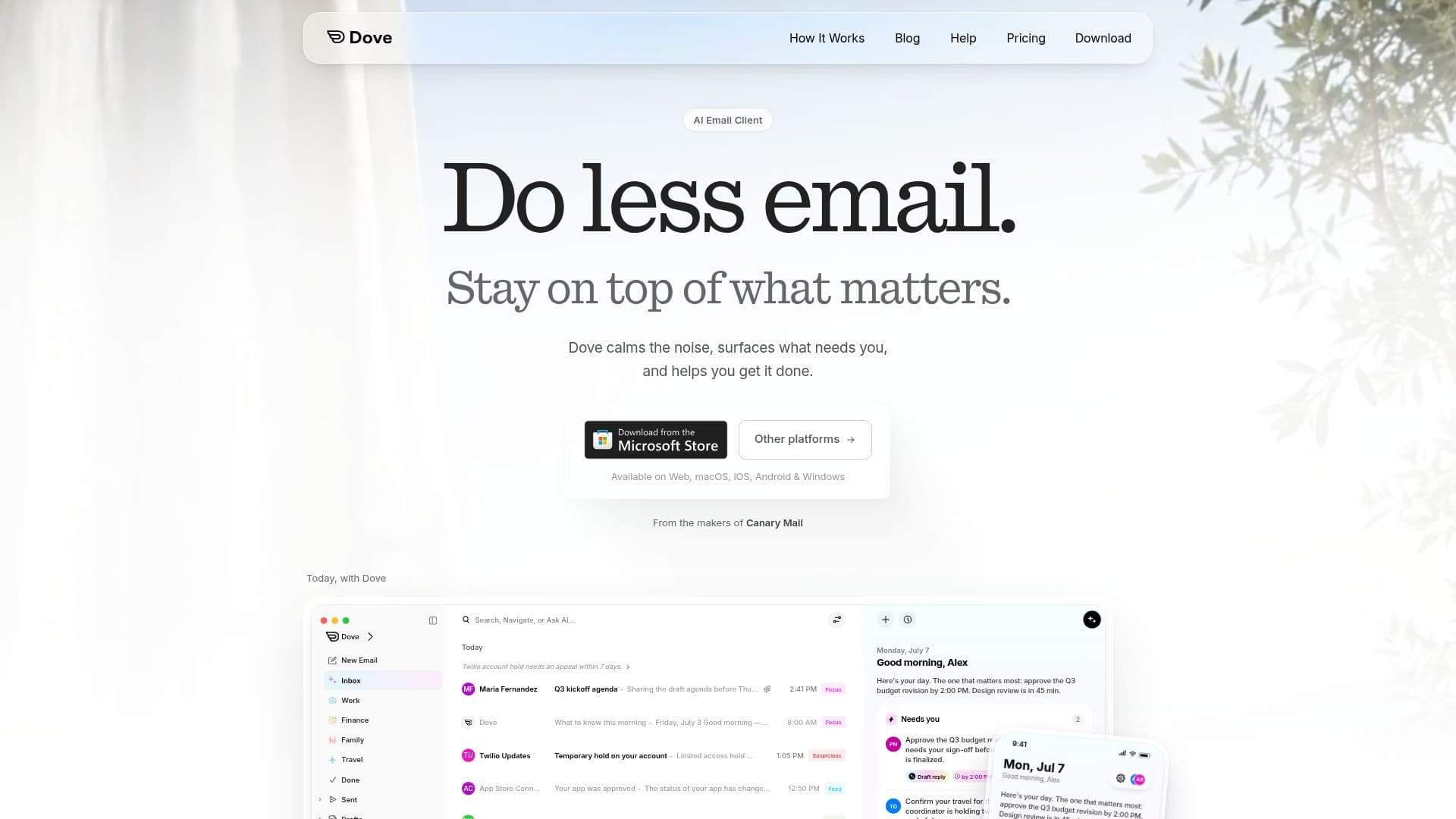
Dove is an advanced AI email client that aims to simplify email management by calming inbox noise and highlighting essential communications. It supports a wide range of email providers, including Gmail, Google Workspace, Outlook, Microsoft 365, iCloud, Yahoo, and any IMAP account, consolidating them into one unified inbox. This allows users to manage all their work, personal, and project-related emails without switching between different applications.
Read More
The core functionality of Dove revolves around its AI-powered sorting system, which categorizes incoming emails into three distinct views: Focus, Feed, and Noise. The Focus section prioritizes emails that require immediate attention, such as direct requests with deadlines. The Feed section displays important but non-urgent information like updates or approvals, presented concisely. The Noise section intelligently filters out low-priority mail, including newsletters and promotions, keeping them out of the main view but still accessible when needed. This intelligent triage helps users quickly identify and act on what truly matters.
Beyond sorting, Dove offers several features to enhance productivity and security. The "Today" view provides a daily brief of critical tasks and upcoming events derived from emails, updating in real-time. Users can leverage "Ask Dove," an AI email assistant, to find specific details within threads, catch up on conversations, or generate email drafts. The client also includes phishing and impersonation risk scoring, scanning every email for suspicious content and flagging or quarantining dangerous messages before they reach the user's main inbox.
Dove is available across multiple platforms, including Mac, Windows, iPhone, iPad, Android, and the web, ensuring a consistent experience and instant synchronization of settings and actions across all devices. It also allows users to "teach" Dove their preferences in plain language, creating custom rules that further refine email sorting and notification behavior. Smart Notifications ensure that only high-priority emails trigger alerts, reducing interruptions. Additionally, Dove offers a "second look" feature to help catch typos or missing context before sending emails, and it analyzes existing email patterns during onboarding to provide a personalized experience from day one.
Dove operates on a single plan that includes all features, available for $20 per month or $200 annually. A 7-day free trial provides full access to premium features, after which users can opt for the paid plan or automatically switch to a free plan with core features and 10 AI actions per day. The product is developed by the team behind Canary Mail, building upon their expertise to create an AI-native email client designed for modern communication challenges.
- CategoryAI Email Assistants
- Pricing ModelFreemium
- DeploymentCloud
- PlatformsMac, Windows, iOS, Android, Web
Dove's Core Features
Unified inbox for multiple email accounts (Gmail, Outlook, iCloud, Yahoo, IMAP)
AI sorting into Focus, Feed, and Noise categories
Daily brief of important tasks and events in "Today" view
AI drafts and "Ask Dove" for email assistance
Phishing and impersonation risk scoring for incoming emails
Read receipts functionality
Available on Mac, Windows, iPhone, iPad, Android, and Web platforms
Unlimited email accounts on every plan, including free
Customizable Smart Notifications for priority emails
"Teach Dove" feature for personalized email rules
Pre-send check for typos and missing context
Real-time AI summaries for inbox sections
Automatic task list creation from emails
Customizable email signatures per account
Theme preferences (Light, Dark, System)
How to use Dove?
Connect Accounts: Add your Gmail, Outlook, iCloud, Yahoo, or any IMAP email accounts to Dove's unified inbox.
Explore Smart Inbox: Navigate through the Focus, Feed, and Noise categories to see how Dove intelligently sorts your emails.
Utilize "Today" View: Check your daily brief for prioritized tasks and upcoming events derived from your emails.
Ask Dove: Use the AI assistant to draft emails, find information within threads, or summarize conversations.
Teach Dove Preferences: Provide feedback on email sorting and notification preferences to customize its behavior.
Manage Notifications: Configure Smart Notifications to receive alerts only for important emails.
Review Security Scores: Observe the risk scores assigned to emails to identify and avoid phishing or impersonation attempts.
Access Across Devices: Use Dove seamlessly on your desktop (Mac/Windows), mobile (iOS/Android), or web browser.
Dove's Use Cases
- Email Prioritization
- Unified Inbox Management
- Task Management from Email
- Email Drafting Assistance
- Phishing and Impersonation Detection
- Cross-Device Email Access
- Reducing Email Overload
- Customizing Email Rules
- Quick Email Catch-up