
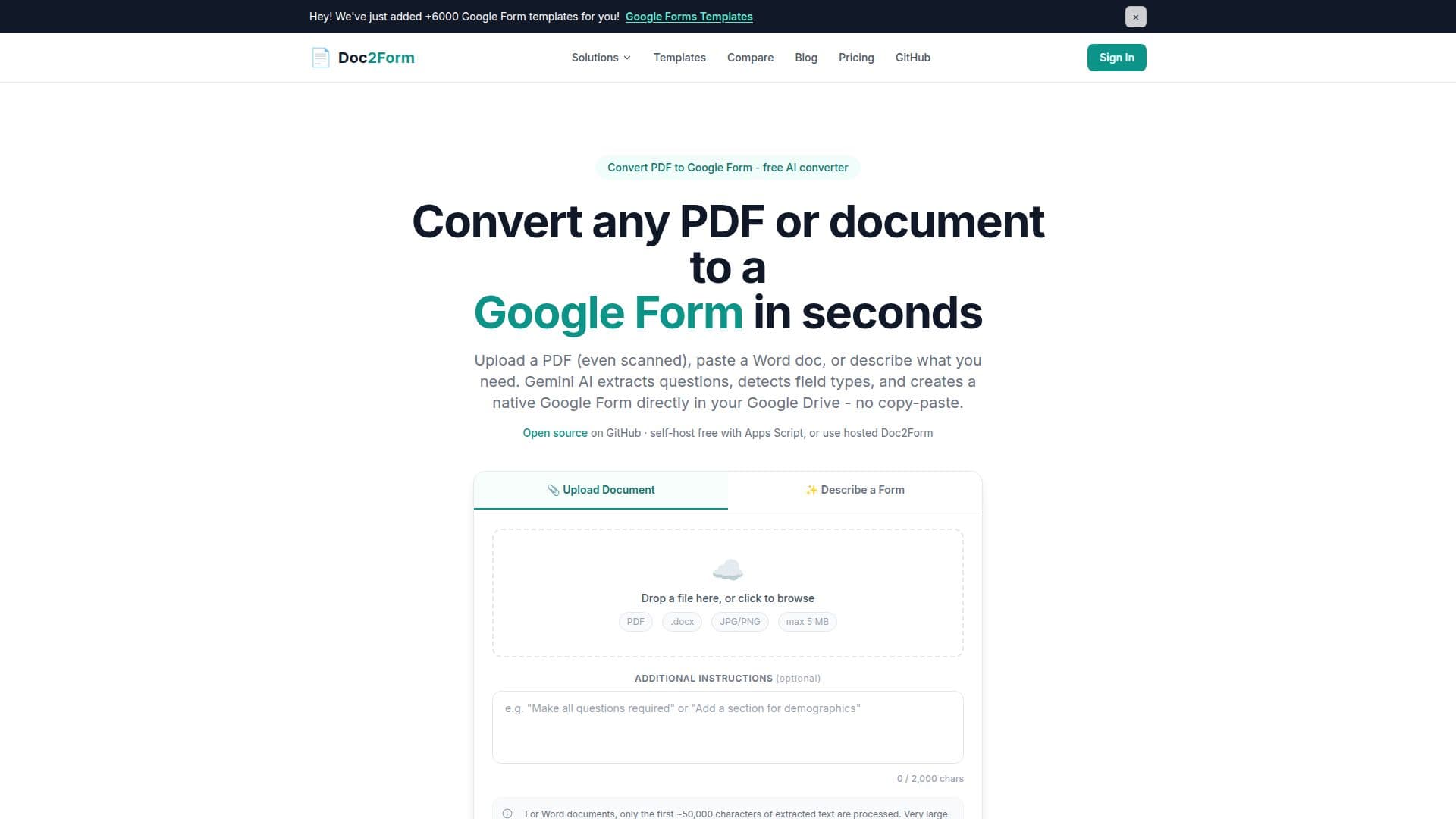
Description
Doc2Form is a web-based tool that transforms PDFs, Word documents, and scanned forms into native Google Forms. Utilizing AI, it extracts questions, answer options, and sections from the uploaded documents, creating a structured Google Form in your Google Drive. This eliminates the need for manual retyping, saving time and reducing errors.
Read More
The tool supports various file formats, including PDF and Microsoft Word (.docx), with a maximum file size of 5 MB. It also handles scanned PDFs and image-based documents using AI vision, making it ideal for converting messy scans and handwritten layouts that other tools might struggle with.
Doc2Form operates on a freemium model, offering the first form conversion for free without requiring a credit card. Subsequent conversions are available through credit packs, which never expire, ensuring flexibility without a subscription commitment. Additionally, an open-source version is available on GitHub for those who prefer to self-host the tool.
Targeted at educators, HR professionals, and administrative teams, Doc2Form is designed to streamline the process of converting existing documents into Google Forms. It is particularly beneficial for teams that prioritize privacy, as documents are processed but not stored. The tool integrates seamlessly with Google Workspace, allowing users to edit, share, and connect forms to Google Sheets for response tracking.
Doc2Form is not just limited to document uploads; users can also describe the form they need in plain English, and the AI will generate the form structure. This feature is useful for quickly creating forms without a source document. Overall, Doc2Form offers a practical solution for converting various document types into Google Forms efficiently.
- CategoryAI Document & PDF Tools
- Pricing ModelFreemium
- DeploymentCloud
- PlatformsGoogle Workspace
Doc2Form's Core Features
Convert PDFs and Word documents to Google Forms
AI extracts questions and options
Supports scanned PDFs and images
First form conversion free
Freemium pricing model
Open-source version available
No document storage
Integrates with Google Workspace
How to use Doc2Form?
Upload: Choose a PDF or Word document
AI Processing: Gemini AI extracts form structure
Form Creation: Google Forms API generates the form
Review: Edit and share the form from Google Drive
Doc2Form's Use Cases
- Education
- Human Resources
- Healthcare
- Legal
- Research