Description
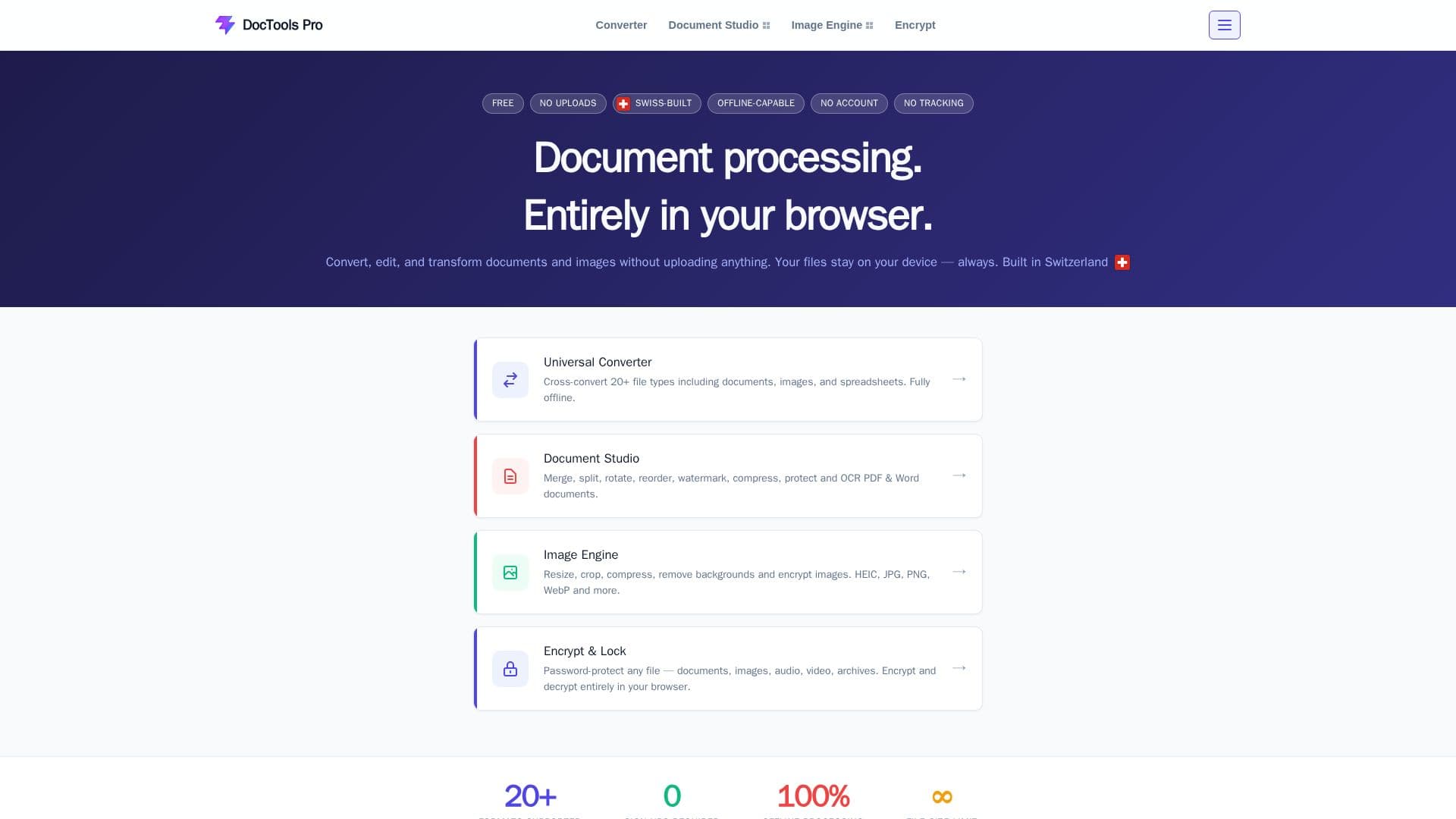
DocTools Pro is an all-in-one workspace for everyday document and image tasks, including combining PDF pages into one file, splitting long documents, shrinking files to fit an email, converting between formats, cleaning up photos and adding a password to private files. It advertises 55+ conversion, PDF and image tools covering 20 supported file formats.
Read More
Everything runs locally in the browser, so files are never sent to a server or stored anywhere. There is nothing to install and no account to create, and the tools work in modern browsers such as Chrome, Firefox, Edge and Safari, including on many phones and tablets. The service is free with no usage limits.
Because processing is local, a connection is only needed to load the page initially; most tools keep working afterwards even if the connection drops. The product positions itself as a private alternative to cloud converters and is built in Switzerland.
- CategoryAI Document & PDF Tools
- Pricing ModelFree
- DeploymentBrowser extension
- PlatformsWeb
DocTools Pro's Core Features
Browser-based local processing with no file uploads
Merge and split PDF documents
Convert between dozens of file formats (20 supported)
Compress and resize files and images
Password-protect sensitive files
No sign-up, no install and unlimited free use
Works across Chrome, Firefox, Edge and Safari, including mobile
How to use DocTools Pro?
Open a tool: Choose the document or image tool you need from the browser.
Add your file: Select a file from your device; it stays local.
Process: Merge, split, convert, compress or protect the file in the browser.
Download: Save the finished file back to your device.
DocTools Pro's Use Cases
- Merge PDFs
- Shrink files for email
- Format conversion
- Protect private documents