Description
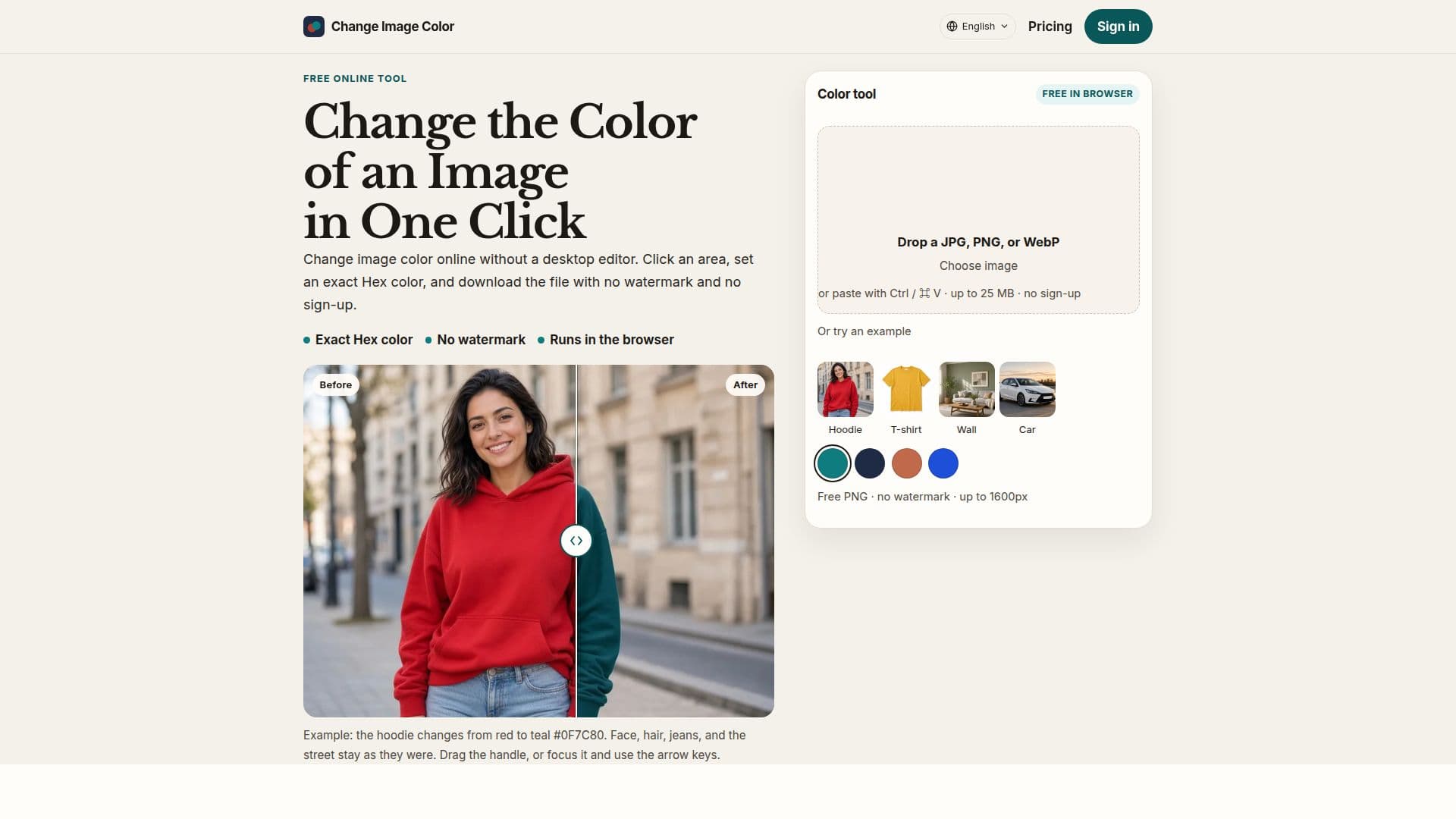
Change Image Color is a user-friendly online tool designed for quickly and accurately recoloring specific parts of an image. It enables users to select an area, apply an exact Hex color code, and download the modified image without watermarks or the need for an account. The free version processes images directly within the browser, ensuring privacy as files are not uploaded to a server.
Read More
The tool supports common image formats including JPG, PNG, and WebP. For photographs, JPG or WebP are recommended, while PNG is ideal for images requiring transparency, such as logos. Users can input a six-digit Hex code or use a color picker to achieve precise color changes. The process is straightforward: upload an image, click the area to be changed (e.g., a garment, wall, car panel, or logo), set the desired Hex color, and then download the recolored file.
One of the key advantages of Change Image Color is its ability to preserve original textures, grain, creases, and soft shadows within the selected area. This ensures that the recolored object maintains a realistic appearance rather than looking like a flat fill. The tool is also optimized for mobile use, allowing users to upload from their camera roll, tap, enter a Hex code, and download on the go.
While the free recolor runs entirely in the browser, an optional "AI Refine" feature is available for more complex edits, which involves server-side processing for one edit before finishing in the browser. For higher resolution needs, an HD upgrade is offered, providing the original image size without watermarks. This is particularly useful for professional applications or when the free 1600px long-edge resolution is insufficient. The platform offers various pricing plans and credit packs for HD exports and AI Refine features, catering to different user requirements.
Change Image Color is ideal for a variety of applications, from trying out new clothing colors in fashion photography and creating product variants for e-commerce to visualizing interior design changes and recoloring vehicle bodies. It also includes a dedicated logo color changer that preserves PNG transparency, making it easy to adapt logos for different brand contexts or backgrounds.
- CategoryAI Photo Editors
- Pricing ModelFreemium
- DeploymentCloud
- PlatformsWeb Browser
Change Image Color's Core Features
Selected-area recolor
Exact Hex color input
No watermark on downloads
In-browser processing for free recolor
Supports JPG, PNG, WebP formats
Preserves texture and shadows
Mobile device compatibility
Free download up to 1600px long edge
HD export at original size (paid)
AI Refine for advanced edits (paid)
No account required for free recolor
Transparent PNG support for logos
Solid fill mode for precise logo recoloring
Wand tool for selecting matching logo colors
Credit packs and subscription plans available
How to use Change Image Color?
Upload Picture: Drop a JPG, PNG, or WebP file into the upload area or browse for it.
Select Area and Set Hex: Click the specific area (e.g., shirt, wall, logo) you want to change and enter an exact Hex color code or use the color picker.
Review and Adjust: Check the recolored area, especially fine edges, and adjust the selection or color if needed.
Download Image: Download the recolored PNG file. Free downloads are without a watermark and up to 1600 pixels on the long edge.
Change Image Color's Use Cases
- Fashion and Clothing Design
- E-commerce Product Variants
- Interior Design Visualization
- Automotive Customization
- Logo Branding and Adaptation
- Graphic Design Mockups
- Social Media Content Creation