Description
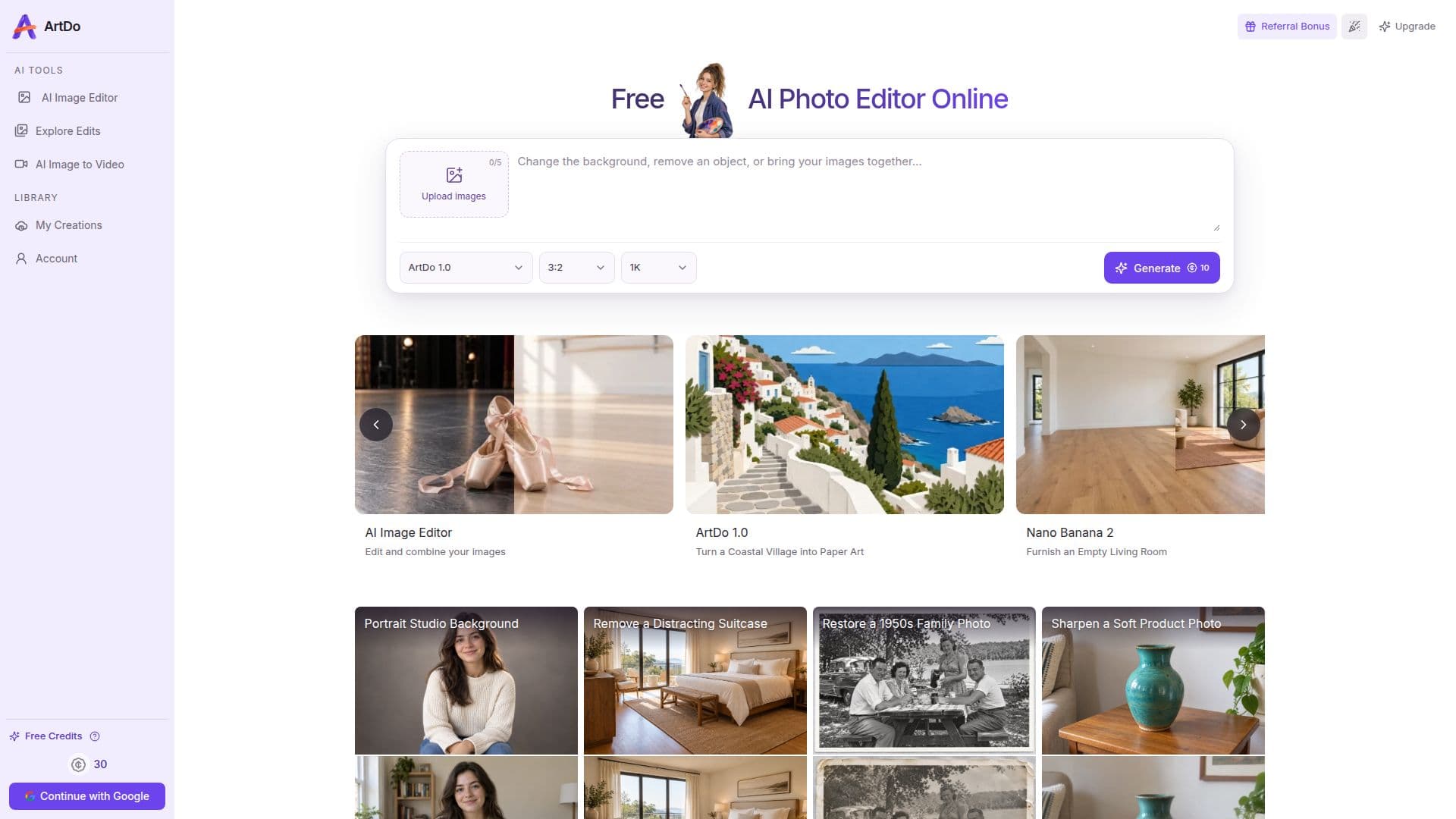
ArtDo is a comprehensive online AI photo editor designed to simplify image transformation and enhancement. It provides a suite of powerful tools that enable users to perform complex edits quickly and efficiently, all without requiring an account or adding watermarks to downloaded images. The platform supports various image formats including JPG, PNG, and WebP, with an upload limit of up to 24 MB per image and the ability to handle up to five input images for multi-image workflows.
Read More
Key capabilities of ArtDo include AI-powered background removal, which cleanly separates subjects from their surroundings, and an AI object eraser that intelligently rebuilds missing areas with natural light and detail. Users can also upscale images to 4K resolution, enhancing clarity and fine detail without artificial effects, and extend image canvases through seamless outpainting. The editor further supports colorizing old black-and-white or faded photos, vectorizing artwork into scalable SVG-style graphics, and creating image-to-image variations to explore new styles and moods.
ArtDo integrates several AI models, including ArtDo 1.0, Nano Banana models, Seedream models, and GPT Image 2, offering diverse strengths in editing precision, visual consistency, and creative style. This allows users to select the most suitable model for their specific task, whether it's turning a coastal village into paper art or removing power lines from a mountain valley. The platform is built for a wide range of users, from creators and sellers to students and teams, providing a single workspace for quick cleanups to polished campaign visuals.
For those requiring more extensive usage, ArtDo offers optional plans and one-time Credit Packs. The Free plan includes 30 daily check-in credits, up to 60 saved creations, and 7-day retention. Paid plans like Pro and Ultra provide more credits, longer storage, and increased concurrent generations. ArtDo prioritizes user privacy and data security, using encrypted transport, private object storage, and short-lived download links for guest results, which are retained for up to 24 hours.
- CategoryAI Photo Editors
- Pricing ModelFreemium
- DeploymentCloud
- PlatformsWeb
ArtDo's Core Features
AI background removal
AI object eraser
4K image upscaling
AI image extension (outpainting)
Colorize old photos
Vectorize images to SVG-style artwork
Image-to-image variations
Photo enhancement (clarity, lighting, color, detail)
No sign-up required for basic edits
No watermark on downloads
Supports JPG, PNG, WebP formats
Uploads up to 24 MB per image
Supports up to five input images for multi-image workflows
Multiple AI models available (ArtDo 1.0, Nano Banana, Seedream, GPT Image 2)
Commercial use of results permitted (subject to terms)
How to use ArtDo?
Upload Photo: Choose one or more JPG, PNG, or WebP images from your device, up to 24 MB each.
Describe Edit: Tell the ArtDo AI Photo Editor what you want to change, such as removing objects, replacing backgrounds, or enhancing details.
Choose Model: Select an AI model that fits the task, considering its strengths in precision, style, and speed.
Review and Refine: Generate your image, review the result in the editor, and refine the prompt for variations.
Download: Download the finished visual for e-commerce, social media, marketing, presentations, or personal projects.
ArtDo's Use Cases
- E-commerce Product Images
- Graphic Design & Artistic Creation
- Social Media Content
- Marketing Campaign Assets
- Old Photo Restoration
- Portrait Enhancement
- Real Estate Photography
- Print & Presentation Materials
- Creative Concept Exploration