
Description
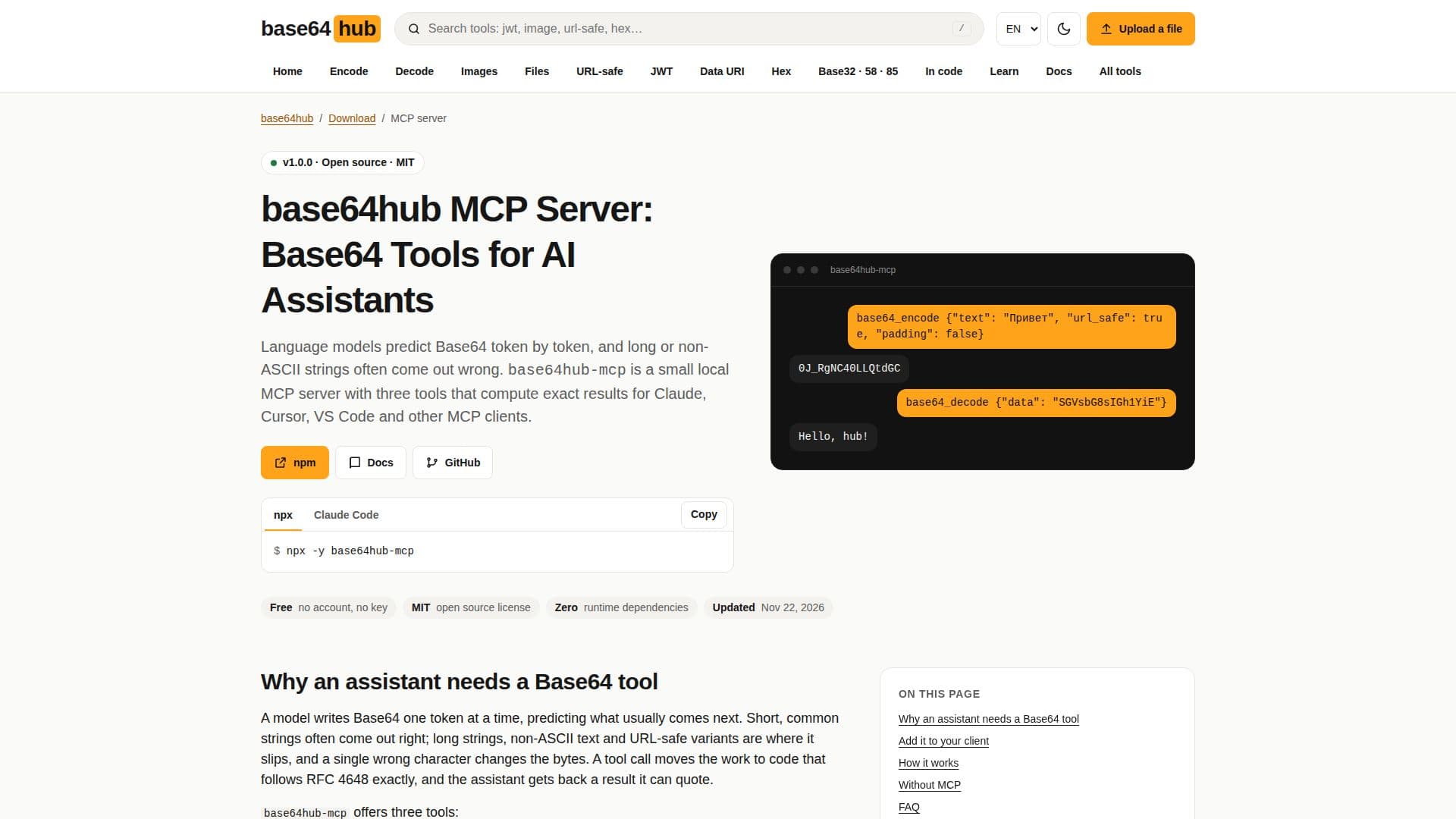
base64hub-mcp is a specialized local server designed to enhance the accuracy of AI assistants when handling Base64 operations. It implements the Model Context Protocol (MCP), allowing AI clients such as Claude Desktop, Claude Code, Cursor, and VS Code to call precise Base64 tools instead of relying on token-by-token predictions. This is crucial because language models often struggle with long, non-ASCII, or URL-safe Base64 strings, where a single incorrect character can corrupt the entire output.
Read More
The server operates as a small, self-contained program that communicates with the AI client over standard input and output (stdio). This architecture ensures that no user data is sent to external servers, maintaining privacy and security. The only download required is the npm package itself, which is fetched the first time `npx` runs it. It has no external dependencies and is written without an SDK, making it lightweight and efficient.
base64hub-mcp offers three primary tools: `base64_encode`, `base64_decode`, and `base64_validate`. The `base64_encode` tool converts text (encoded as UTF-8) into Base64, with options for URL-safe alphabets, padding, and line wrapping. The `base64_decode` tool performs the reverse, converting Base64 data into UTF-8 text or hex if the bytes are not valid UTF-8, preventing mangled characters. It is designed to be forgiving, accepting various common input formats like surrounding whitespace, `data:` prefixes, missing padding, and mixed alphabets. The `base64_validate` tool checks the validity of a Base64 string without decoding it, providing detailed JSON results including whether it's valid, its variant (standard, URL, mixed), padding status, and decoded byte size.
Integration with AI clients is straightforward, typically involving a simple `npx` command or a JSON configuration file. For instance, Claude Code uses a direct command, while Claude Desktop, Cursor, and VS Code utilize `mcpServers` blocks in their respective configuration files. The server requires Node.js 18 or later. By offloading Base64 computations to this exact tool, AI assistants can confidently handle complex encoding and decoding tasks, ensuring reliable and accurate results for developers and users alike.
- CategoryAI Coding Assistants
- Pricing ModelFree
- DeploymentLocal
- PlatformsNode.js (18+)
base64hub-mcp's Core Features
Exact Base64 Encoding: Converts text to Base64 following RFC 4648 standards.
Precise Base64 Decoding: Decodes Base64 to UTF-8 text or hex for non-text bytes.
Base64 Validation: Checks string validity, variant, padding, and byte size.
Local Operation: Runs as a local process, ensuring data privacy and security.
Model Context Protocol (MCP) Support: Integrates with AI assistants via MCP.
Compatibility with AI Clients: Works with Claude Desktop, Claude Code, Cursor, and VS Code.
No External Data Transmission: Data remains on the user's device.
Lightweight npm Package: Easy installation via `npx` with minimal dependencies.
Forgiving Decoding: Accepts whitespace, `data:` prefixes, missing padding, and mixed alphabets.
URL-Safe Encoding Option: Supports URL-safe Base64 variants.
Padding Control: Allows explicit control over Base64 padding.
Line Wrapping Option: Configurable line breaks for encoded output.
Error Reporting: Provides specific error messages for invalid Base64 input.
Offline Functionality: All tools are read-only and work without an internet connection.
How to use base64hub-mcp?
Install Node.js: Ensure Node.js 18 or later is installed on your system.
Configure AI Client: Add the `base64hub-mcp` server to your AI client's configuration (e.g., Claude, Cursor, VS Code).
Launch Server: Your AI client will automatically launch the server using `npx -y base64hub-mcp`.
Call Tools: Instruct your AI assistant to use `base64_encode`, `base64_decode`, or `base64_validate` for Base64 operations.
Receive Exact Results: The assistant will receive precise Base64 results from the local server.
base64hub-mcp's Use Cases
- Accurate Base64 Encoding
- Reliable Base64 Decoding
- Base64 String Validation
- Secure Local Processing
- Enhancing AI Assistant Capabilities
- Handling Non-ASCII Data
- Processing Data URIs