Description
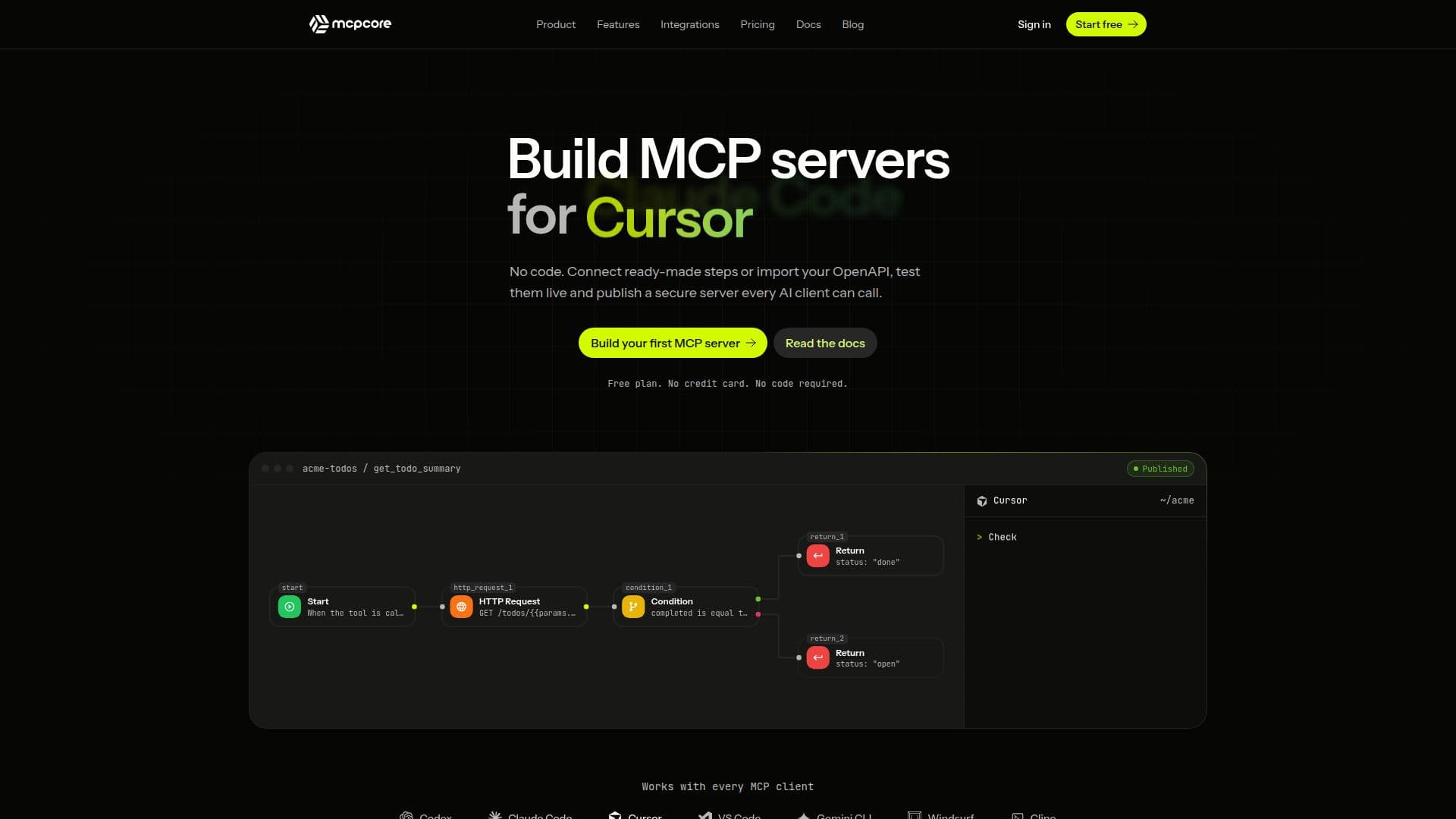
MCPCore is a no-code platform designed for building, hosting, and securing Model Context Protocol (MCP) servers. It simplifies the process of creating tools that AI assistants can discover and call, eliminating the need for manual server code or infrastructure management. Users can develop tools using a visual workflow builder, connecting steps like Database, Query, HTTP Request, Transform, and Condition on a canvas. For those who prefer coding, a JavaScript editor offers full control, with AI clients perceiving no difference between the two development methods.
Read More
The platform supports the integration of existing REST APIs by allowing users to paste OpenAPI 3 or Swagger 2 document links or upload files. MCPCore reads these documents, converting selected endpoints into workflow tools with typed parameters and encrypted API keys. Read-only endpoints are automatically selected, while those that modify or delete data remain off until explicitly enabled by the user.
Security is a core aspect of MCPCore, with every server running on HTTPS and offering four security modes: Public, Unlisted, API Key, or OAuth 2.0. Database credentials and other secrets are encrypted at rest with AES-256 and are only accessible to tool code, never exposed to AI clients or logs unless explicitly included in a tool's output. The platform also includes rate limiting per server to protect against abusive or high traffic.
MCPCore is compatible with any MCP-compatible AI client, including Claude Code, Codex, Claude Desktop, Claude.ai, Cursor, VS Code, Gemini CLI, Windsurf, and Cline. It offers one-click installation for some clients and simple command-line setup for others, providing ready-to-paste configurations. The Playground feature allows users to test tools with real AI models like Claude or GPT using their own API keys, observing tool calls, parameters, and results before deployment.
For version control, MCPCore automatically saves every change as a version, enabling users to save drafts, compare them side-by-side with live versions, and restore earlier iterations with a single click. The platform also provides comprehensive observability features, including traffic and error logs with AI-assisted debugging, and analytics for request volume, error rates, latency, and top tools. Custom domains with automatic SSL are supported, and rate limits can be configured per server.
MCPCore offers a free plan that includes three MCP servers with unlimited tools and seven days of analytics, requiring no credit card. Paid plans provide additional servers, higher call limits, and extended log history, with upgrades applying immediately and downgrades at the end of the billing period. Enterprise and self-hosted deployments are available upon request for larger organizations.
- CategoryAI App Builders
- Pricing ModelFreemium
- DeploymentCloud
- PlatformsWeb
MCPCore's Core Features
No-code MCP server building
Visual workflow builder for tool creation
JavaScript editor for full control
OpenAPI/Swagger import for existing APIs
Secure hosting with live endpoints
Four security modes: Public, Unlisted, API Key, OAuth 2.0
AES-256 encrypted secrets management
Per-server rate limiting
Compatibility with various MCP-compatible AI clients (Claude, Codex, Cursor, Gemini CLI, VS Code)
Playground for real AI model testing
Automatic version history and rollback
Traffic and error logs with AI-assisted debugging
Analytics for server performance and usage
Custom domain support with automatic SSL
Free plan available with no credit card required
How to use MCPCore?
Create a server: Name your server, pick a subdomain, and select a security mode.
Build a tool: Use the visual workflow builder, import an OpenAPI file, describe the tool to AI, or write JavaScript code.
Test your tool: Utilize the Playground to chat with Claude or GPT and observe tool calls with real parameters.
Connect your AI client: Install in Cursor, VS Code, or Claude Desktop with one click, or add to other clients with a command.
Publish and secure: Your tool becomes a live, secured endpoint, ready for AI clients to call.
MCPCore's Use Cases
- Building AI-compatible APIs
- Integrating existing REST APIs
- Automating database interactions
- Creating secure AI tools
- Testing AI tool functionality
- Managing AI tool versions
- Monitoring AI server performance
- Connecting AI clients to custom tools