Description
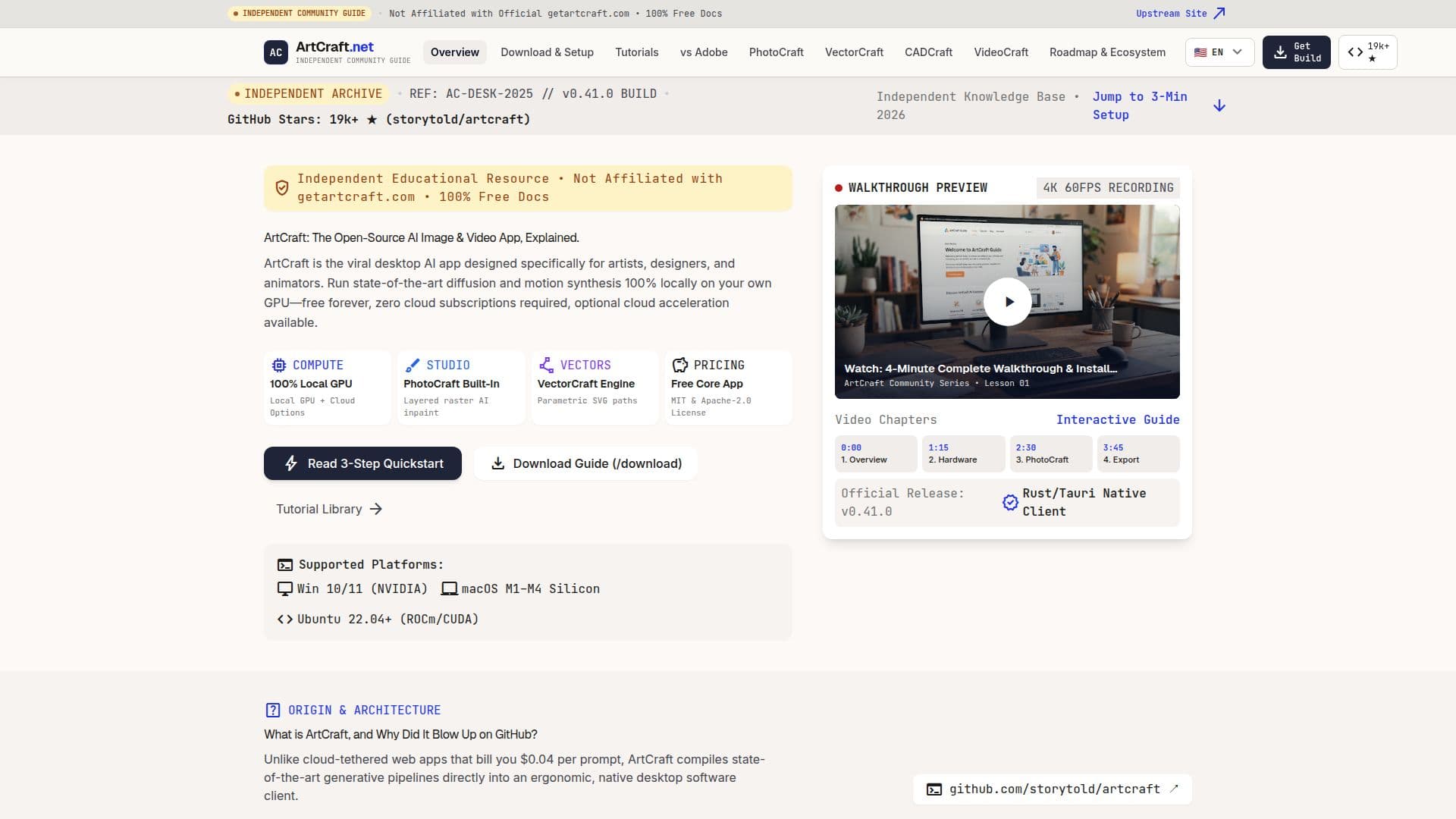
ArtCraft is a powerful open-source desktop application designed for artists, designers, and animators. It allows users to run state-of-the-art diffusion and motion synthesis models locally on their own GPUs, eliminating the need for cloud subscriptions. ArtCraft is dual-licensed under MIT or Apache-2.0, providing flexibility for developers to customize and extend its capabilities.
Read More
The application is equipped with several integrated creative modules, including PhotoCraft for layer-based raster image generation, VectorCraft for AI-driven SVG creation, and Motion Studio for video animation. These modules enable users to perform tasks such as inpainting, generative fill, and high-fidelity upscaling directly on their desktops.
ArtCraft's local-first architecture ensures that all data remains on the user's machine, offering privacy and data ownership advantages over cloud-based alternatives. The application supports NVIDIA Tensor Cores and Apple Metal Shaders, making it compatible with a wide range of hardware.
ArtCraft is particularly appealing to independent creators and production studios seeking to migrate from expensive cloud subscriptions to local open-source workflows. It provides unlimited local generations and batch rendering capabilities without incurring additional costs.
The application is easy to deploy, with a straightforward installation process for Windows, macOS, and Linux. Users can download the latest signed installer or build from source, and choose from various diffusion models like SDXL and Flux Schnell.
ArtCraft's community is active and supportive, with over 180 contributors and a dedicated Discord server. The platform offers comprehensive tutorials and guides to help users master its features and optimize their creative workflows.
- CategoryDesign & Creative
- Pricing ModelFree
- DeploymentDesktop
- PlatformsWindows, macOS, Linux
ArtCraft's Core Features
Open-source desktop application
Local GPU rendering
PhotoCraft raster module
VectorCraft SVG module
Motion Studio for video
Dual-licensed under MIT or Apache-2.0
Privacy-focused local-first architecture
Supports NVIDIA and Apple GPUs
How to use ArtCraft?
Download Binary or Clone: Grab the latest installer for your OS.
Select Your Base Model: Choose from SDXL, Flux Schnell, or local checkpoints.
Render with Zero Limits: Use PhotoCraft or VectorCraft to create locally.
Optimize Settings: Adjust performance settings for your hardware.
ArtCraft's Use Cases
- Image Generation
- Vector Design
- Video Animation
- Privacy-Focused Workflows
- Open-Source Development