Description
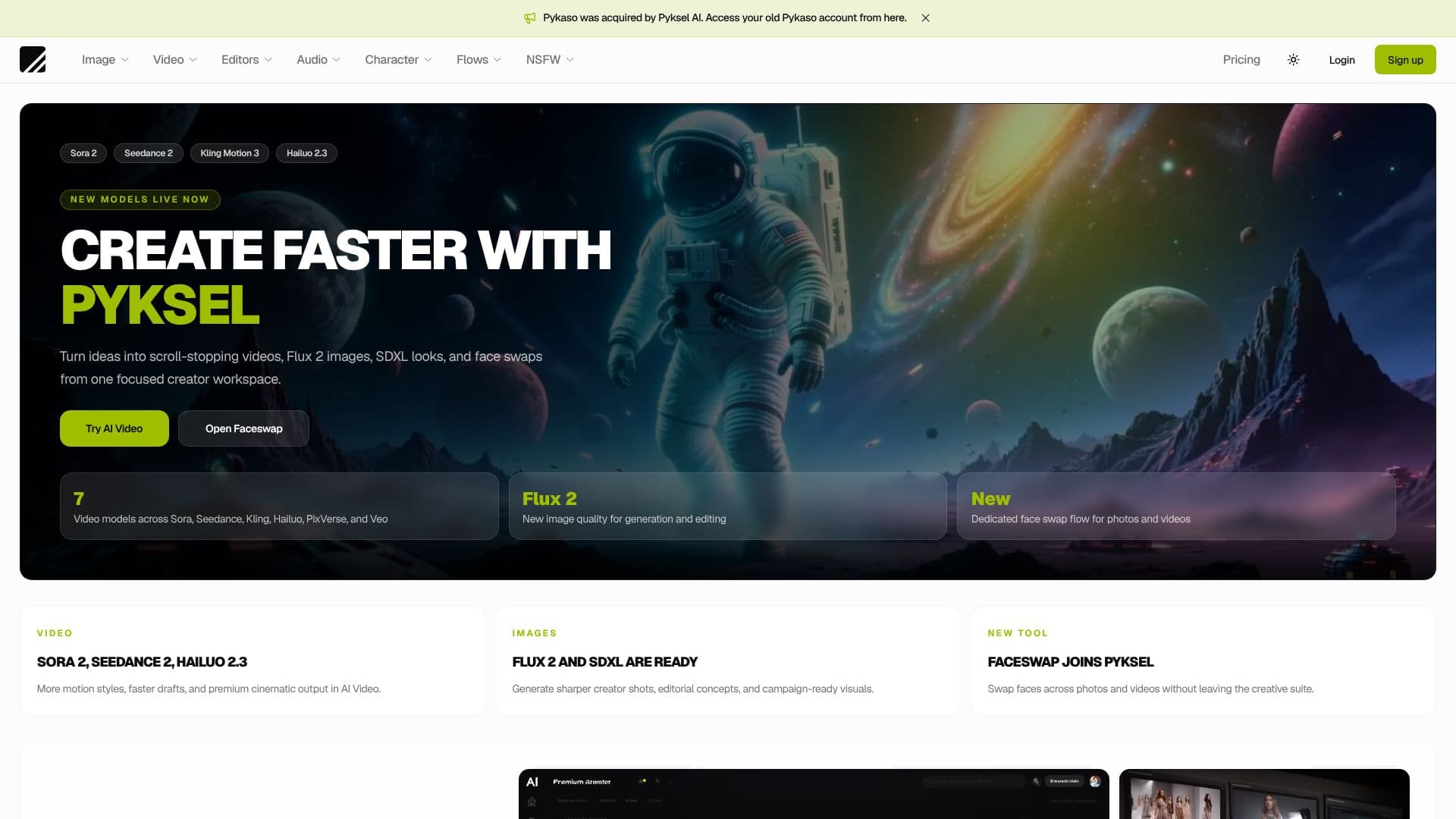
Pyksel provides a comprehensive creator workspace designed to accelerate content production using advanced AI technologies. Formerly Pykaso, the platform now integrates a wider array of AI models, enabling users to transform ideas into scroll-stopping visual and video content. Pyksel empowers creators to generate high-quality images, dynamic videos, and even 3D assets with ease.
Read More
The platform features a robust AI Video Generator that supports multiple models including Sora 2, Seedance 2, Kling Motion 3, Hailuo 2.3, PixVerse V6, and Veo. This allows for the creation of cinematic clips with diverse motion styles and faster draft generation. For image creation, Pyksel offers Flux 2 and SDXL models, facilitating the generation of sharper creator shots, editorial concepts, and campaign-ready visuals. The AI Image Editor assists in enhancing and refining these visuals.
New additions to the suite include a dedicated Faceswap tool, which allows creators to seamlessly swap faces across both photos and videos without leaving the creative environment. This is ideal for creating campaign variants, character workflows, or unique creator concepts. Furthermore, Pyksel introduces the ability to Train Your Own AI Characters, enabling users to train custom AI characters on a specific face or style and reuse them across various workflows, including image, video, and upscaling.
Pyksel's integrated approach aims to consolidate creative processes, moving from prompt to polished output efficiently. The platform supports various AI-driven functionalities such as AI image generation from text, AI video generation from images, image editing, image-to-image transformations, AI video editing with Kling V3, lipsyncing, skin upscaling, and 3D model generation from images. It also includes an Image to Prompt feature for extracting detailed prompts from existing visuals. This makes Pyksel a powerful all-in-one solution for modern content creators seeking to leverage AI for enhanced creativity and productivity.
- CategoryAI Ad Generators
- Pricing ModelFreemium
- DeploymentCloud
- PlatformsWeb
Pyksel AI Tools for Creators's Core Features
AI Image Generator
AI Video Generator
AI Image Editor
Image to Image Transformation
AI Video Editor (Kling V3)
Lipsync
Skin Upscaler
Faceswap (Photos & Videos)
3D Model Generation (Qwen)
Text to Audio
Image to Prompt
Train Custom AI Characters
Sora 2, Seedance 2, Kling Motion 3, Hailuo 2.3, PixVerse V6, Veo Video Models
Flux 2, SDXL Image Models
How to use Pyksel AI Tools for Creators?
Access Tools: Navigate to the Pyksel platform to select the desired AI tool.
Input Prompt/Data: Provide text prompts for image generation or upload media for video/faceswap tasks.
Configure Settings: Adjust parameters for models, styles, and effects to achieve desired results.
Generate Content: Initiate the AI generation process for images, videos, or other assets.
Edit and Refine: Utilize the integrated editors to enhance and polish the generated content.
Train Characters: Upload reference images to train custom AI characters for reuse.
Export and Share: Download your final creations or prepare them for distribution.
Pyksel AI Tools for Creators's Use Cases
- AI Image Generation
- AI Video Creation
- Face Swapping
- Custom Character Workflows
- Content Enhancement
- 3D Asset Generation
- Prompt Engineering Aid