Description
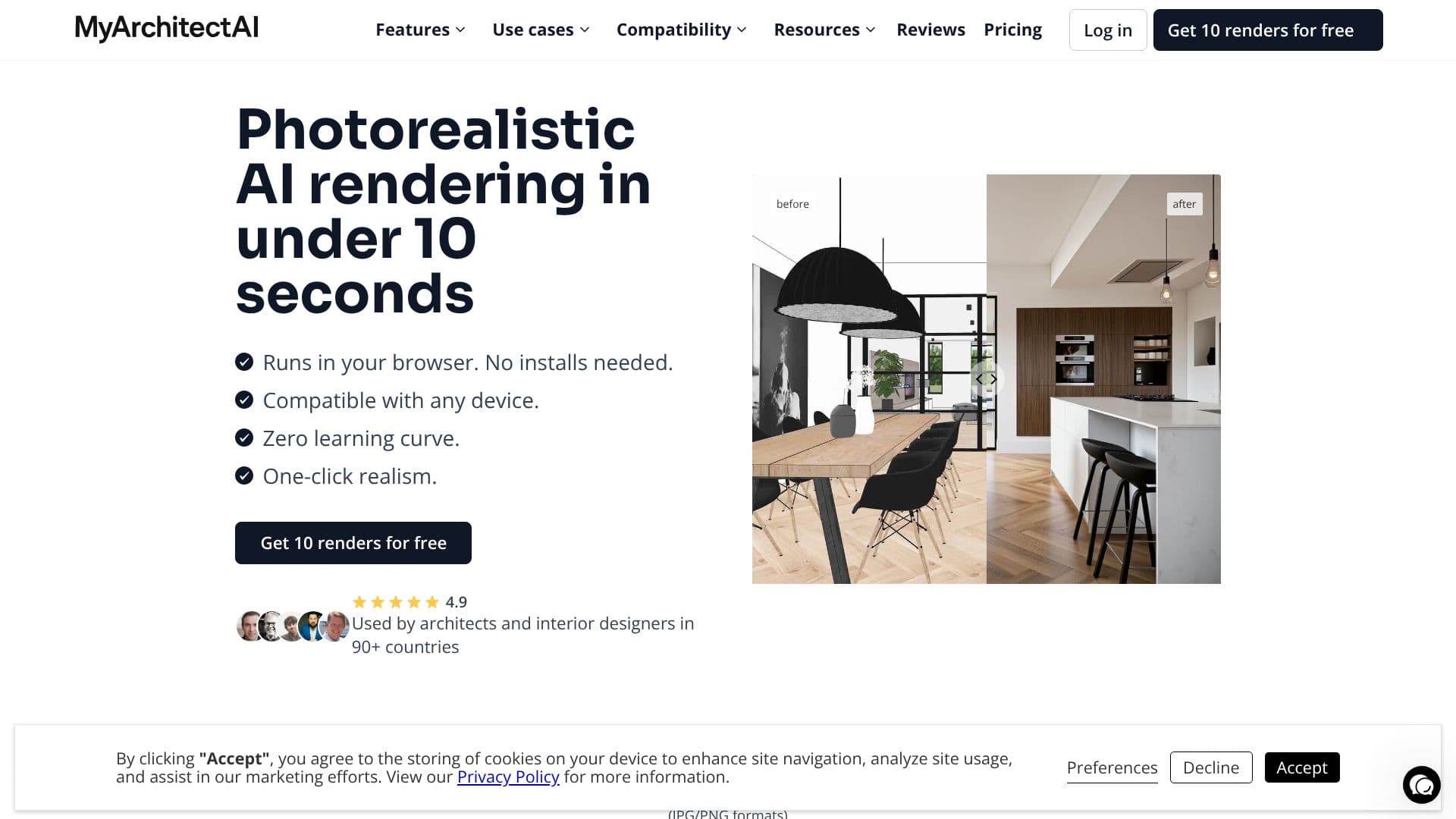
MyArchitectAI offers a revolutionary approach to architectural visualization, transforming hours of rendering work into mere seconds. This cloud-based AI rendering software allows users to upload designs from any CAD or 3D modeling software, including SketchUp, Revit, and Archicad, in JPG or PNG formats. The AI engine then generates photorealistic renders with impressive speed, averaging 9.3 seconds per image, without sacrificing quality or altering the original geometry and materials.
Read More
The platform streamlines the entire visualization process, moving from hours of manual setup and tweaking to a quick, automated workflow. Users can upload their designs and click 'Render' to achieve high-quality visuals. Beyond basic rendering, MyArchitectAI includes AI Sketch to Render, enabling users to experiment with different styles by uploading rough conceptual models or sketches and applying inspiration from reference images. The AI Render Editing feature allows for quick modifications to materials, objects, and lighting within the render itself, without needing to re-render the entire scene or use external editing software.
Further enhancing its capabilities, the AI Enhancer can improve the details of low-resolution renders, reducing noise and refining textures and colors. For dynamic presentations, AI Animations can turn still renders into cinematic videos in 90-120 seconds, offering pre-set camera movements or custom descriptions. MyArchitectAI is designed for efficiency, requiring no downloads or installations and having a zero learning curve, making it accessible to users of all skill levels.
The value proposition centers on speed, ease of use, and cost-effectiveness compared to traditional rendering methods. Traditional rendering can take hours or days per image and requires significant investment in hardware and software, whereas MyArchitectAI offers rapid results at a fraction of the cost and time. The platform provides different pricing tiers, including a basic plan, business plan, and enterprise plan, with a complimentary offer of 10 free renders to get started. MyArchitectAI also emphasizes data protection and service reliability, ensuring user designs are private and the service is consistently available.
- CategoryAI Interior & Architecture Design
- Pricing ModelTiered (Basic, Business, Enterprise)
- DeploymentCloud-based
- PlatformsWeb Browser (Windows, Mac, Linux, Mobile)
MyArchitectAI's Core Features
AI-powered photorealistic rendering in under 10 seconds
Supports designs from any CAD and 3D modeling software (JPG/PNG)
AI Sketch to Render for style experimentation
AI Render Editing for quick material and object changes
AI Enhancer for improving low-resolution renders
AI Animations for generating cinematic videos from renders
Zero learning curve, no software installation required
Cloud-based rendering on high-end GPUs
Complimentary 10 free renders upon signup
Weekly quick support from founders
Complimentary 1-on-1 training
IP ownership and data protection
How to use MyArchitectAI?
Upload your design: Submit your architectural or interior design from any CAD software in JPG/PNG format.
Click Render: Let the AI engine generate a photorealistic visual while keeping geometry and textures unchanged.
Download your image: Receive your 4K render in under 10 seconds, ready for client presentation or further editing.
Experiment with styles: Use AI Sketch to Render by uploading sketches and applying reference images for unique concepts.
Edit your render: Utilize AI Render Editing to quickly change materials, objects, or lighting in selected areas.
Create animations: Transform still renders into MP4 videos in 90-120 seconds using AI Animations.
Enhance details: Improve low-resolution renders with the AI Enhancer for increased detail and realism.
MyArchitectAI's Use Cases
- Architectural Visualization
- Interior Design Concepts
- Conceptual Sketch Rendering
- Material and Texture Testing
- Design Iteration
- Client Communication
- Animation for Projects
- Low-Resolution Render Enhancement