Description
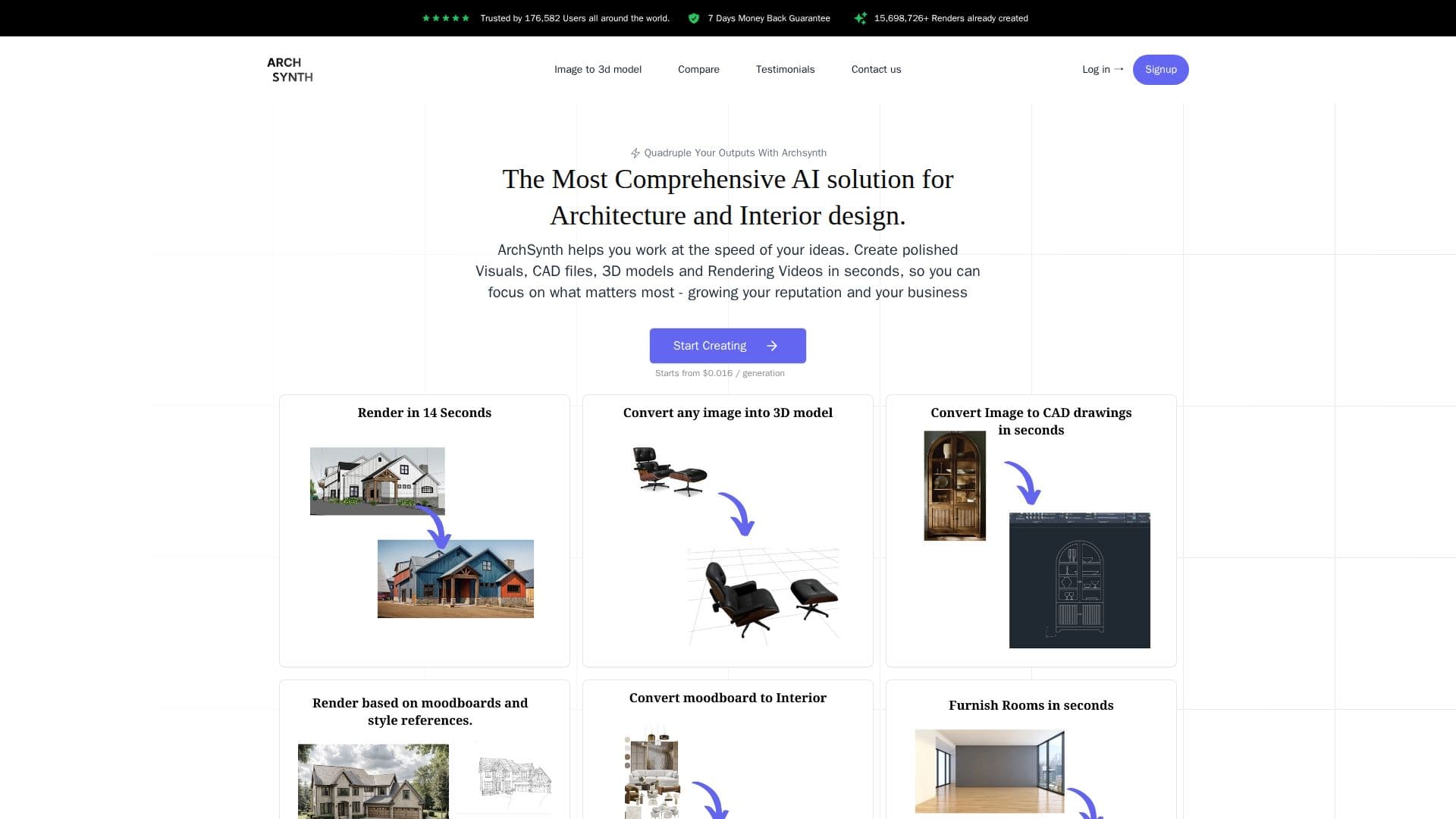
Archsynth is a cutting-edge AI tool designed to transform architectural sketches into high-quality renders in just seconds. By leveraging advanced AI technologies, Archsynth allows architects and designers to create polished visuals, CAD files, 3D models, and rendering videos quickly and efficiently. This tool is particularly beneficial for professionals looking to enhance their design process and improve the quality of their presentations.
Read More
One of the standout features of Archsynth is its ability to convert 2D sketches into stunning 3D models that can captivate clients and stakeholders. The tool supports integration with popular design software such as Sketchup, Rhino, Revit, and 3ds Max, making it versatile for various design workflows.
Archsynth offers a range of features including sketch-to-render, text-to-image synthesis, photo enhancing, interior design, and virtual staging. It also provides advanced capabilities like AI inpainting, upscaling, and background removal, allowing users to edit and modify images with ease. The AI assistant feature enables users to query images for information, providing quick and intelligent responses.
The pricing model for Archsynth includes a Student plan at $10 per month and a Pro plan at $24 per month, offering substantial cost savings compared to other apps in the market. With over 150,000 users across 140 countries, Archsynth is trusted by professionals in prestigious institutions.
Archsynth is ideal for architects, designers, and professionals in the architecture and design industries who seek to streamline their workflow and produce high-quality visual content efficiently. The tool's intuitive design and user-friendly interface make it accessible to users of all skill levels.
- CategoryAI Interior & Architecture Design
- Pricing ModelSubscription
- DeploymentCloud
- PlatformsSketchup, Rhino, Revit, 3ds Max
Archsynth's Core Features
Sketch to Render
Text to Image
Photo Enhancing
Interior Design
Virtual Staging
AI Landscaping
Image to Video
Image to CAD
Generate from Moodboards
Maintain Colors from Input
Image to 3D
AI Assistant
AI Inpainting
Upscaling
Background Removal
How to use Archsynth?
Configure: Set up your design preferences
Use: Upload sketches and generate renders
Optimize: Enhance images with AI tools
Export: Save and share your designs
Archsynth's Use Cases
- Sketch to Render
- 3D Model Creation
- Interior Design
- Virtual Staging
- Image Editing