Description
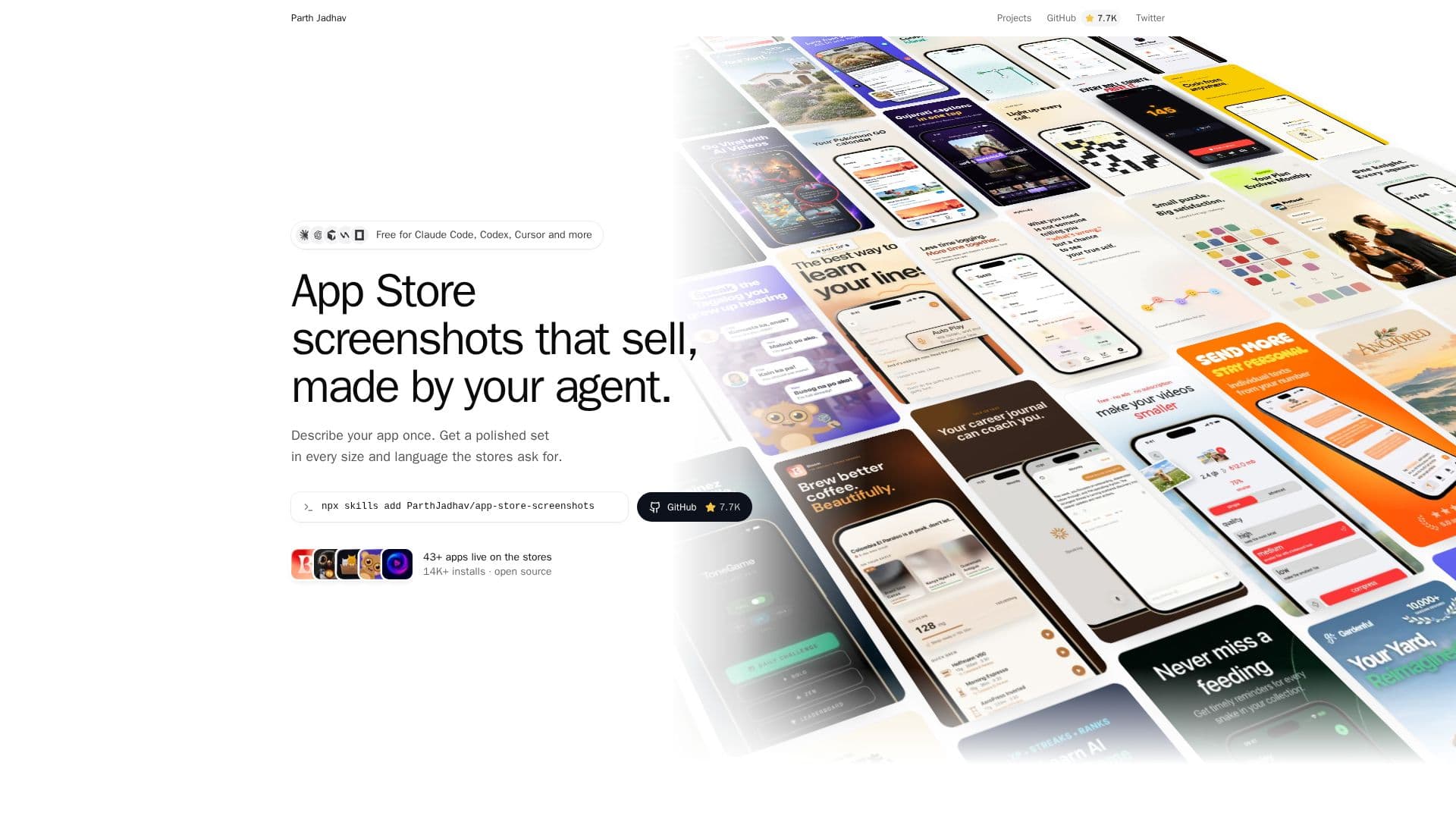
App Store Screenshots is a free and open-source skill designed to streamline the creation of App Store and Google Play screenshots using AI coding agents. Compatible with agents such as Claude Code, Codex, Cursor, Windsurf, and OpenCode, this tool allows developers to generate production-ready screenshots efficiently. The process begins with installing the skill and then describing the app to the AI agent. The agent then generates a polished set of screenshots tailored for every required size and language across various platforms.
Read More
The tool emphasizes advertisement-first design principles, ensuring that the generated screenshots are not only visually appealing but also optimized for conversion. A key feature is its ability to produce exact-size exports for both Apple and Google Play storefronts, which are verified to be accepted by both platforms. The project state is version-controlled via an `app-store-screenshots.json` file, allowing for easy commit and retrieval across different machines.
Users maintain full control over the generated content. After the AI agent completes its initial design, an editor runs locally on the user's machine, enabling manual adjustments to headlines, screenshots, or layouts. This flexibility also allows users to ask their agent to make further modifications. The skill supports a wide range of devices, including iPhone, iPad, Mac, Apple Watch, Apple TV, CarPlay, Android phones and tablets, as well as Google Play feature graphics and App Store creative assets.
App Store Screenshots is distributed under the MIT license, making it a free and accessible solution for developers. It requires Node.js 18 or newer and a package manager (bun, pnpm, yarn, or npm), along with existing app screenshots from a simulator, emulator, or device. The tool also offers reusable themes, localized copy, and RTL-aware layouts, ensuring comprehensive coverage for global app launches. With over 43 apps live on stores and 14K+ installs, it provides a proven method for creating effective app store visuals.
- CategoryAI Graphic Design Tools
- Pricing ModelFree
- DeploymentRuns locally
- PlatformsWeb
App Store Screenshots's Core Features
Generate App Store and Google Play screenshots with AI agents
Supports Claude Code, Codex, Cursor, Windsurf, OpenCode, and other skill-compatible agents
Produces exact-size exports for Apple and Google Play storefronts
Advertisement-first design for optimal conversion
Reusable themes and localized copy support
RTL-aware layouts for global audiences
Version-controlled project state via app-store-screenshots.json
Local editor for manual adjustments after AI generation
Covers iPhone, iPad, Mac, Apple Watch, Apple TV, CarPlay, Android phones and tablets
Includes Google Play feature graphic and App Store creative assets
Open source under the MIT license
Requires Node.js 18 or newer and a package manager
Supports 40+ apps live on stores
Over 14,000 installs
How to use App Store Screenshots?
Install the skill: Use `npx skills add ParthJadhav/app-store-screenshots` in your project directory.
Ask your agent: Prompt your AI agent to build App Store and Google Play screenshots for your app, providing details like app function, features, devices, languages, look, and number of slides.
Tweak in editor: Access the local editor (localhost:3000) to make any desired changes to headlines, screenshots, or layouts.
Export every size: Export a zip file containing all required screenshot sizes and languages (e.g., en, ja, de, fr, es for iPhone, iPad, Android, etc.).
App Store Screenshots's Use Cases
- App Store Listing Optimization
- Multi-Device Screenshot Generation
- Localized Screenshot Creation
- AI-Assisted Design Workflow
- Version-Controlled Screenshot Projects
- Customizable Screenshot Layouts
- Developer Productivity Enhancement