
Description
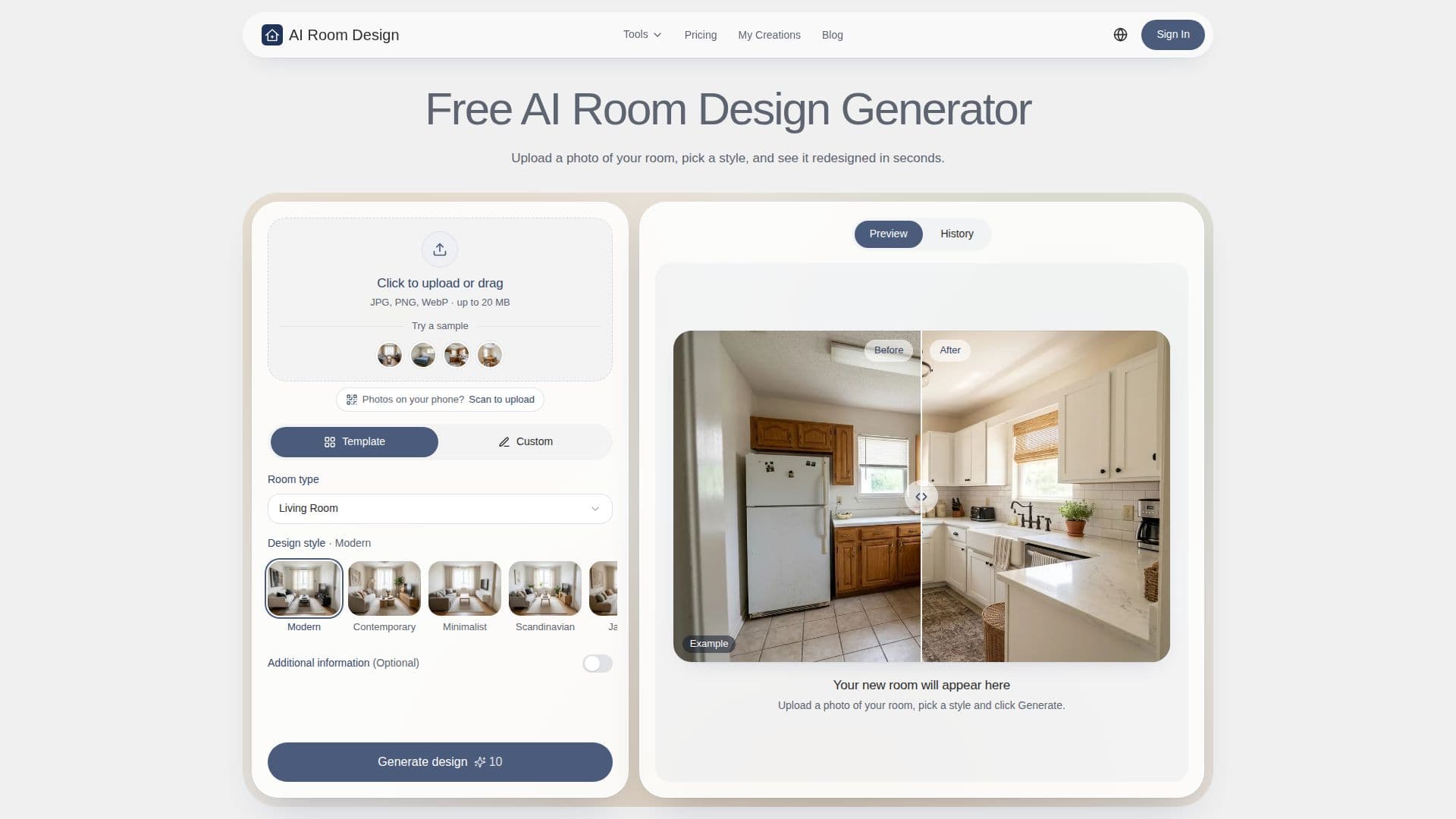
AI Room Design offers a fast and low-risk way to visualize interior design changes before committing to a remodel or purchasing new furniture. Users begin by uploading a photo of their current space, then select an interior style from a diverse list, or describe their desired look using a custom prompt. The platform's AI generator reimagines the space with updated decor, finishes, and lighting, providing photorealistic results that resemble actual photographs rather than sketches.
Read More
The tool is designed to preserve the existing room structure, including walls, windows, doors, ceiling lines, and camera perspective. This ensures that the generated design ideas are practical and fit the user's real room. It supports a wide range of indoor and outdoor spaces, such as living rooms, bedrooms, kitchens, bathrooms, dining rooms, home offices, kids' rooms, and patios. Users simply select the appropriate room type to receive tailored furniture and layout suggestions.
AI Room Design is free to try without requiring an account or sign-up, allowing users to test the quality of the designs before committing. For those who wish to create more designs or access full features, various subscription plans and one-time credit packs are available. Each design uses 10 credits, and if a generation fails, credits are automatically refunded. The platform works directly in a web browser across desktop, mobile, and tablet devices, eliminating the need for downloads or installations.
Key features include dozens of preset design styles like Modern, Japandi, Scandinavian, and Industrial, as well as a custom mode for detailed prompts. The service emphasizes user privacy, ensuring that uploaded photos and generated results remain private and are never published or used in galleries. This tool is ideal for homeowners, renters, and interior design enthusiasts seeking quick inspiration, staging ideas for real estate, or a way to visualize changes before making significant investments.
- CategoryAI Interior & Architecture Design
- Pricing ModelFreemium
- DeploymentCloud
- PlatformsWeb
AI Room Design's Core Features
Redesign any room from a photo
Free to use with no sign-up required
Photorealistic redesigns in seconds
Preserves existing room layout (walls, windows, doors)
Updates furniture, finishes, and lighting
Supports various indoor and outdoor room types
Offers dozens of preset interior design styles
Custom mode for descriptive design prompts
Works directly in web browser (desktop, mobile, tablet)
Supports JPG, PNG, and WebP image files up to 20 MB
Credits refunded automatically for failed generations
Uploaded photos and designs remain private
Access to design history
Watermark-free downloads with paid plans
Flexible subscription or one-time credit packs
How to use AI Room Design?
Add Room Image: Upload a photo of your room (JPG, PNG, WebP up to 20 MB) by dragging and dropping or clicking to upload.
Pick Room Type and Style: Select the matching room type and choose an interior style from the list, or switch to Custom mode to describe your own design.
Generate Design: Hit "Generate" to receive a photorealistic AI room design in seconds.
Download and Share: Download the generated image to share or keep for reference.
AI Room Design's Use Cases
- Home Renovation Planning
- Interior Design Inspiration
- Furniture Shopping Decisions
- Real Estate Staging
- Personalized Room Makeovers
- Testing Design Concepts
- Outdoor Space Redesign