
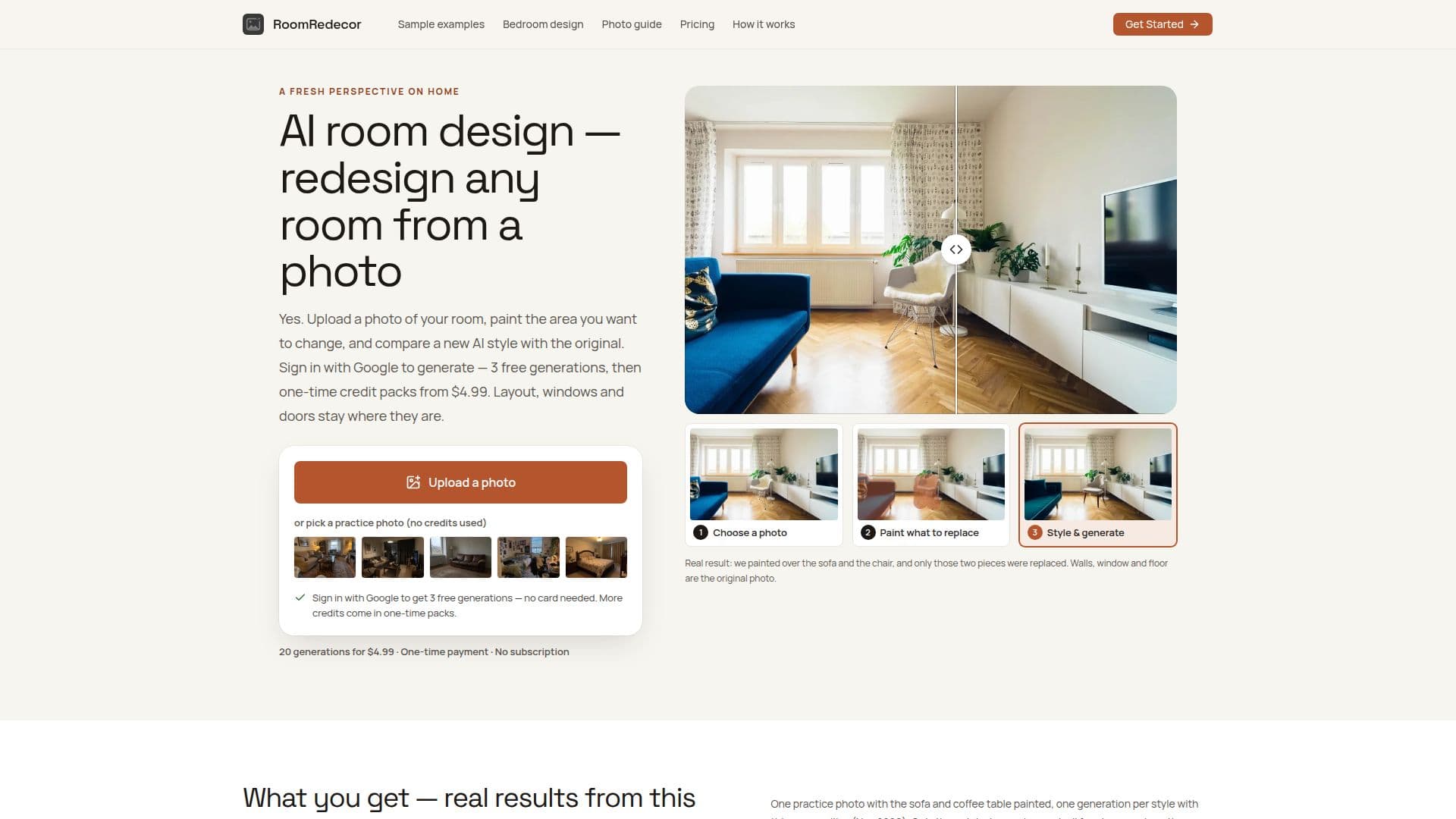
Description
RoomRedecor offers an intuitive platform for users to visualize interior design changes using AI. By simply uploading a room photo, users can select specific areas like furniture or decor to be redesigned. The tool then generates a new image based on a chosen style, allowing for a direct comparison with the original photo.
Read More
The process begins with selecting a clear JPG or PNG photo, up to 20 MB and 4096 pixels. Users then use a painting tool to mark the items they want to replace, while leaving fixed architectural elements like windows, doors, and walls unpainted to preserve the room's original structure. This selected-area editing ensures that only the intended elements are transformed, providing a focused redesign.
RoomRedecor primarily supports living rooms and bedrooms, offering styles such as Modern, Scandinavian, and Art Deco. While experimental support for kitchens, bathrooms, and house exteriors is available, the best results are achieved with the core room types. The AI aims to maintain the room's layout and unpainted features, though minor changes to edges, proportions, and unselected details can occur. The generated images are intended as visual inspiration and not as precise floor plans or construction drawings.
The platform operates entirely within a mobile browser, eliminating the need for a dedicated app. Users can paint with their finger, refine selections with erase and undo functions, and keep drafts in their browser for up to 24 hours. An account is required for generation, with new users receiving 3 free generations upon signing in with Google. Additional generations can be purchased through one-time credit packs, which are valid for 365 days.
RoomRedecor emphasizes a practical workflow: start with a readable photo, precisely paint only what should change, and critically compare the before-and-after results. If initial results are too broad or alter unintended features, users are advised to refine their selection mask. The tool is designed to help users explore changes in color, furniture, and texture, providing a fresh perspective on their home spaces before making any physical purchases.
- CategoryAI Interior & Architecture Design
- Pricing ModelFreemium
- DeploymentCloud
- PlatformsWeb Browser (Mobile Compatible)
RoomRedecor's Core Features
AI Room Redesign from Photo
Selected-Area Painting for Changes
Before and After Comparison
Image Download
Mobile Browser Editor
Multiple Design Styles (Modern, Scandinavian, Art Deco)
Preserves Room Layout, Windows, and Doors (unpainted areas)
Supports JPG and PNG Photo Inputs (up to 20 MB, 4096 pixels)
Draft Retention (up to 24 hours in browser)
Credit Pack Purchases (one-time, 365-day validity)
3 Free Generations for New Accounts
Automatic Credit Return for Failed Generations
Focus on Living Rooms and Bedrooms
Experimental Support for Kitchen, Bathroom, Exterior
Stripe for Payments
How to use RoomRedecor?
Choose a Photo: Upload a clear JPG or PNG image of your room, or select a practice photo.
Paint Area to Change: Use the editor to brush over the furniture or decor you want to replace, leaving fixed architectural elements unpainted.
Select a Style: Choose a design direction such as Modern, Scandinavian, or Art Deco.
Generate Image: Sign in with your Google account and press 'Generate' to create the AI-redesigned image.
Compare Results: Review the generated image side-by-side with your original photo to assess the changes.
Download Design: Download your new room design within 24 hours of generation.
RoomRedecor's Use Cases
- Visualize Room Redesigns
- Explore Interior Design Concepts
- Furniture Replacement Preview
- Color and Texture Experimentation
- Home Renovation Inspiration
- Mobile Design Exploration
- Budget-Friendly Design Ideas
- Pre-Purchase Visualization